Data Ingestion
Last update:2026-03-19 16:36:19
This article introduces how to manage data ingestion tasks.
Prerequisites
You have already integrated logs. For details, see: Create a Log Library.
Accessing the Consumption Task Management Page
- Go to the Log Service Platform.
- Click Task Management in the navigation bar, then navigate to the Data Ingestion tab.

Access Task Management
The task list displays all created access tasks. You can use Search or column header filters to find the desired task.
1. Edit
In the operation column of Access Task Management, select the Edit option.

After you click, you will enter the access task editing page, where you can edit existing tasks.
Note:
- For created tasks, some content cannot be edited. Please follow the prompts provided on the page.
- Only tasks with HTTP access support editing. Tasks automatically integrated by the CDNetworks log system do not support editing.
2. Pause
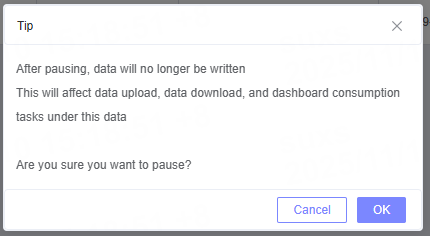
In the operation column of Access Task Management, select the Pause option.

After you click, the system will display a warning about the consequences of pausing. You will need to confirm again whether to pause the task.
3. Delete
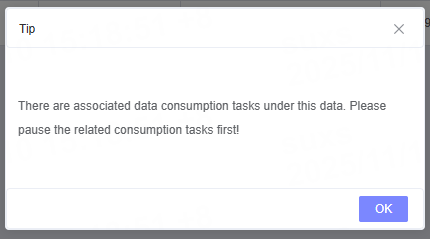
In the operation column of Access Task Management, select the Delete action.

After you click, the system will prompt you about the consequences of deleting the task and ask for a secondary confirmation to proceed with the deletion.
4. Monitoring
In the operation column of Access Task Management, select the Monitor action.

After you click, you will be redirected to the monitoring page to view the corresponding report data. For more details, please refer to the relevant instructions in Monitor.
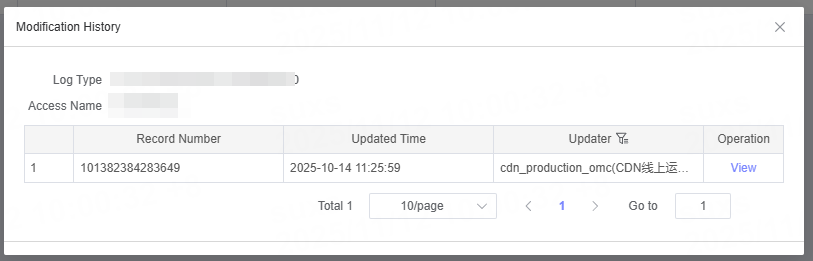
5. Modification History
In the operation column of Access Task Management, select the Modification History action.

After you click, you can view the history of changes for the access task in the pop-up window, as well as details for each modification.