
Third-Party Data Logstores
Last update:2026-01-27 11:03:40
CLS supports HTTP integration for third-party log data. This is suitable for scenarios where business logs and third-party service logs need to be imported into CLS for unified management.
Steps
-
Go to the Log Service Platform.
-
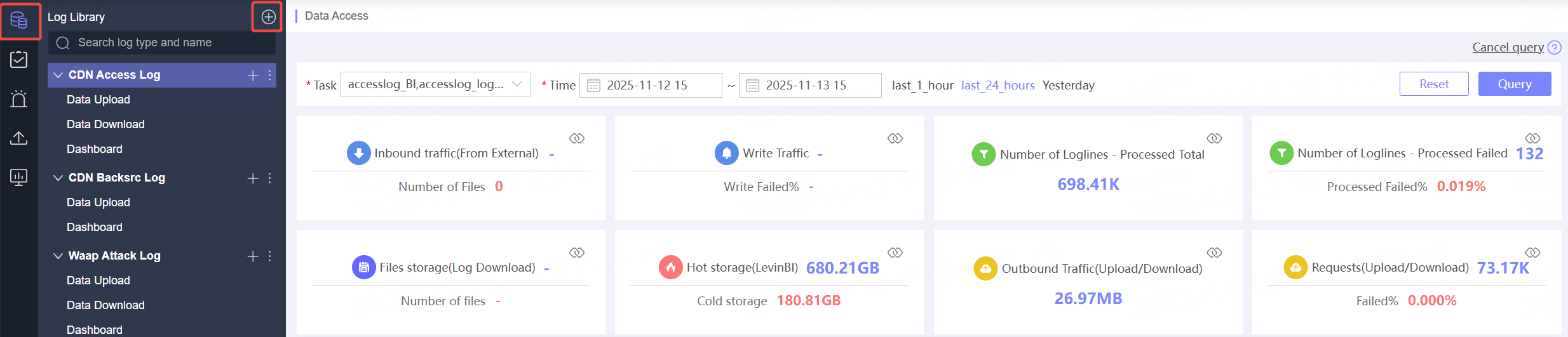
Click Log Library in the navigation bar.
-
On the Log Library List page, click the
 button in the upper right corner.
-
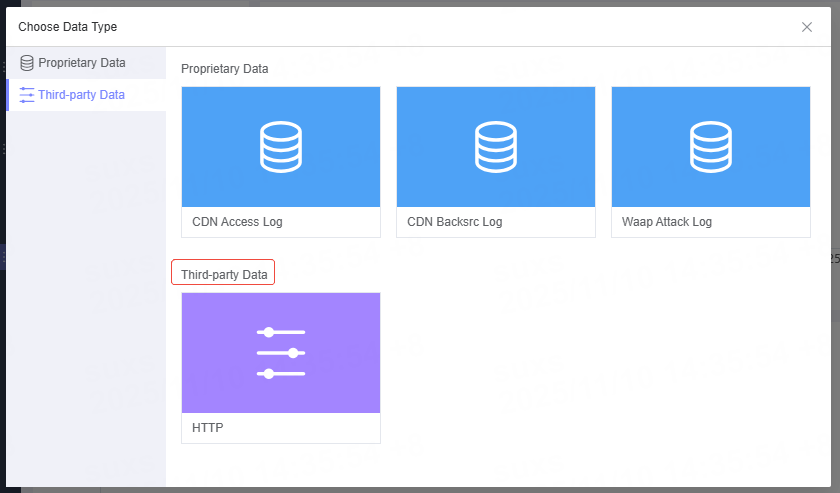
On the Create Log Library page, select Third-Party Data. Currently, only the HTTP method is supported.
-
For detailed instructions on HTTP integration, please refer to: Data Integration - Https
Next Steps
After creating a new log library, you can proceed with data consumption. For more information, see: Data Upload, Data Download, and Dashboard.
Related Articles
Is the content of this document helpful to you?
Yes
I have suggestion