
Create/Delete Folder
Last update:2025-08-11 11:33:55
Files in object storage do not have a hierarchical structure. However, you can simulate folders using virtual directories. The CDNetworks object storage console provides the function to create new folders.
How to Create New Folder
- Log in to the CDNetworks Console and select Object Storage Service.
- Click the Name of the bucket you want to manage, or click Manage on the far right of the corresponding bucket.
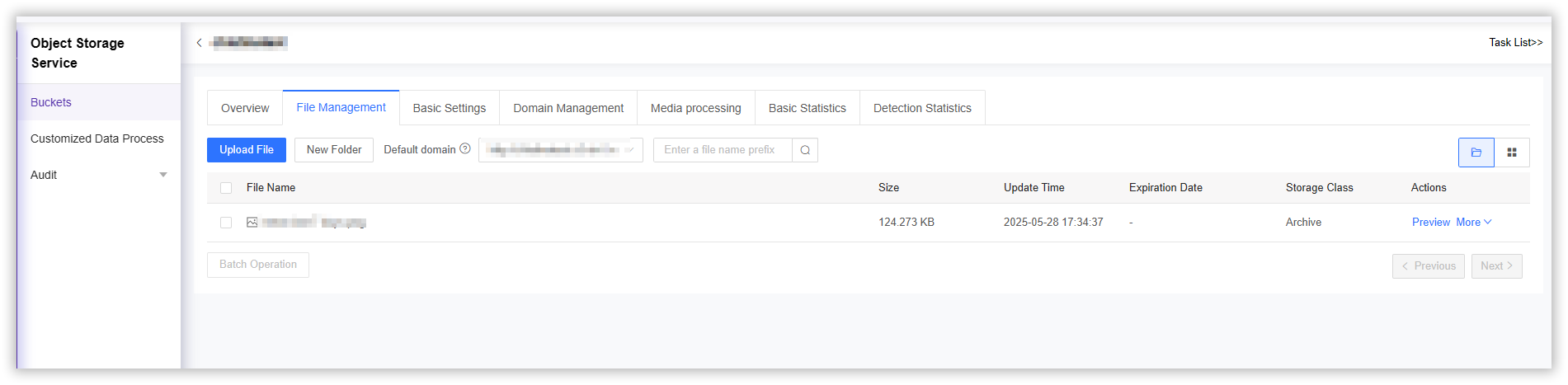
- On the details page, click File Management in the upper section.
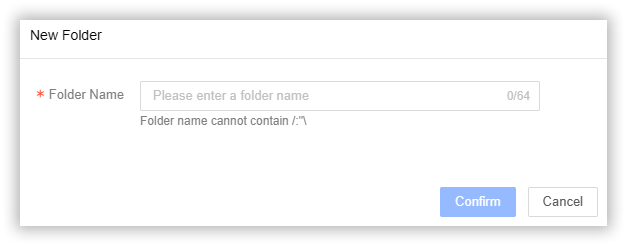
- Click the New Folder button and follow the on-screen instructions to create a new folder.
- Enter a folder name. The folder name cannot contain illegal characters such as [/:"] and must not exceed 64 characters in length.
- Click the Confirm button to complete the creation.
How to Delete Folder
-
Log in to the CDNetworks Console and select Object Storage Service.
-
Click the Name of the bucket you want to manage, or click Manage on the far right of the corresponding bucket.
-
On the details page, click File Management in the upper section.
-
Select the folder you want to delete, then click the Delete button on the far right, and click OK.

-
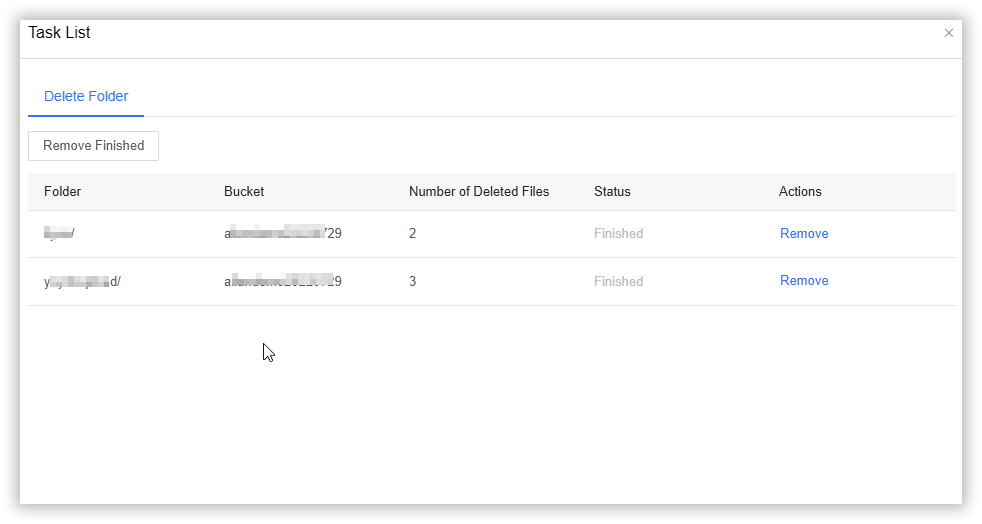
Click Task List in the upper right corner of the operation page to view the list of deleted folders.

Note:
1.Deleting a folder will remove all files and data within that folder, and this action cannot be undone. Please proceed with caution.
2. This page demonstrates the operation of deleting a folder. For operations related to deleting specific files either in the storage bucket or within a folder, please refer to Delete/Rename File.