
Delete/Rename File
Last update:2025-08-06 16:55:34
The CDNetworks console supports file deletion and renaming. You can manage your files directly through the console interface for efficient bucket management.
How to Delete File
- Log in to the CDNetworks Console and select Object Storage Service.
- Click the Name of the bucket you want to manage, or click Manage on the far right of the corresponding bucket.
- On the details page, click File Management in the upper section.
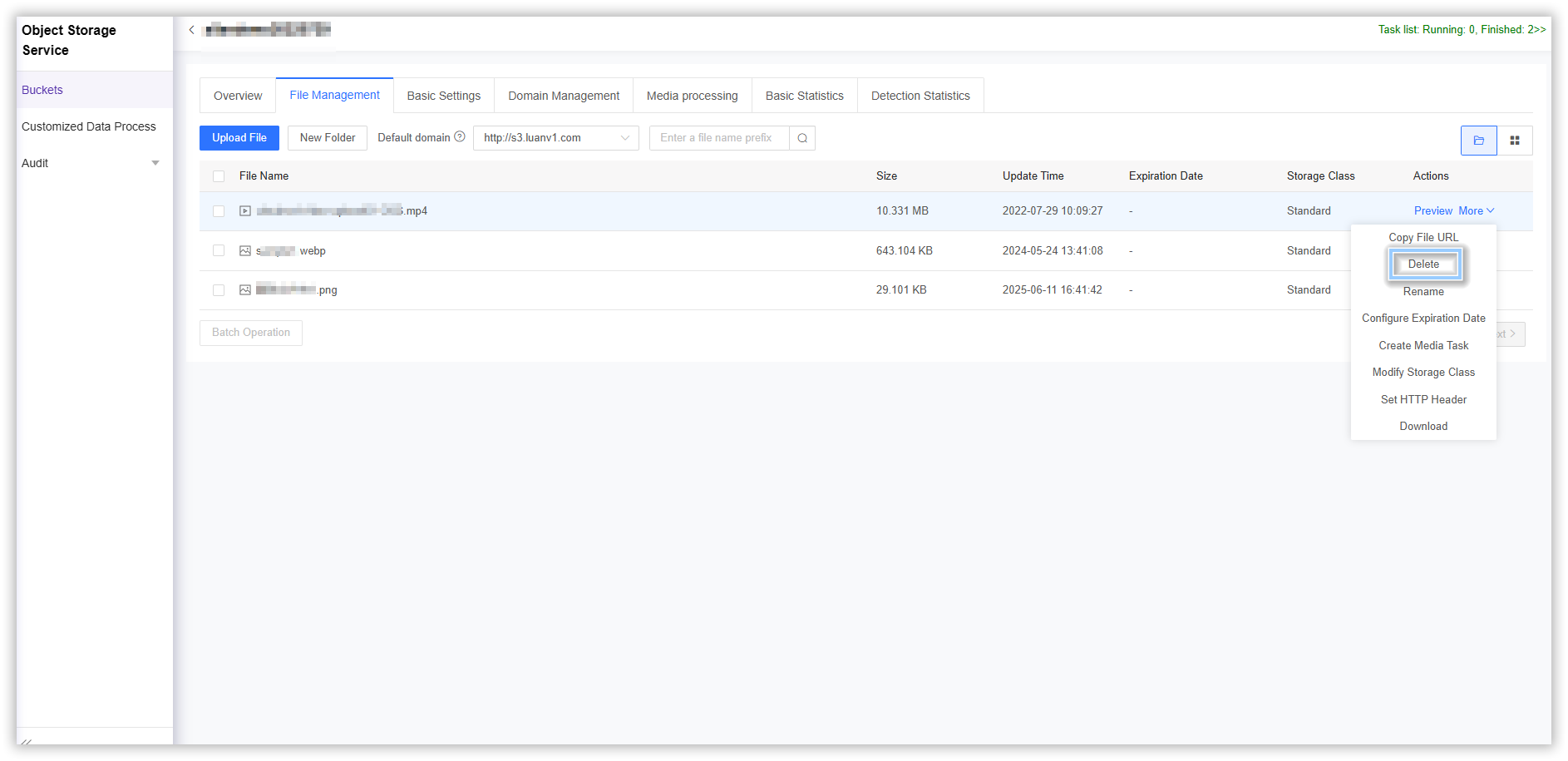
- Select the file you want to delete, then click More > Delete > OK on the far right.
How to Rename File
- Log in to the CDNetworks Console and select Object Storage Service.
- Click the Name of the bucket you want to manage, or click Manage on the far right of the corresponding bucket.
- On the details page, click File Management in the upper section.
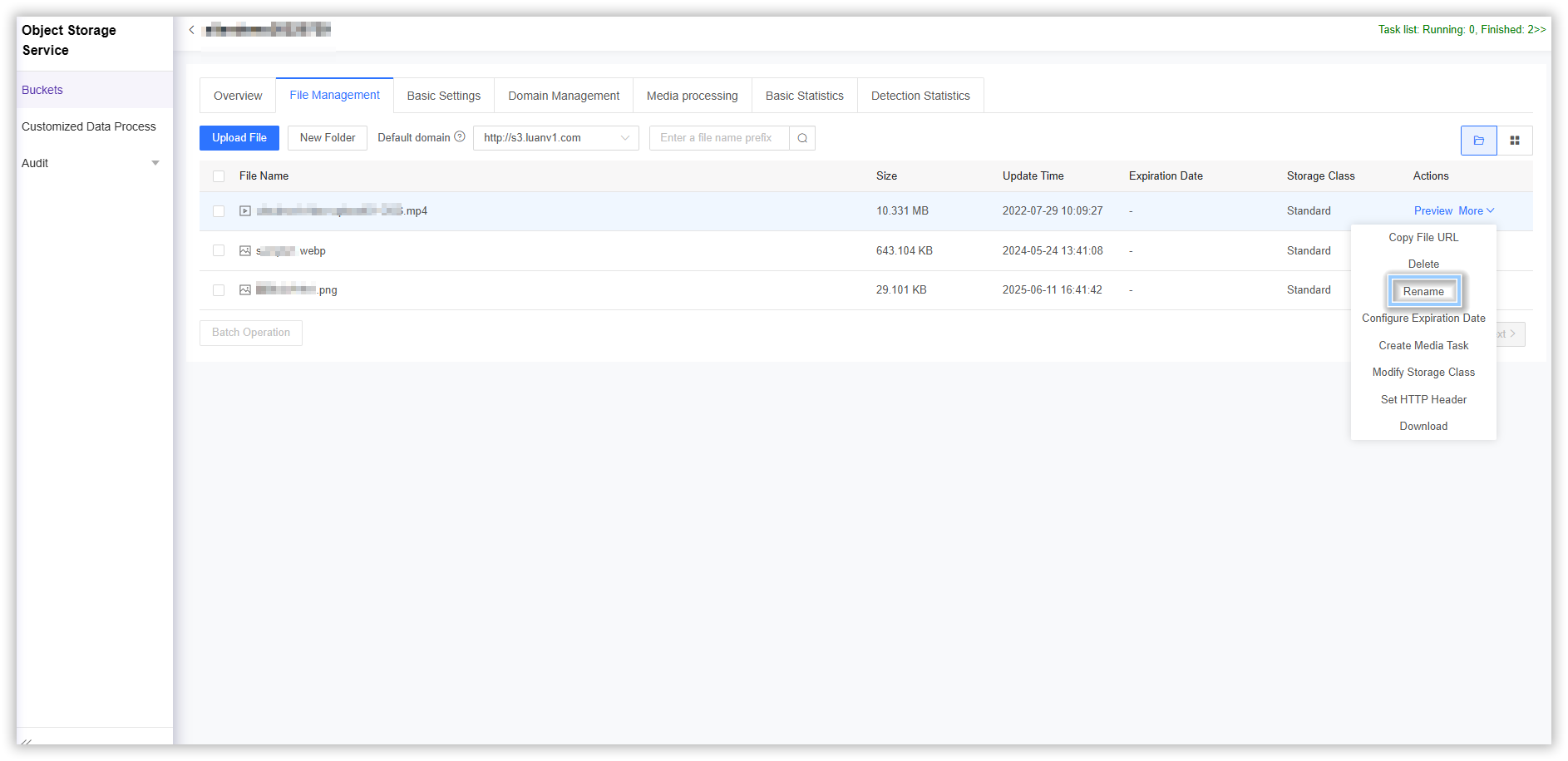
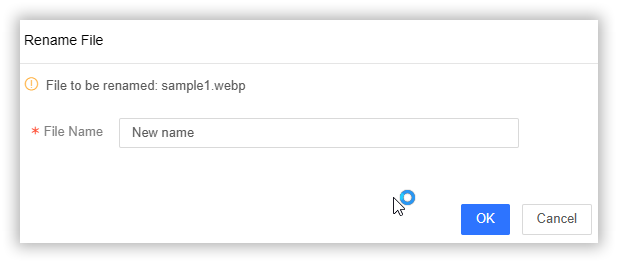
- Select the file you want to rename, then click More > Rename on the far right. Enter the new filename you want to change to in the corresponding input field and select OK to complete the operation.
Is the content of this document helpful to you?
Yes
I have suggestion