
Converting Storage Types
Last update:2025-08-06 11:04:57
In object storage, converting storage types refers to transferring data from one storage type to another based on usage requirements. This process helps optimize storage costs and improve resource utilization. By automatically transferring less frequently accessed data to lower-cost storage types, such as Infrequent Access Storage or Archive Storage (to convert the storage type for Archive Storage, files must first be restored), users can significantly reduce storage expenses while maintaining data availability. You can convert the storage type of files through Lifecycle Settings, console operations, or APIs.
Converting Storage Types
You can convert the storage type of files using lifecycle rules, the console, or the API.
Converting Storage Types via Lifecycle Rules
Set lifecycle rules in the console to automate storage type conversion,For configuration details, please refer to Lifecycle Settings。
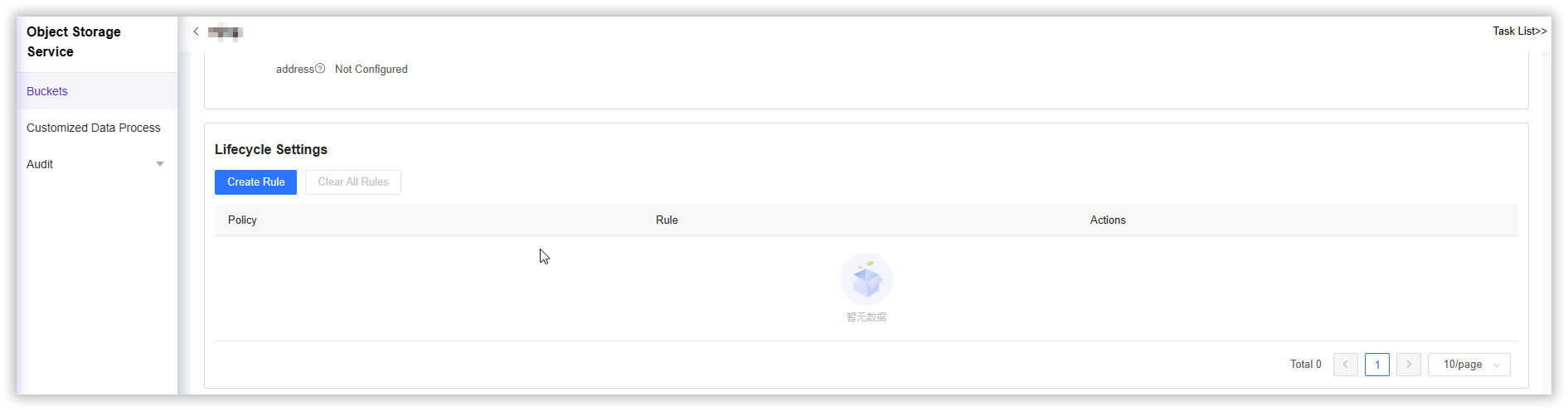
If your application has customized requirements, you can set lifecycle rules via the API. For more information, refer to PutBucketLifeCycle.
Currently, lifecycle rules support converting files from Standard Storage to Infrequent Access Storage or Archive Storage, but do not support reverse conversion. For reverse conversion, please manually set the file storage type via the console or the API.
Converting Storage Types via the Console
- Log in to the CDNetworks Console and select Object Storage Service.
- Click the Name of the bucket you want to manage, or click Manage on the far right of the corresponding bucket.
- On the details page, click File Management in the upper section.
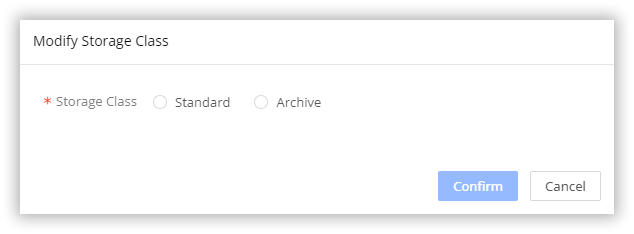
- Select the file whose storage type you want to convert, and click More > Modify Storage Class on the far right to convert the file type to Infrequent Access Storage or Archive Storage as needed.
Converting Storage Types via the API
You can use the converttype API to convert files to the specified storage type. For more information on how to call the API, refer to Convert Storage Classes.
File Restoration
Archive Storage files cannot be directly accessed or converted to other storage types. To access or convert these files, you must first restore them. You can restore Archive Storage files via the console or the API.
Restoring Files via the Console
- Log in to the CDNetworks Console and select Object Storage Service.
- Click the Name of the bucket you want to manage, or click Manage on the far right of the corresponding bucket.
- On the details page, click File Management in the upper section.
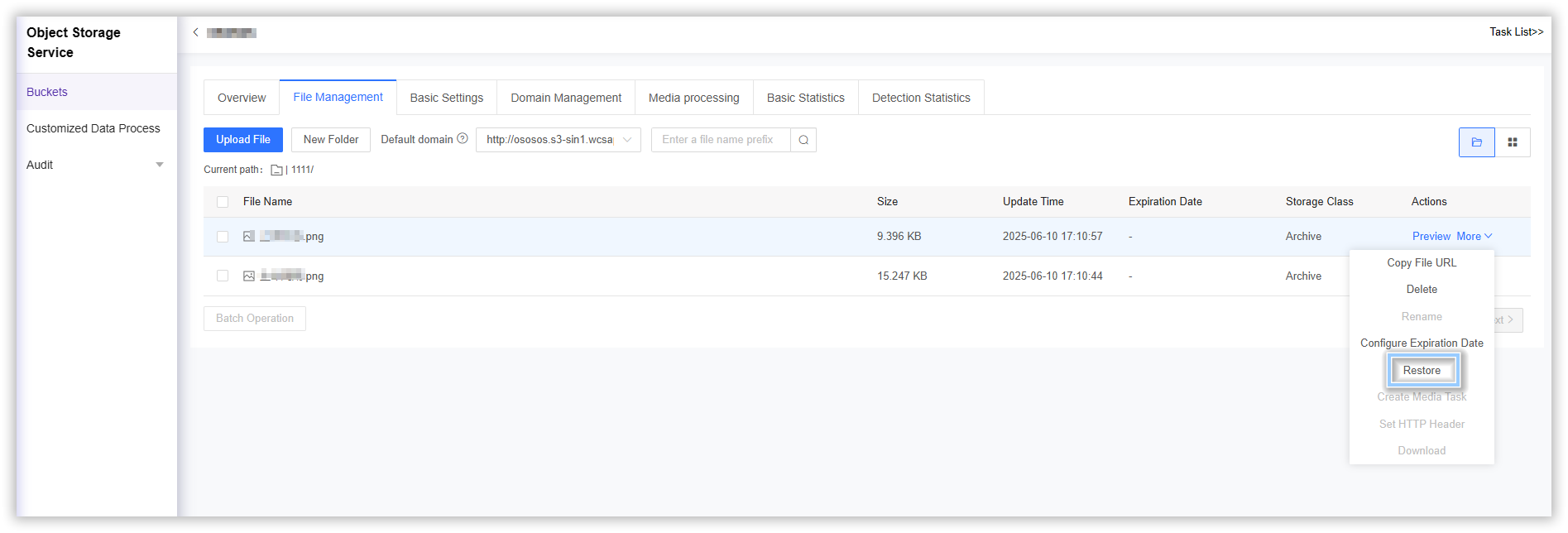
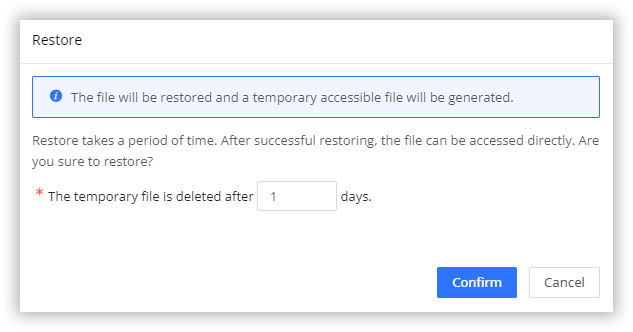
- Select the file you need to restore, and click More > Restore on the far right. You can set the validity period after restoration, after which the file will be frozen again and access will be denied.
Notes
Please note the following:
- Minimum Storage Duration: Files in the Infrequent Access Storage type and Archive Storage type must be retained for at least 30 days and 60 days respectively. Early deletion of files will incur early deletion fees.
- Data Retrieval Fees: Accessing files in the Infrequent Access Storage type will incur additional data retrieval fees based on the actual amount of data accessed.