
Security Posture Analysis
Last update:2025-11-14 14:53:13
CLS provides preset dashboards based on platform native data. When configuring data consumption and dashboards, you can subscribe to the corresponding preset dashboards to meet personalized business monitoring and visual analysis needs.
This article introduces the main features of the preset Security Posture Analysis Dashboard.
Key Metrics of the Security Posture Analysis Dashboard
| Metric Name | Description |
|---|---|
| Attack Overview | Displays indicator rankings by your selected dimensions to identify abnormal access volumes and trends. Click Attack Overview to view attack request counts, distribution by access region, attack types, and more across different dimensions. |
| Top Attack Targets | Ranks top attack targets by different dimensions. Click Top Attack Targets to view the number of requests and attack-defense status for different types of attacks by dimensions such as acceleration domain, URL, Referer, client IP, etc. |
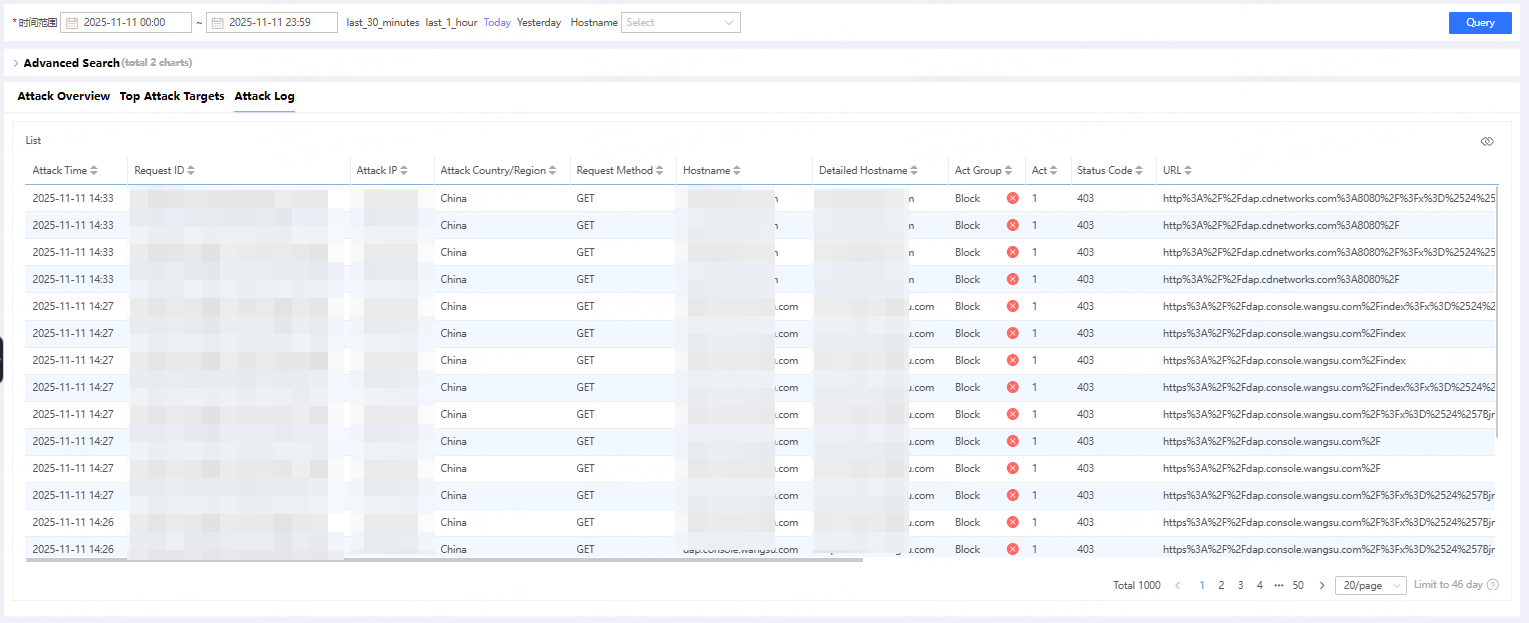
| Sample Attack Log Details | View details of sample attack logs. Click Sample Attack Log Details to further examine security incidents and determine whether the security policies triggered by requests meet your expectations. |
Operation Guide
View Attack Overview
After clicking Attack Overview, you can view the number of different types of attack requests from various perspectives, as well as the distribution of attack regions and attack types.
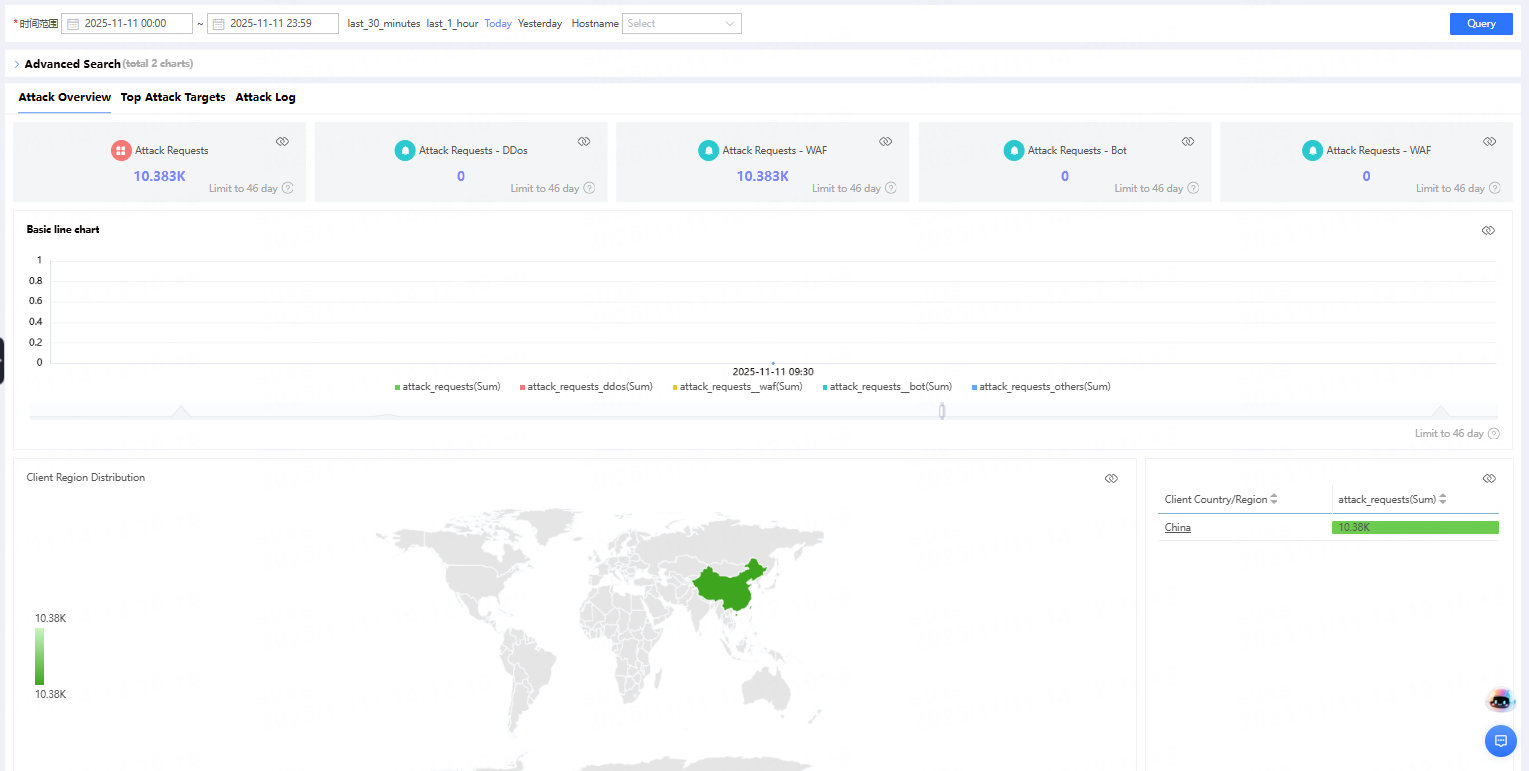
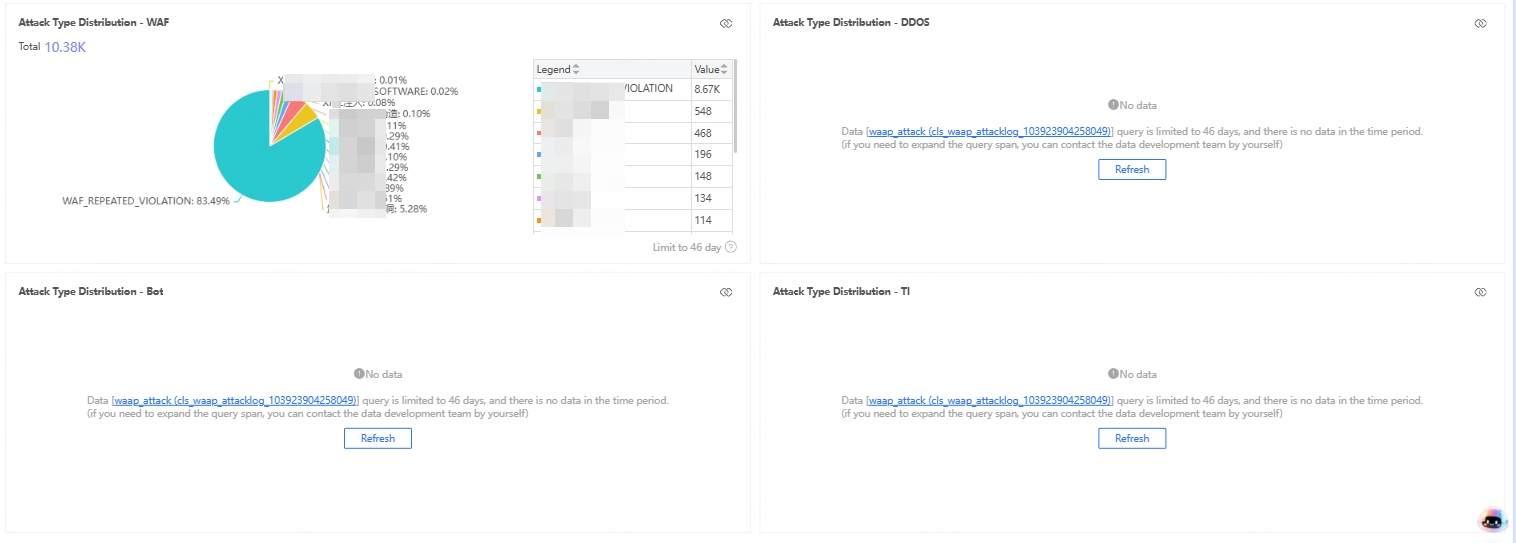
Bandwidth calculation method: Using a 5-minute granularity, bandwidth = total traffic within 5 minutes × 8 ÷ 300 seconds. The granularity can be adjusted as needed.
View Top Attack Target
After clicking Top Attack Target, you can view the number of requests and the status of attacks and defenses for different types of attacks from various perspectives such as acceleration domain, URL, Referer, and client IP.
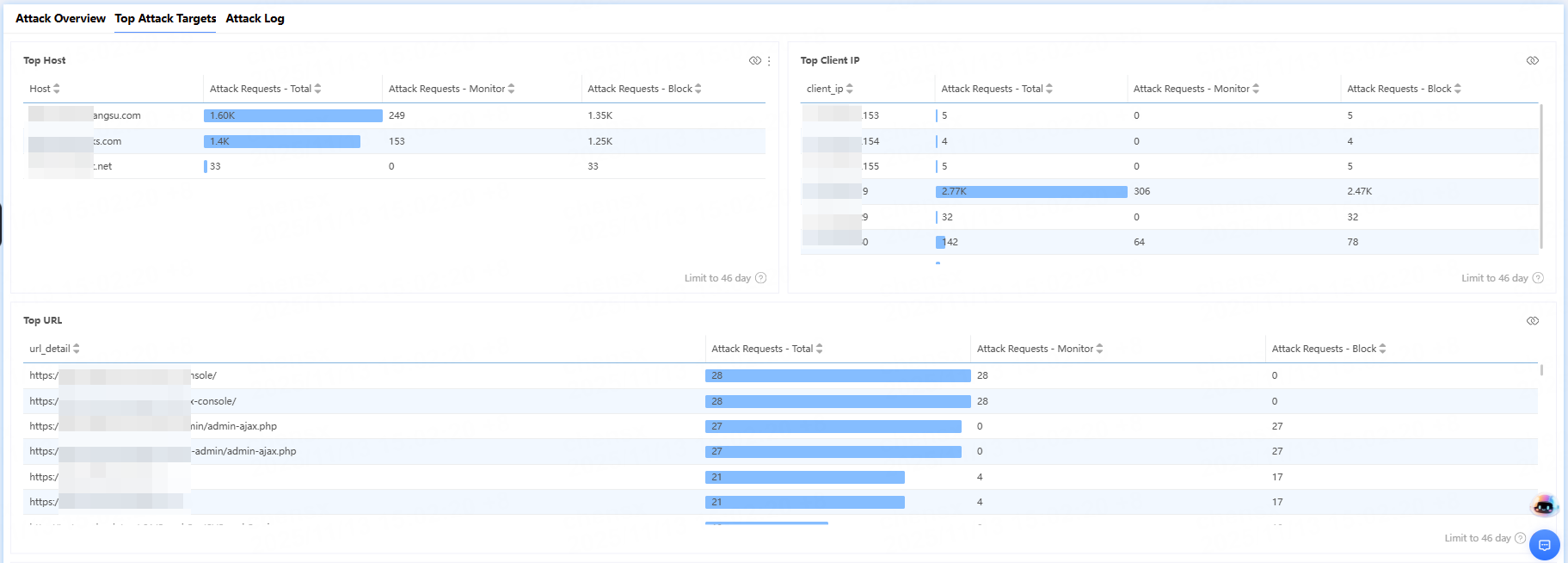
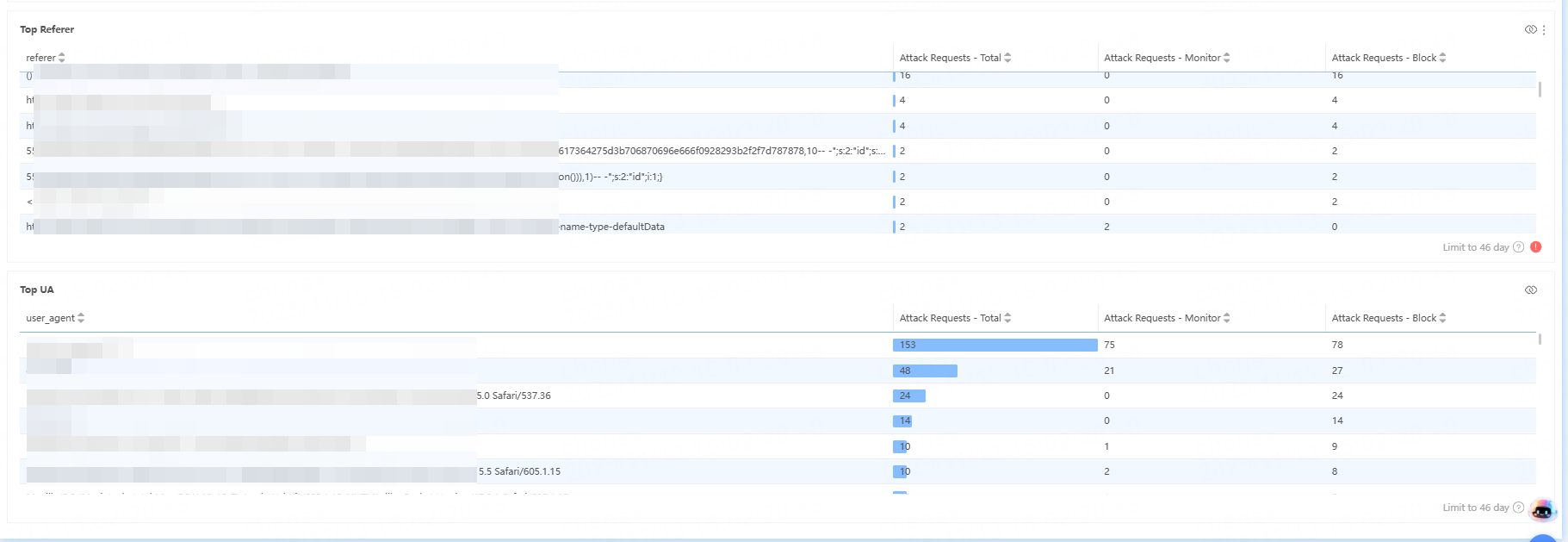
Analyze Sample Logs
After clicking Sample Attack Log Details, you can further review the details of the security event and determine whether the security policy matched by the request meets expectations.
To modify a preset dashboard or create a custom dashboard, please refer to Analyze Data Using Dashboards.