
Syslog
Last update:2025-11-13 18:11:13
CLS supports sending log files to storage destinations that support the Syslog protocol.
Preparation
- Deploy a dedicated Syslog server
- Open the corresponding ports
Procedures
-
Select FTP/SFTP as the Upload Destination Type.
-
Enter an easily identifiable description for the upload target in Upload Target Name, with a maximum length of 1024 characters.
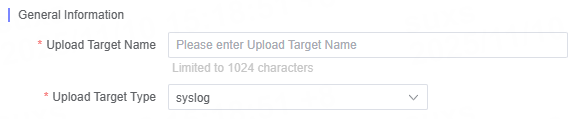
-
Fill in each Syslog configuration parameter as required.
General Configuration Items
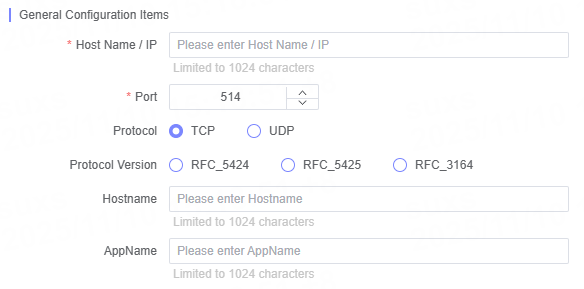
| Name | Description |
|---|---|
| Hostname/IP | Enter the target server’s Hostname or IP address |
| Port | The default port is 514 |
| Protocol | Supports both TCP and UDP protocols |
| Protocol Version | Supports RFC5424, RFC5425, and RFC3164 protocol versions |
| Hostname | Enter the Hostname information to be transmitted |
| AppName | Enter the AppName information |
Note:
- As the
UDPprotocol is relatively unstable and prone to data loss, it is recommended to use theTCPprotocol as a priority.
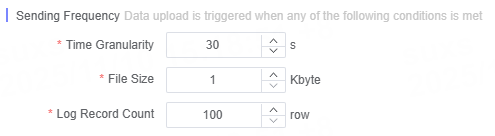
Define Delivery Frequency
You can customize the log delivery frequency to meet different business requirements.
Related Articles
Is the content of this document helpful to you?
Yes
I have suggestion