
Proprietary Data Logstores
最終更新日:2025-11-14 09:23:56
This article describes how to create a log database for native platform data.
The CLS platform has pre-integrated log data for certain products, allowing you to conveniently view and analyze the operational status of the products you have purchased.
Steps
-
Access the Log Service Platform.
-
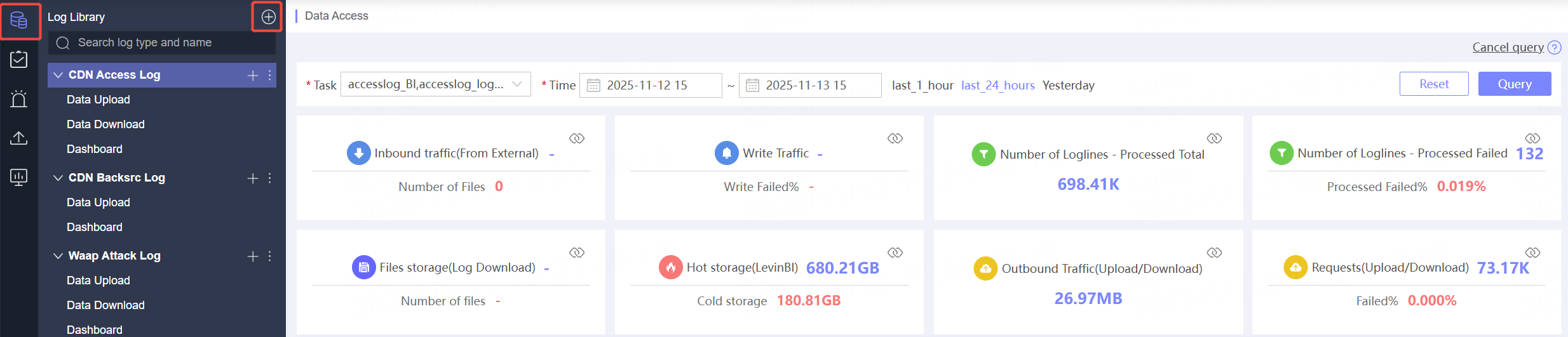
Click Log Database in the navigation bar.
-
On the Log Database List page, click the
 button at the top right.
-
On the Create Log Library page, select the log type under Platform Native Data.
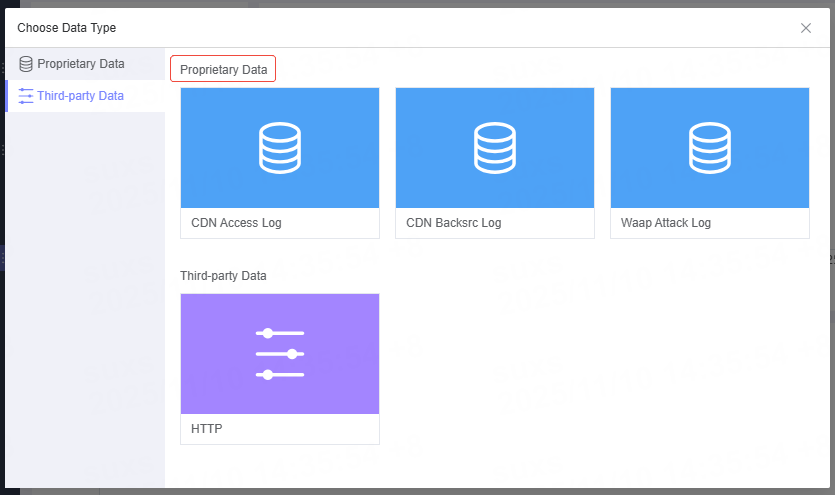
Log Type Description
Next Steps
After creating the log library, you can proceed with data consumption. For more details, see: Data Upload, Data Download, and Dashboard.
Related Articles
このドキュメントの内容は役に立ちましたか?
はい
いいえ