Control Group Management
Last update:2026-03-25 15:16:08
Overview
Control Groups are sets of accelerated domains run through CDNetworks. Control Groups can be assigned users, who then have access to monitoring traffic, billing, and service configuration (provided they have the appropriate privileges set on their accounts) for the accelerated domains included in the Control Group.
- You have contracted with CDNetworks, you want to manage your services by contracts in the same product, for example, when you have multiple contracts of CA product with CDNetworks, you manage our CDN domains by each contract, Control Group help your business needs as you want by dividing CDN domains corresponding to your contracts.
- An accelerated domain can be part of multiple Control Groups, and a single user can be assigned to multiple Control Groups as well.
- “Predefined – Customer” Control Group
- A Control Group that is automatically created when a contract and first user is created is the “Predefined – Customer” Control Group, which includes all domains associated with the customer account. The name of this Control Group cannot be modified.
- “Predefined – Product” Control Group
- Another automatically generated Control Group is the “Predefined – Product” Control Group, which includes all the domains associated with a new contract. The value of such a group is in being able to view total traffic under the contract and reconcile that with billing statements and do planning for anticipated traffic changes or contract upgrades.
- Unlike the more global “Predefined – Customer” Control Group, this Control Group’s name can be customized by a Master Account.
- User-Customized Control Group
- Custom service groups can include any combination of domains under contracts related to customer accounts. After being shared with IAM users, IAM users will have access permissions to the domains within the service group.
How to manage Control Group
-
Applicable Product
- CDN Product, Cloud Security Products
-
Entrance
- IAM → Permissions → Control Group MGMT
-
Description
-
CDNetworks Console provides the management function of Control Group - change Base Info, Control Group, Control Group sharing.
-
Functions are illustrated as follows: Basic Information, Control Group detail, and Control group sharing.
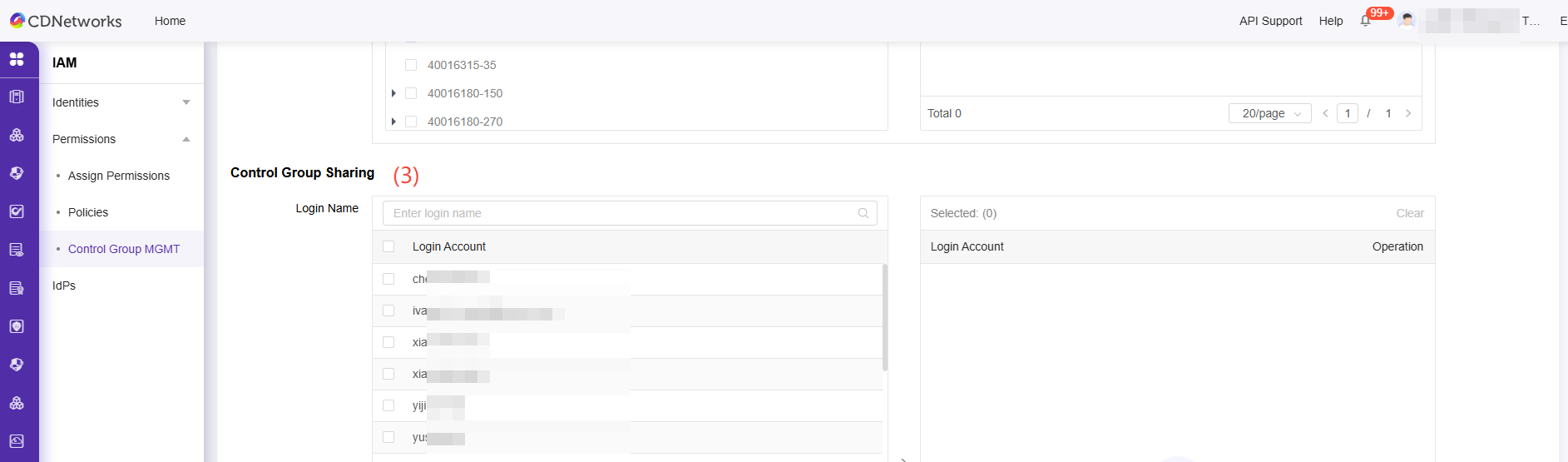
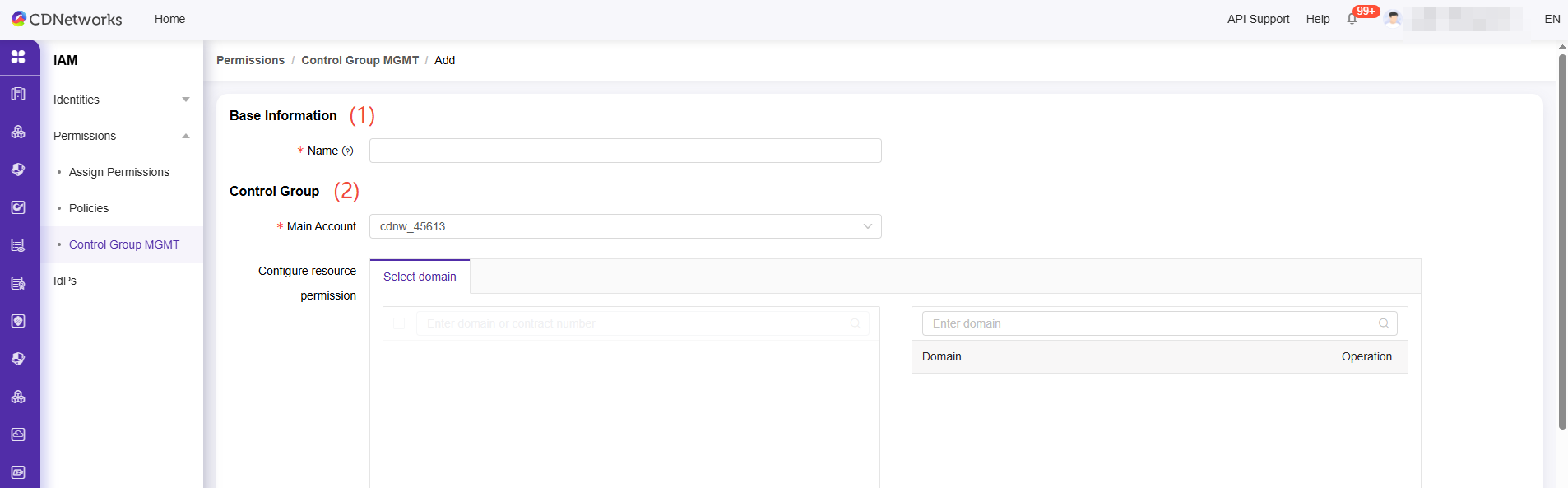
No Function Illustration 1 Base Info This section shows the Control Group name you enter (the maximum name length is 100 characters). 2 Control Group "This section shows the domains for each contract assigned to your main account (primary account). In the “Predefined-Customer” or “Predefined-Product” Control Group, you cannot change the domain list. In the “User-Customized” Control Group, your main account can select domains from each contract’s domain list. You can assign contracts and domains to the Control Group by selecting the relevant checkboxes. 3 Control group sharing This section enables your main account to assign domains to sub-accounts. Sub-accounts can then access accelerated domains based on the roles/permissions assigned by the main account.
-
-
For each type of Control Group, there are different support functions to change.
No Function Pre-defined Customer Pre-Defined Product User-Customized 1 Base Info No Change No Change Support 2 Control Group No Change No Change Support 3 Control group sharing Support Support Support -
In this article, we introduce the procedures to create “User-Customized Control Group” for explaining the full management function of Control Group.
-
As following sections that you read, you can create/edit a User-Defined Control Group to fill your-defined-Control Group at (1), set domains from each contract-item at (2), set Sub Accounts to allow the permission to access, and then submit to complete create/edit.
How to create Control Group
-
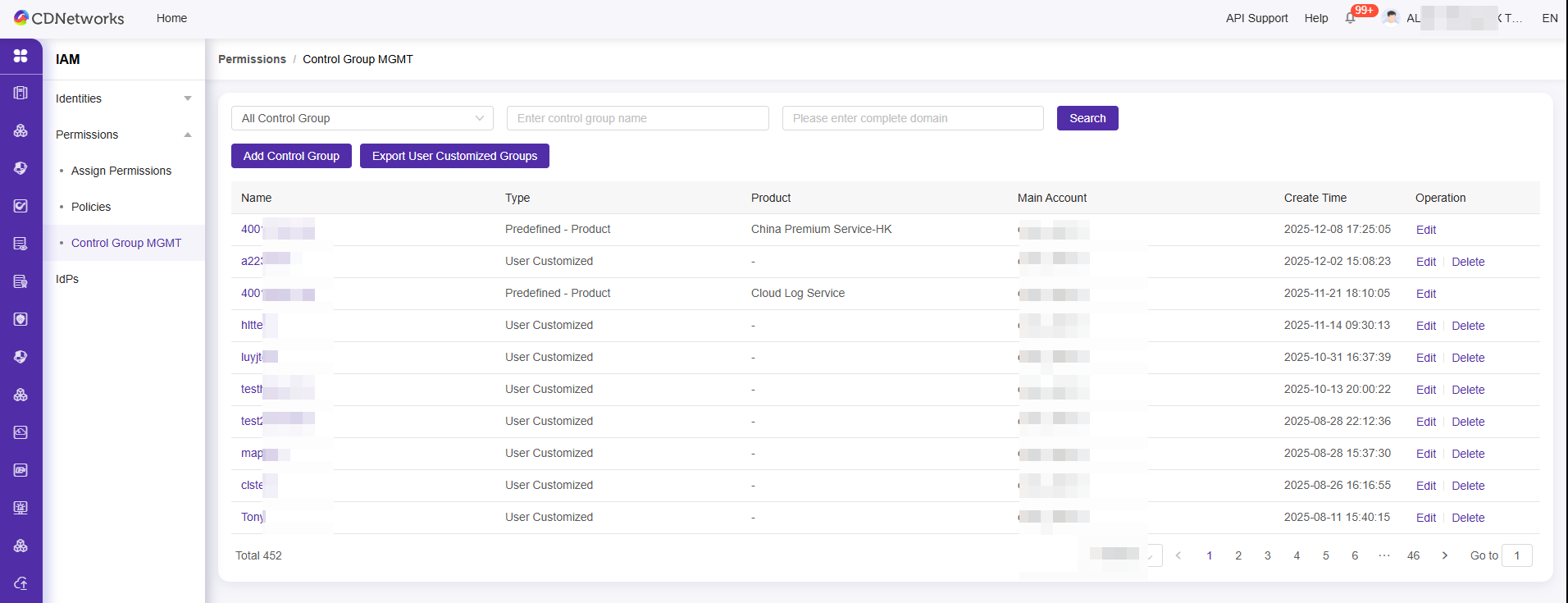
Click the Add Control Group button. The page is redirected to the Add page.
-
Enter a new Control Group name in the Name field (1) in Base Info, and select the domains for which you want to set access control in Control Group (2).
-
You can associate user accounts to access the domains in the Control Group sharing (3). and then click [submit] to commit.