
Access Key Management
Last update:2026-03-19 15:05:00
You can create an AccessKey for the current account in the Console. When calling the API, you need to use the AccessKey to complete identity authentication.
1. What is an AccessKey?
AccessKey ID and AccessKey Secret are the credentials for accessing the applicable product APIs on the Console. They grant full permissions for the applicable products of the account. Please keep them secure. Each account currently supports up to 5 AccessKeys.
The AccessKey (AK) functions similarly to a login password, but is used in different scenarios. The AccessKey is used for programmatic API calls, while the login password is used for accessing the console. If you do not need to call APIs, there is no need to create an AccessKey.
You can use an AccessKey to construct an API request to operate resources. An AccessKey consists of AccessKeyId and AccessKeySecret.
AccessKeyId: Used to identify the user.
AccessKeySecret: A key used to authenticate the user. The AccessKeySecret must be kept confidential.
2. Create AccessKey
-
Log in to the Console. Click [Account] at the top right of the Console, then select [Basic Information] or [Security Settings] to access Account Management.
-
Click [User Information Management] --> [AccessKey Management] to enter the AccessKey Management page. (By default, sub-accounts do not have access to this page. If a sub-account requires this permission, please have the main account grant the policy: CDNWCloudAccessKeyFullAccess for read/write access to AccessKeys.)
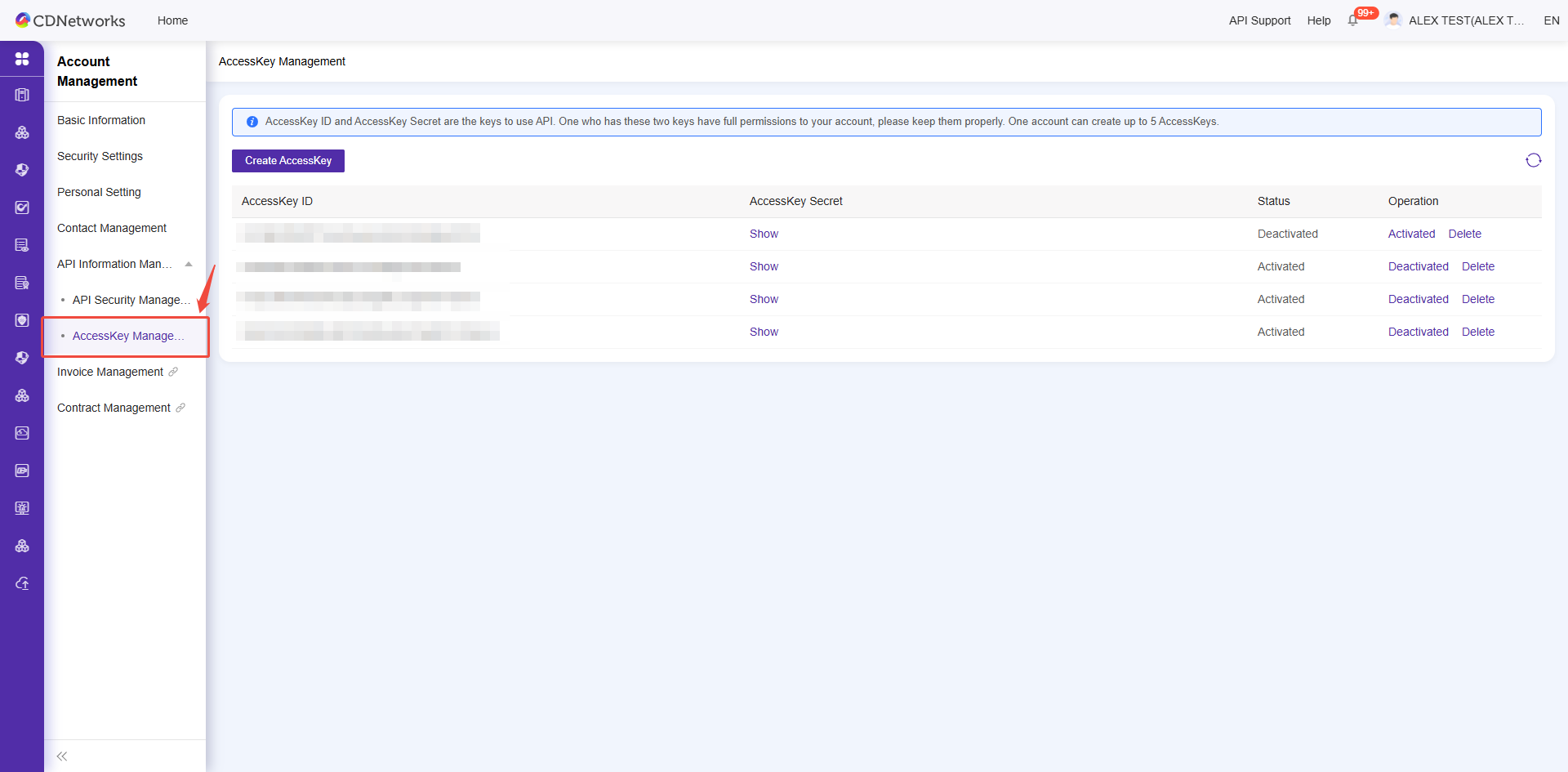
-
Click [Create AccessKey] and complete identity verification.
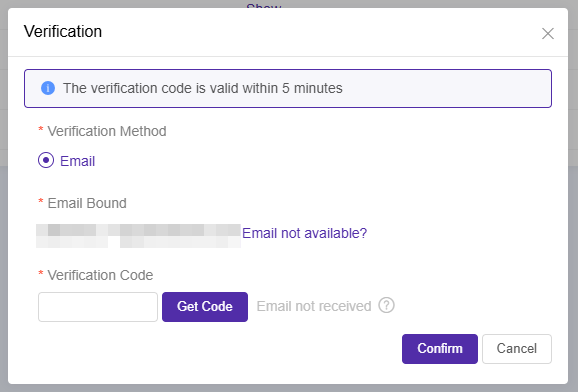
-
Follow the prompts to create an AccessKey.
3. View AccessKey ID and AccessKey Secret
- Click [Show] in the AccessKey Secret column. If you have not verified your identity in the last 20 minutes, you will be required to complete identity verification first.
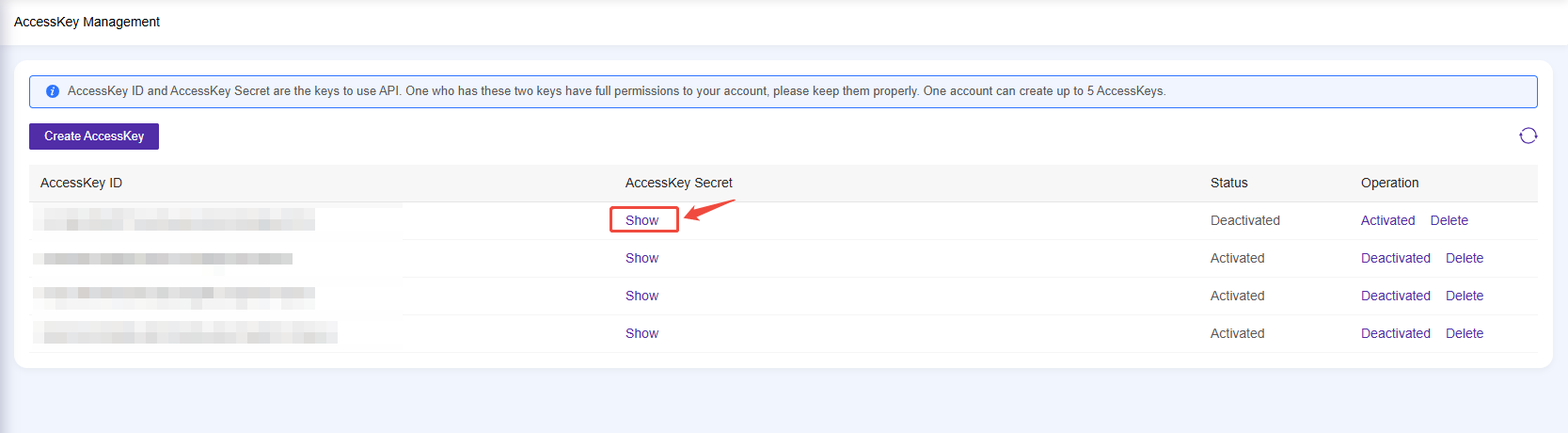
- Enter the verification code. Once the code is correct, your AccessKey Secret will be displayed.