
Set a Bucket as Origin
Last update:2025-08-01 16:15:45
When configuring Content Delivery Network (CDN) services, setting your storage bucket as the origin server can effectively improve content distribution efficiency and enhance user access response speed.
This configuration means that CDNetworks Object Storage service will serve as your primary data source. You can select and associate your object storage bucket as the origin server in the origin configuration interface of CDN-related services (such as Content Acceleration and Media Acceleration VoD).
For information on how to view and copy the Origin Domain for CNAME, you can navigate to Obtain Domains
How to Set a Bucket as Origin
Configuration with CDNetworks CDN Service
- After confirming the Origin Domain for CNAME, return to the CDNetworks Console, and select the product you need to configure.
- Enter the Configuration page, find the domain you want to set, click
 or Batch Modify Origin to enter the Origin Modification interface.
 - In the Common Back-to-Origin Type section, select WCS Back-to-Origin Domain, and in the WCS Back-to-Origin domain section, find the origin domain you just confirmed and select it.
- Configure other settings according to your needs, and then click Next > Deploy Now to complete the operation.
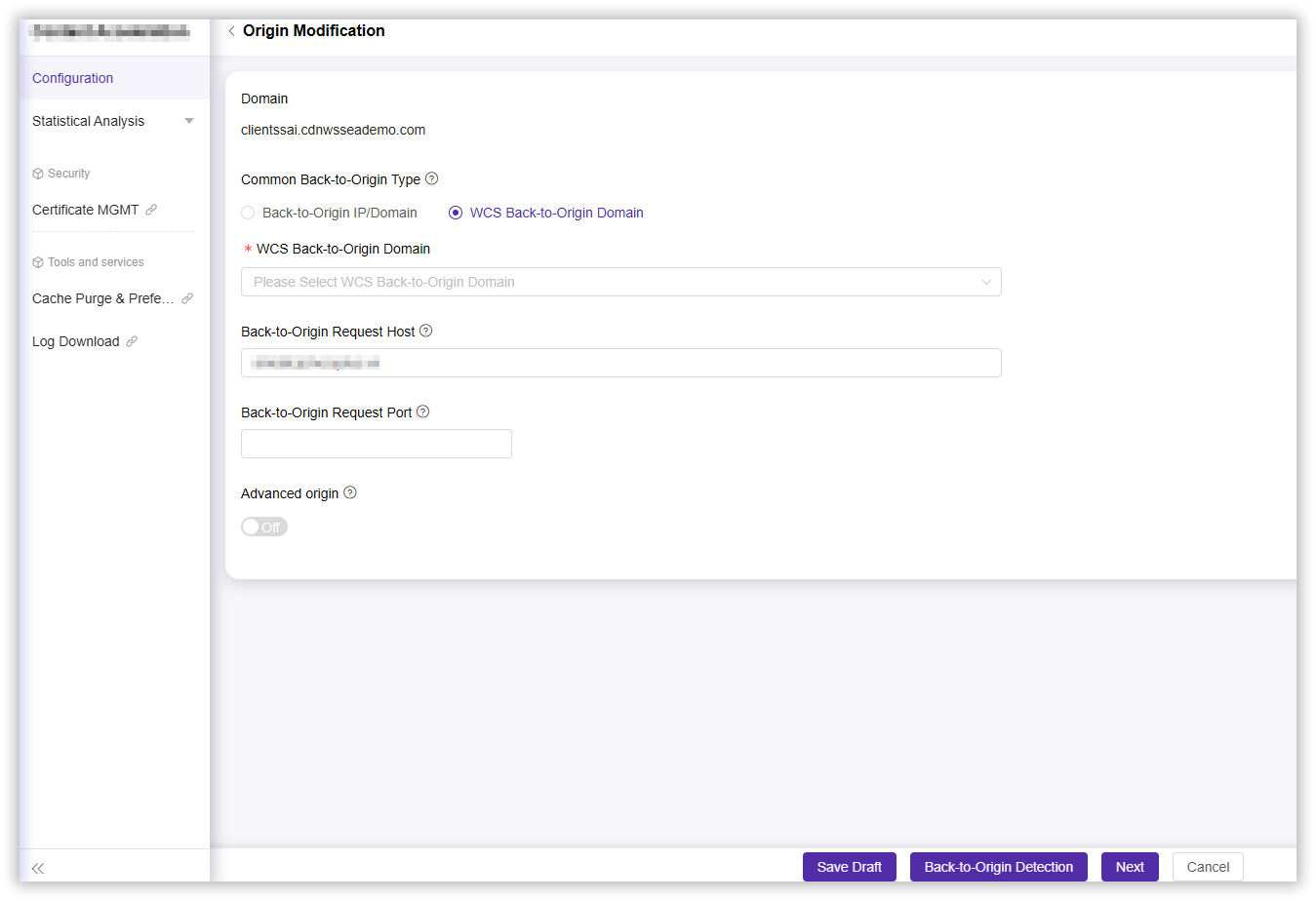
Back-to-Origin Request HOST
Set the origin request HOST, see detailed instructions in Set Origins.
Back-to-Origin Request Port
Set the origin request port, see detailed instructions in Set Origins.
Advanced Origin
To turn off advanced origins in batch, toggle the “Advanced Origin” switch button to “Off”. See detailed instructions in Set Origins.
Configuration with Third-Party CDN Service
- After copying the Origin Domain for CNAME, log in to the management interface of the third-party CDN service you are using.
- In the management interface of the third-party CDN, find the corresponding domain configuration option, paste the copied domain into the designated domain field, and save it.