
Obtain Domains
Last update:2025-08-06 11:04:45
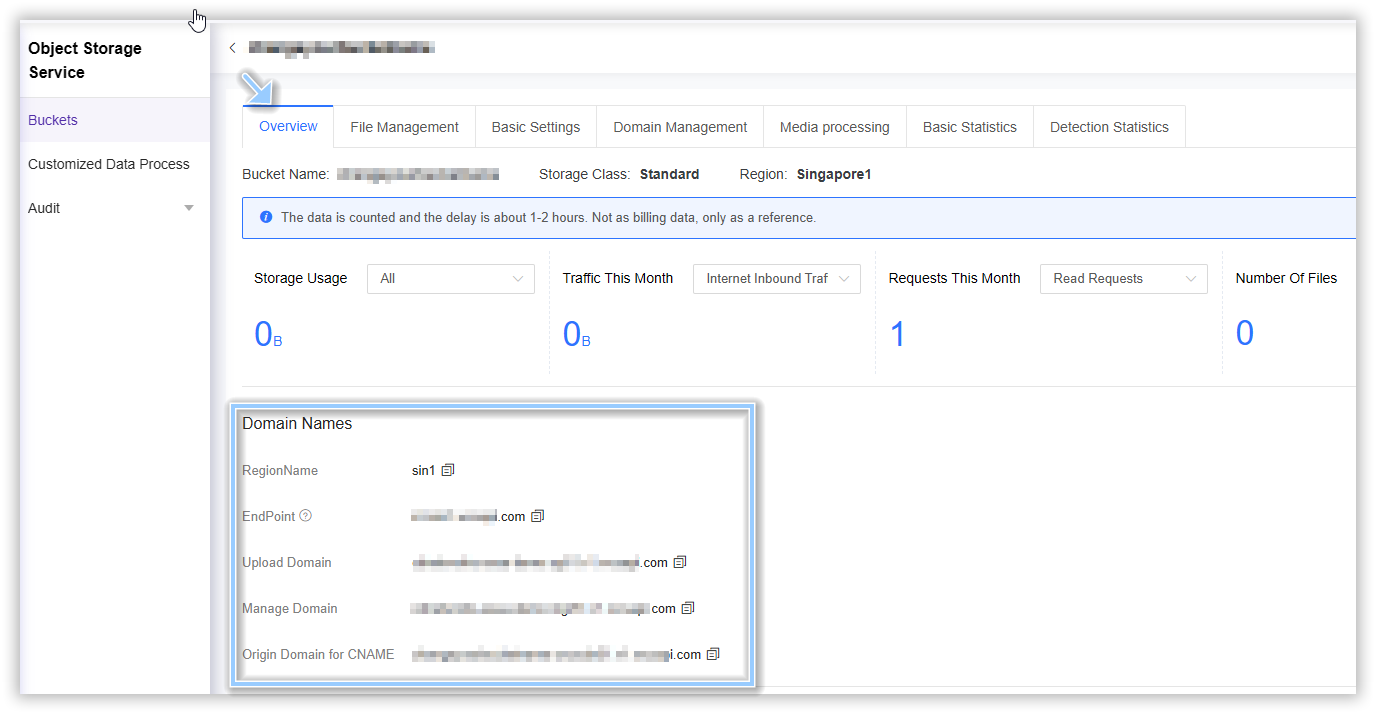
After a bucket is created, several domain names are automatically generated and provided for API calls such as file upload and other operations. This section introduces how to obtain these domain names through the console and their practical uses.
- Upload Domain: Used to upload files to the bucket via API, supporting write-only operations with restricted permissions.
- Manage Domain: Used for operating on bucket files via API, enabling privileged actions including audio/video processing and file deletion are performed through the management domain name.
- Origin Domain for CNAME: When setting up a bucket as an origin, you will use this domain.
- Endpoint: S3 public domain, used when calling the S3 API.
How to Obtain Domains
- Log in to the CDNetworks Console and select Object Storage Service.
- Click the Name of the bucket you want to manage, or click Manage on the far right of the corresponding bucket.
- On the details page, click Overview in the upper section.
- Copy the corresponding Domain according to the service you need to configure.
Is the content of this document helpful to you?
Yes
I have suggestion