
Kafka
最終更新日:2025-11-13 18:11:14
CLS supports sending log files to storage that supports Kafka as a destination.
Preparation
- Set up a Kafka server. For a detailed setup guide, please refer to the official Kafka documentation.
- For security reasons, please configure a firewall and authentication.
Operation Steps
-
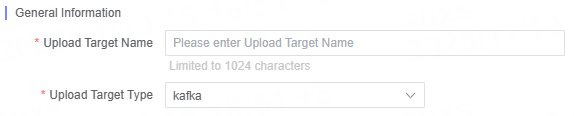
Select Kafka for the Upload Target Type.
-
Enter a descriptive and easily identifiable target name in Upload Target Name, with a maximum length of 1024 characters.
-
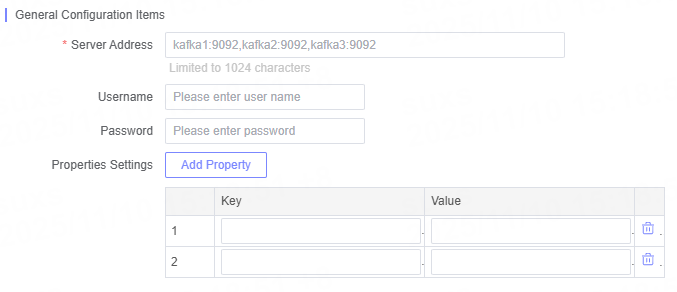
Fill in the relevant Kafka configuration parameters as needed.
General Configuration Options
| Name | Description |
|---|---|
| Server Address | Please enter the address of the Kafka server. |
| Username | Please enter the account used to access the server. |
| Password | Please enter the password for the access account. |
| Attribute Configuration | Supports attribute configuration in key and value format. |
Related Articles
このドキュメントの内容は役に立ちましたか?
はい
いいえ