
SAML Configuration for SP
Last update:2026-03-25 15:25:31
This article describes how to configure the relevant metadata to establish trust between CDNetworks and your enterprise identity provider, enabling SSO login to CDNetworks via your enterprise IdP.
Procedures
1. Create a Service Provider
You can create a SAML 2.0 identity provider in the CDNetworks console under Access Control (IAM) and upload the metadata document provided by your enterprise IdP.
Step 1: Log in to IAM Access Control and navigate to the Service Provider page.
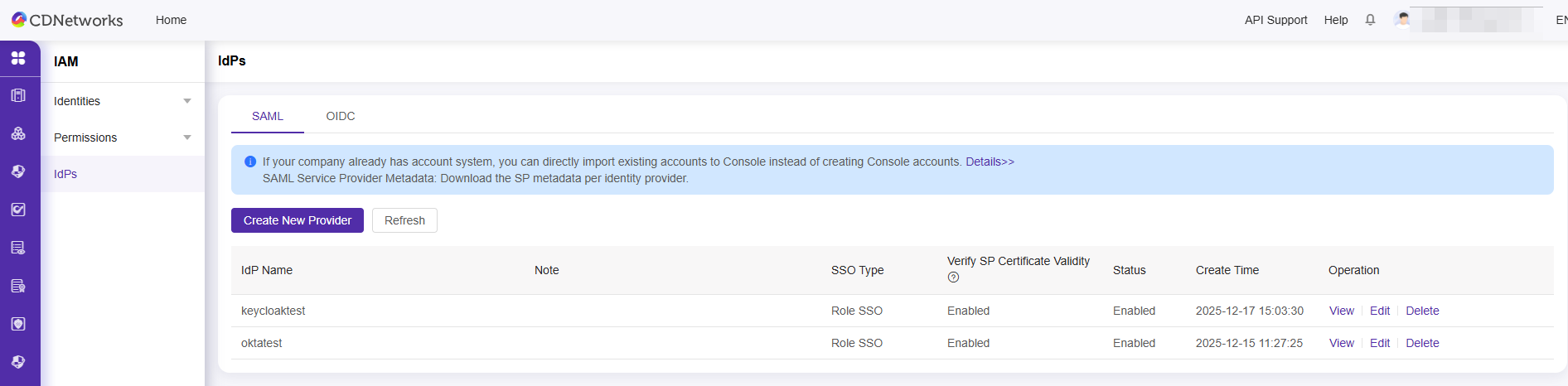
Step 2: Add a new service provider
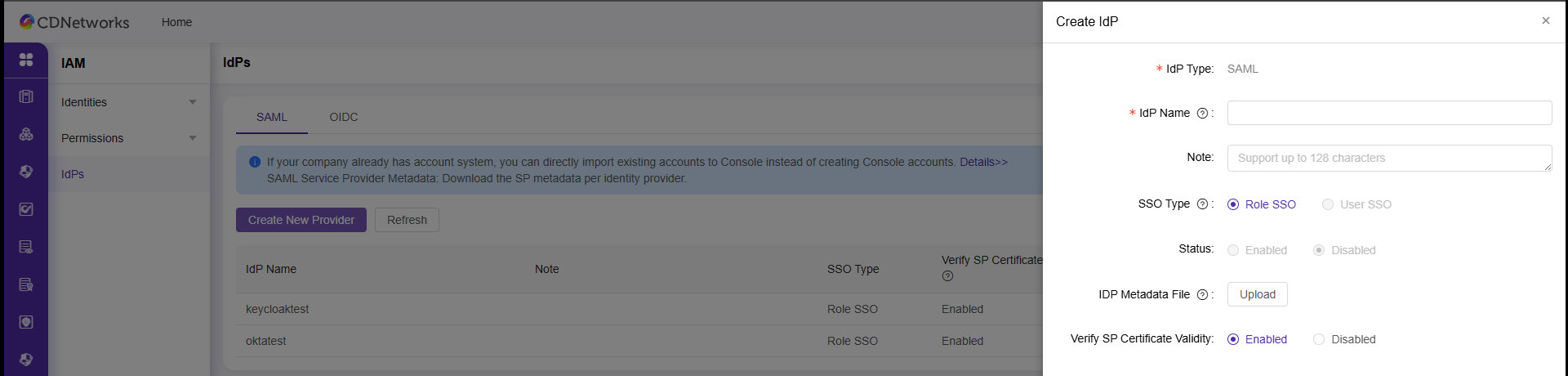
- SSO Type: Select Role SSO.
- Metadata Document: Upload the metadata document provided by your Enterprise IdP.
The metadata document is provided by the enterprise IdP, must be in XML format, and includes the IdP login service address, the public key used for signature verification, and assertion format information.
**Note:**
1) The validUntil time on the public key should be set to the certificate expiration date.
2) IDP entityID: The entityID is used to identify the IDP. Please ensure that the entityID in your program code is consistent with the entityID in the metadata file uploaded to IAM. For example: use the company website address as the unified entityID.
3) SP entityID: https://login.cdnetworks.com.
- Validate the effectiveness of the SP certificate: If SP certificate validation is enabled, when the integer on the SP side expires, the IDP side will be notified to update the metadata. The IDP needs to download the latest SP metadata for the update via the console, and after updating, click [‘SP Metadata Update Notification’] to notify.
Step 3: Click ‘View Service Provider’ to see the login address of the enterprise IdP.
Next Steps:
Is the content of this document helpful to you?
Yes
I have suggestion