
Create Users
Last update:2026-03-25 15:08:46
This article explains how to create an IAM user.
Operation Steps
1. Log in to IAM
- Log in to IAM using either of the following methods:
- Access the IAM address directly:
https://iam.cdnetworks.com/ - Click User Center in the upper right corner, then select IAM
- Access the IAM address directly:

2. Create User
-
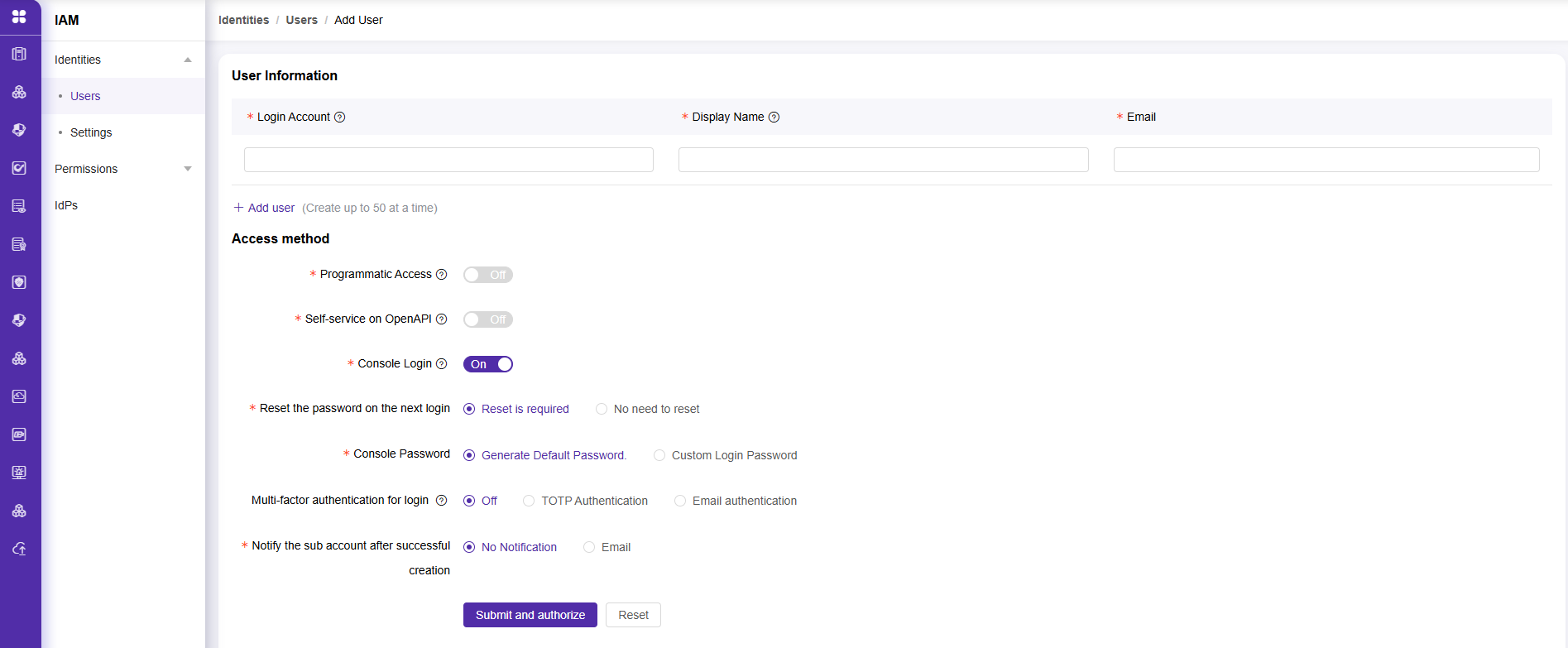
Click User, and select Add User

-
Edit the user account information and access method. After completing these steps, click Submit and Authorize to proceed to user permission configuration.
-
To grant specific functional permissions (such as Edit permission or Read-Only permission), please assign a policy.
-
After assigning the policy, click Submit. The user will be created successfully and the corresponding permissions will be granted.
Is the content of this document helpful to you?
Yes
I have suggestion