Create a Custom Policy
Last update:2026-03-25 15:08:47
IAM provides a set of universal permission policies (i.e., system permission policies) for users to choose from, meeting coarse-grained authorization requirements, such as read-only or full access permissions for a cloud product. If more granular authorization management is required—for example, allowing only the user John to perform read-only operations on all objects under wos://samplebucket/john/ and specifying additional access conditions—you can enforce fine-grained access control by creating a custom policy.
Creation Methods
Create a Custom Permission Policy Using the Visual Method
IAM offers a visual editing interface where you only need to select Effect, Service, Action, Resource, and Condition to generate a custom permission policy.
Create a Custom Permission Policy Using the Scripting Method
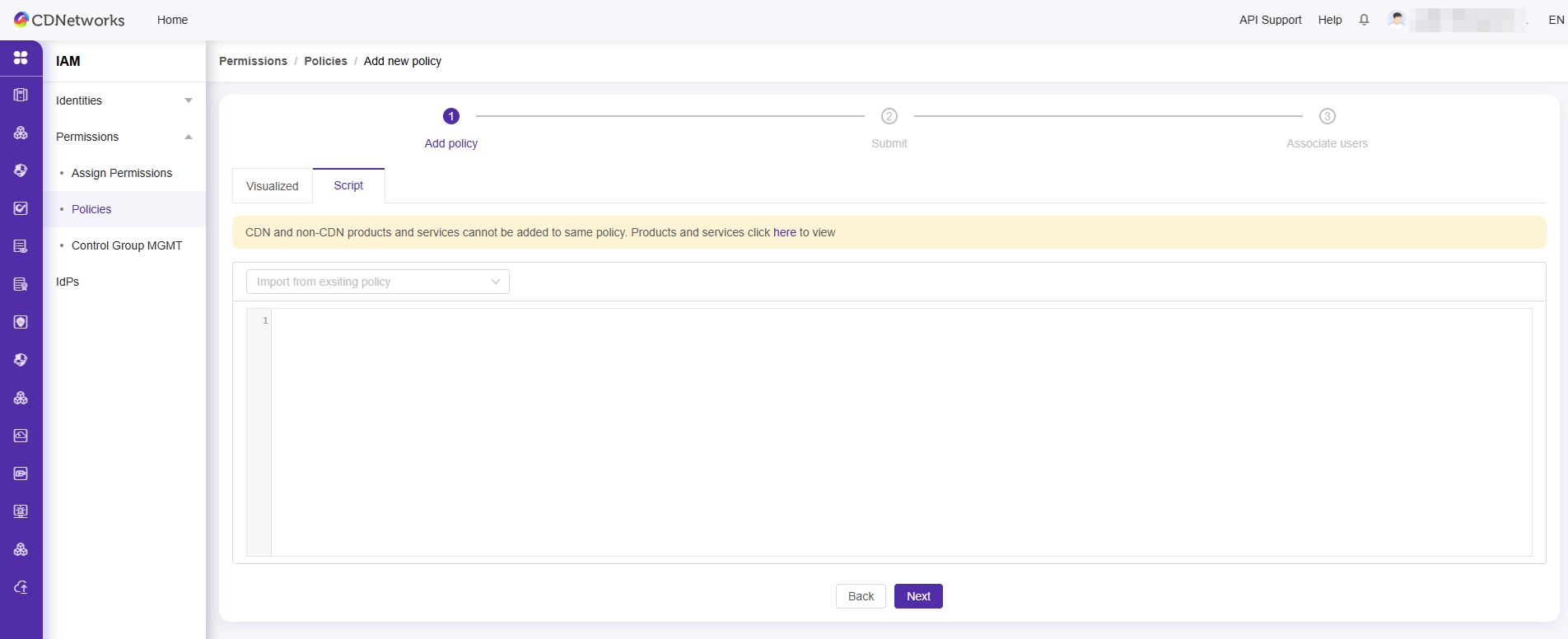
IAM supports editing JSON scripts. You need to write custom permission policies according to the policy syntax and structure. This method is suitable for users familiar with policy syntax. Please refer to the Syntax Structure.
Operation Steps
Create Custom Permission Policies via Visualization
1. Log In to IAM
- Method 1: Directly visit the IAM URL
https://iam.cdnetworks.com/. - Method 2: Go to the top right corner and select User Center > IAM.
2. Create Policy
-
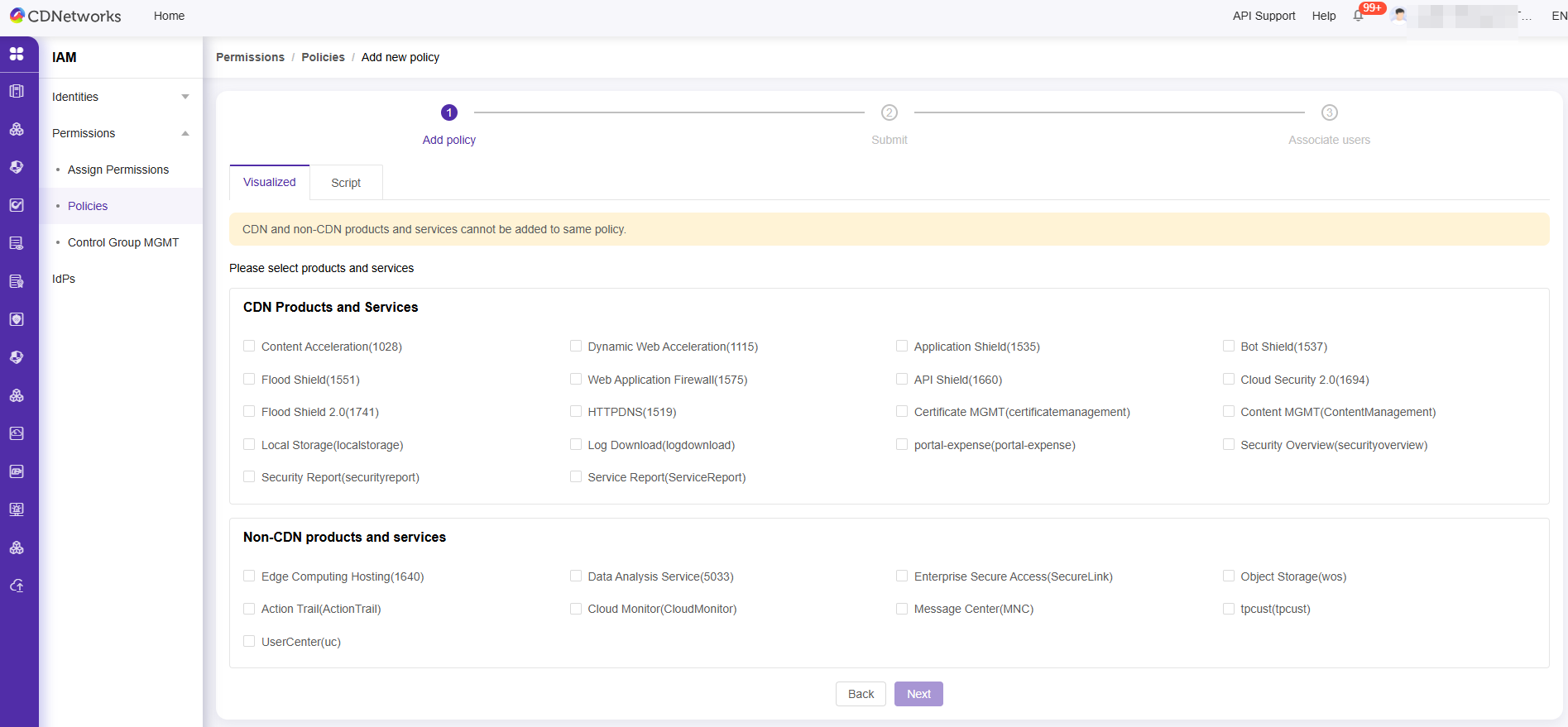
Click Permission > Policies > Add Policy to enter the policy creation page.

-
Select Visualized.
Note: CDN product services and non-CDN product services cannot be configured in the same policy at the same time.
-
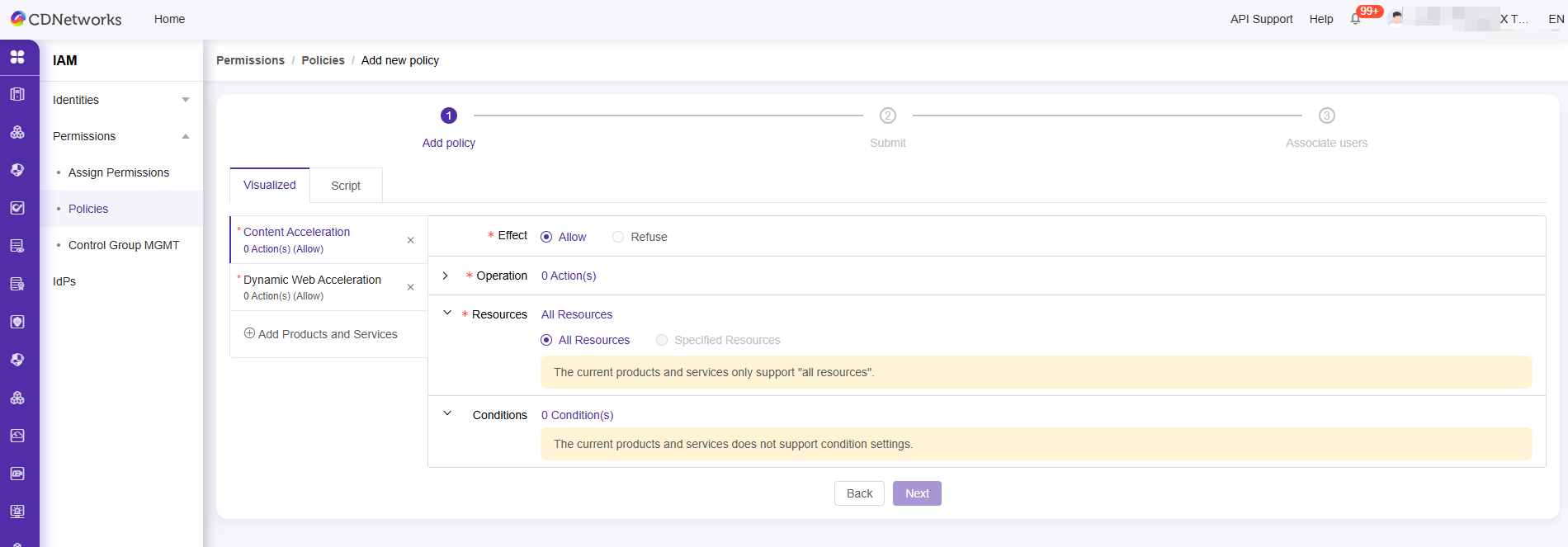
Configure policy parameters. On the Visualized page, set Effect, Service, Action, Resource, and Condition.
- Effect (Required): Allow or Deny.
- Service (Required): Select the product to be authorized.
- Action (Required): Select the action to be authorized.
- Resource (Required): For CDN products, only ‘All Resources’ can be selected; for non-CDN products, you may select ‘All Resources’ or specific resources.
- Condition (Optional): Set conditions under which the authorization will be effective.
-
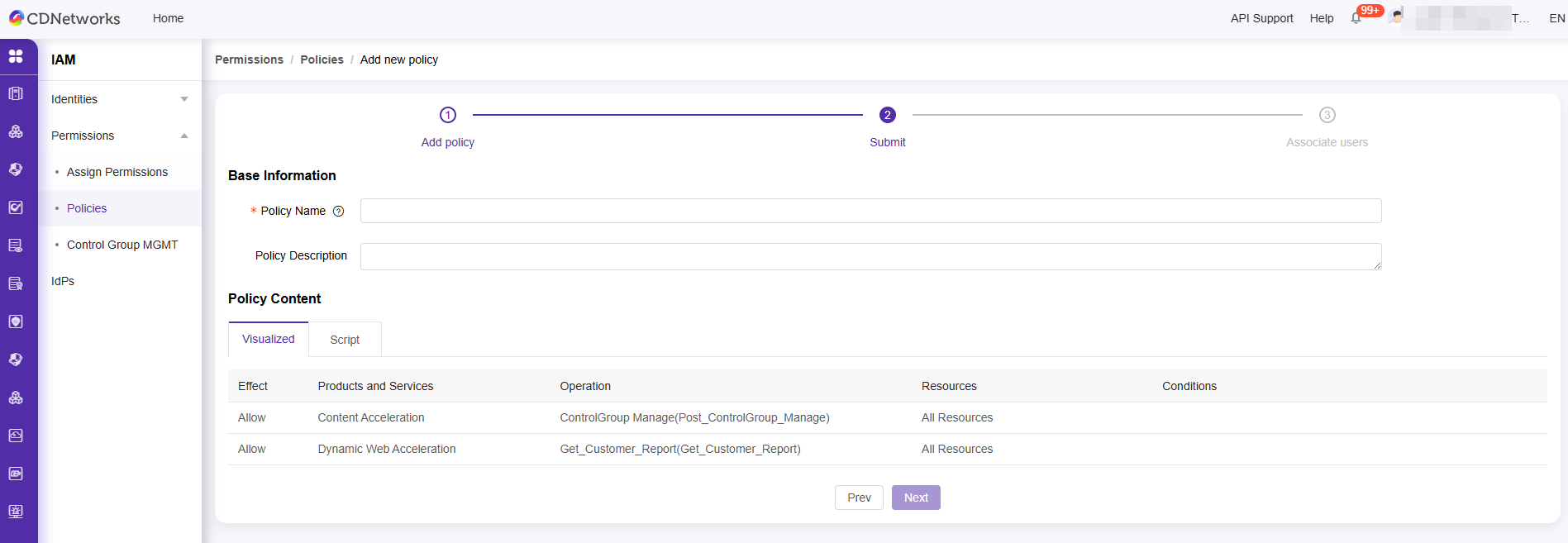
After confirming the policy details, click Next to complete policy creation.
-
After the policy is successfully created, you can grant permissions to users.
Create Custom Permission Policies via Script Method
1. Create Policy
The script method supports two modes: importing and editing an existing policy or manually writing a complete custom policy. This method is suitable for users who are familiar with IAM policy syntax. Please refer to Syntax Structure.