
Operation Logs
Last update:2025-08-11 11:36:00
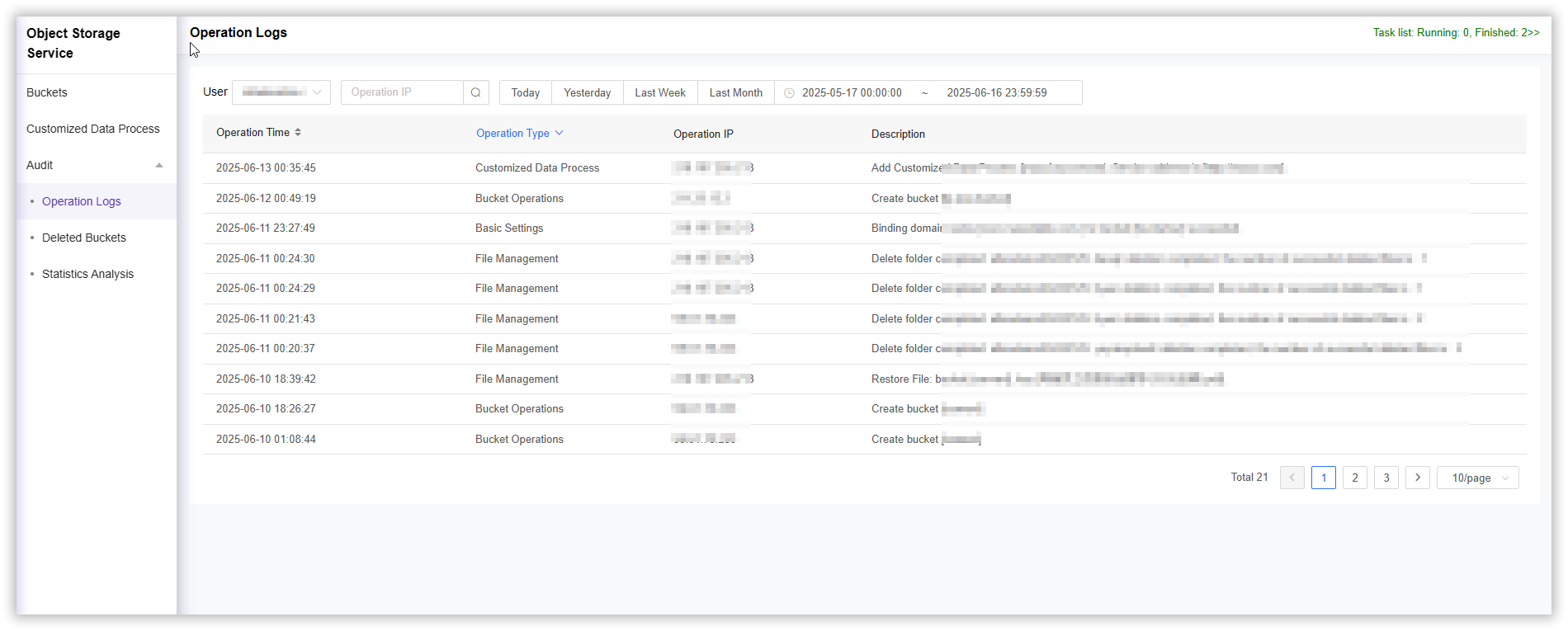
The operation logs function in object storage is used to record and track all user activities within the system. You can query the operation logs by searching for the username, operation IP, and a selected time range. By querying the operation logs, you can obtain detailed records of the account’s historical operations, such as bucket operations and file management actions.
How to View Operation Logs
- Log in to the CDNetworks Console and select Object Storage Service.
- On the Object Storage service page, locate Audit and click Operation Logs.
- Query the operation logs by specifying the User, Operation IP, or Time Range you wish to view.
Note:
By default, operation records from the last month are displayed. Parent accounts can view operation records of themselves and all sub-accounts, while sub-accounts can only view their own operation records.
Is the content of this document helpful to you?
Yes
I have suggestion