
使用Authing进行SAML SSO的示例
更新时间:2026-03-25 15:25:40
Authing SAML接入操作步骤
登录Authing 配置应用
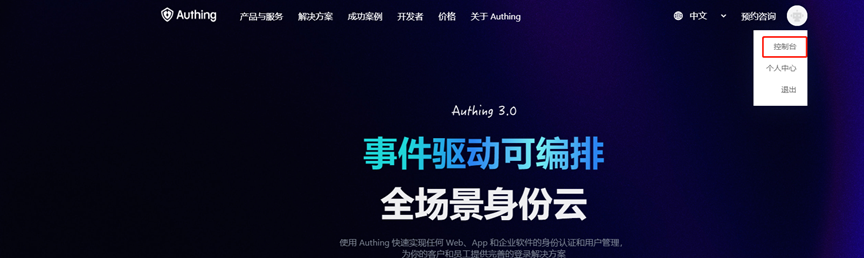
1.登录Authing平台站点
登录Authing平台站点https://www.authing.cn/ ,打开控制台
2.协议配置
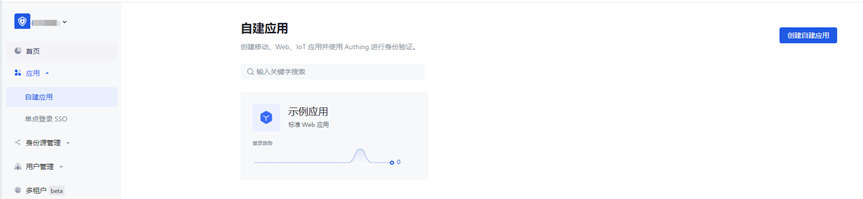
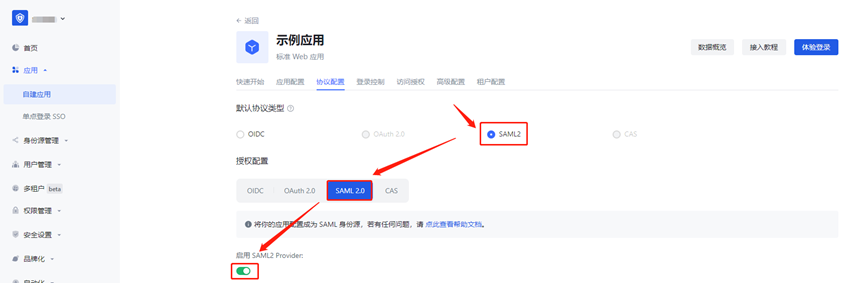
选择[应用]->[自建应用]->[创建自建应用] 或 [编辑现有应用]-> [协议配置]
「Applications」- 「Self-built App」-「Create」- 「Protocal Configuration」
选择SAML2.0协议
注意: 默认协议类型需要在启动saml2.0并保存后,才能选到
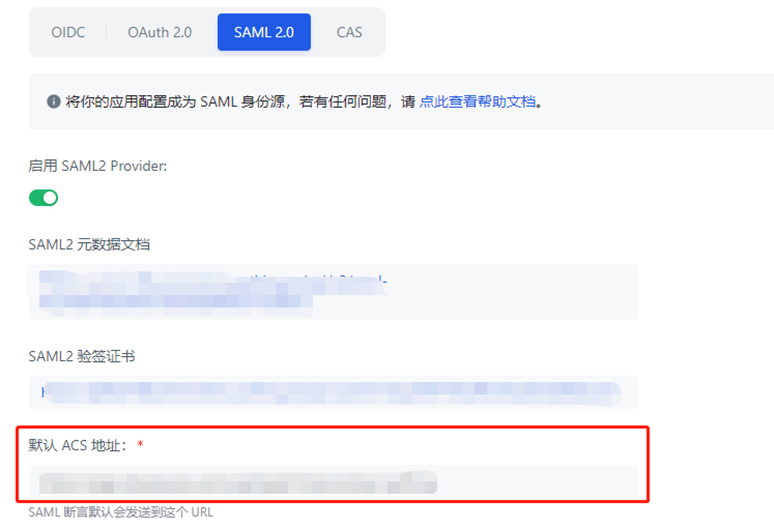
3.配置 [默认ACS地址],配置地址与文档中提供的内容保持一致。
地址为:https://login.cdnetworks.com/cas/login?client_name=${provider}
参考文档:进行SSO时企业IdP的SAML配置
提供商创建方式参考:进行SSO时SP的SAML配置
4.配置自定义SAML Response属性
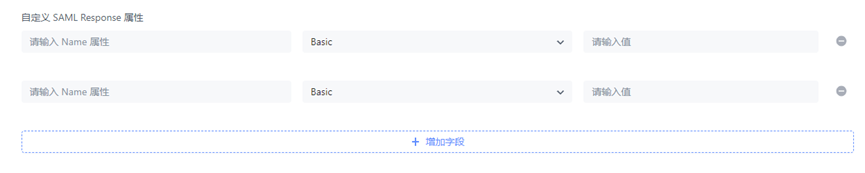
填写配置:
第一行:
Name:
https://login.cdnetworks.com/SAML/Attributes/LoginName
Value:
wsc:iam::${parentLoginName}:login-name/${loginName},wsc:iam::${parentLoginName}:saml-provider/${provider}
•${parentLoginName}:替换为您在CDNetworks对应的主账号;
•${loginName}:替换为您当前IdP用户要访问CDNetworks所使用的CDNetworks账号;
•${provider}:替换为您在CDNetworks控制台上创建的SAML身份提供商名称。
第二行:
Name:
https://login.cdnetworks.com/SAML/Attributes/RoleSessionName
Value:
${NameID} — 此处填写值可任意英文字符,但不能为空
配置填写完成后,编辑【保存】即可
5.应用授权
【用户管理】->【用户列表】->【创建用户】
[Users Management] -> [Users] -> [Create User]
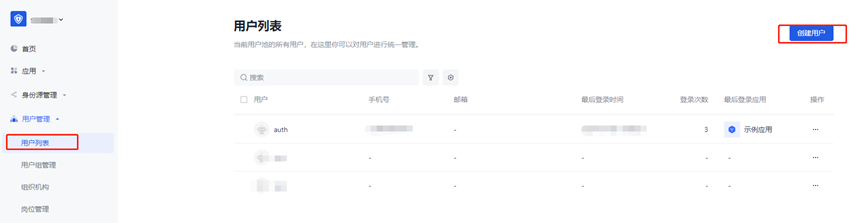
由于登录页默认只能使用手机号和邮箱登录,因此注册时使用手机号或邮箱进行注册
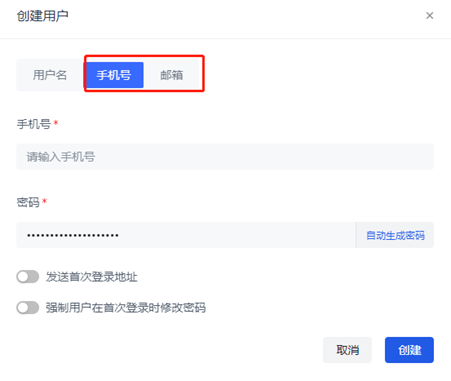
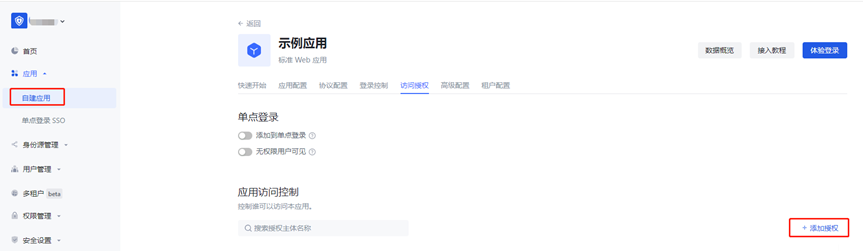
用户创建完毕后,回到应用的【访问授权】页面,进行权限授权,设置授权作用为【允许】,则改用户即可访问指定应用
CDNetworks控制台提供商信息配置
1.下载元数据文件
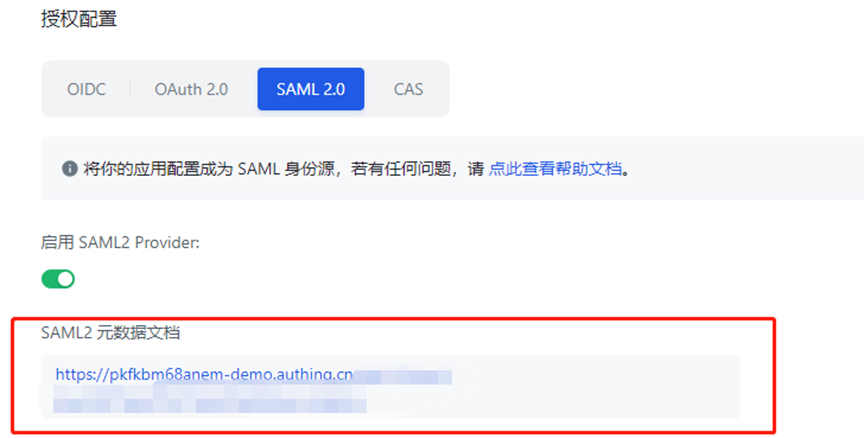
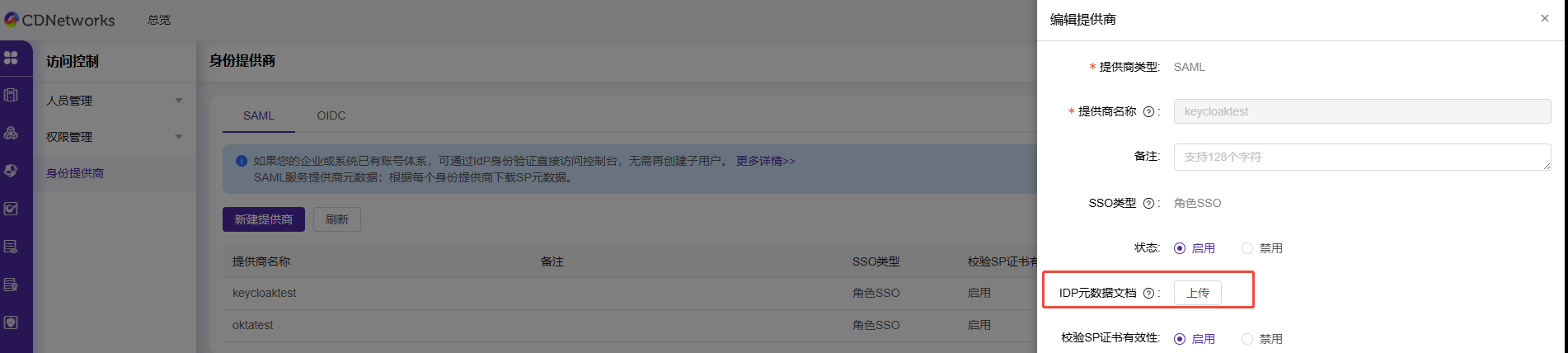
2.将元数据文件上传至CDNetworks控制台
找到本次配置的提供商名称,点击编辑,上传元数据文件,至此所有配置完成。
(https://documents.cdnetworks.com/document/iam/role-sso-sp)
访问测试
1.CDNetworks跳转Authing认证
浏览器直接访问地址:
https://login.cdnetworks.com/cas/clientredirect?client_name=提供商名称 ,
确认是否跳转Authing登录页面
2.Authing跳转CDNetworks认证
Authing登录认证通过后,跳转CDNetworks实现单点登录,无需输入账号密码