
Access OS service by S3 Browser
Last update:2025-06-30 17:29:48
What is S3 Broswer
S3 Browser is a freeware Windows client provided by Amazon. Amazon S3 provides a simple web services interface that can be used to store and retrieve any amount of data, at any time, from anywhere on the web.
You are allowed to use Object Storage service by downloading the specified software and configure based on the documentation guide provided by Amazon S3 Browser.
How to use CDNetworks Object Storage service through S3 Broswer
Precondition
- Create AccessKey/SecretKey and bucket for your account.
Download software
- Go to the S3 Browser official website to download the software, start the installation and run the program.Refer to the documentation guide and configure according to the instructions.
- A window will open asking you to enter various details, to connect your account.
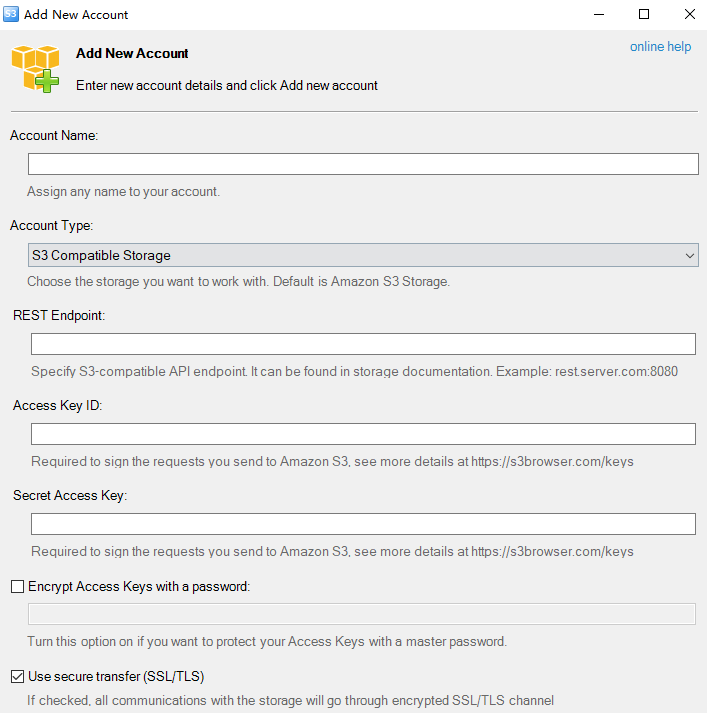
Connect to your account
- Fill the credential info to this window.
- In the “Account Name” field enter the name you wish to assign to the new account.
- In “Storage Type” select “S3 Compatible Storage” from the list.
- In the “REST Endpoint” field enter the Region URL found in your Object Storage account page.
- In the “Access Key ID” field enter the Account Name of the Object Storage account.
- In the “Secret Access Key” field enter the Password of the Object Storage account.
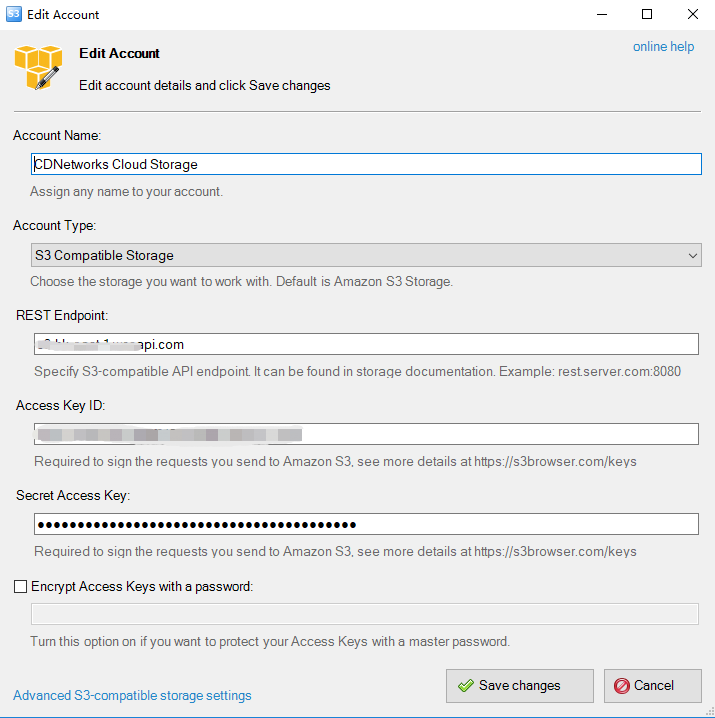
- Confirm by clicking on “Add new account”.
It’s also possible to create an account by using the “Add new account” button found in the “Accounts” menu.
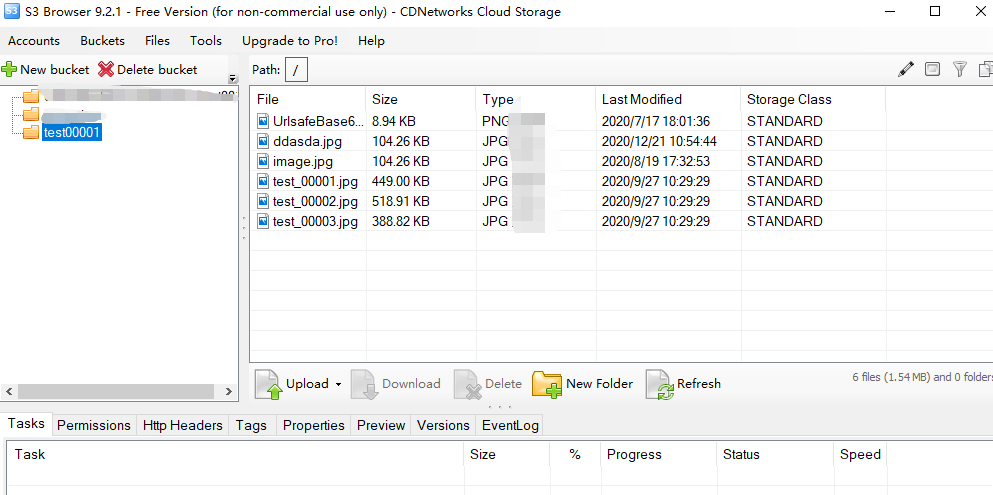
- After creating the account, a page will display as shown in the above image. You will have your “bucket” on the left and on the right the files and folders found in the remote storage space.
Upload and download file using S3 Browser
- Now you can upload files by draging a file from desktop to S3 broswer window or download files to local directly with this tool.
Is the content of this document helpful to you?
Yes
I have suggestion