
Authentication
Last update:2025-09-22 10:03:22
When making requests for transcoding, you must include an authentication token in the Authorization header. This token is a security measure that ensures only authorized requests are processed.
Important: The token incorporates your
AccessKeyand is cryptographically signed using yourAccessKey Secret. Ensure you have obtained your uniqueAccessKeyandAccessKey Secretbefore proceeding.
Token Format
The authentication token follows this format:
Token = [AccessKey]:[EncodeSign]
Where:
AccessKey: Your unique public identifier.EncodeSign: A URL-safe Base64 encoded HMAC-SHA1 signature.
The process of generating the authentication token involves the following steps:
- Generate the
EncodeSign - Construct the
Token

Let’s delve into each step.
Step 1: Generate EncodeSign
The EncodeSign is generated by applying a series of transformations to StringToSign and AccessKey Secret.
EncodeSign = Urlsafe_base64_encode(HMAC_SHA1(StringToSign,AccessKey Secret))
The process is outlined below:
Formulate StringToSign
The StringToSign is constructed based on the type of request. For media processing requests, it adheres to the following format:
StringToSign = '/fops' + '\n' + [Request Body]
/fops: A fixed string indicating the operation.\n: A newline character.[Request Body]: The body of your transcoding request.
If your Request Body is: bucket=[bucket_name]key=[file_to_process]fops=[processing_operations], your StringToSign will be:
/fops\nbucket=[bucket_name]key=[file_to_process]fops=[processing_operations]
Note: The example
Request Bodyshown here is the original string for clarity. In your actual request, you might be using the base64 encoded string.
Compute the Signature
Once you have formulated the StringToSign, use your AccessKey Secret as the key to compute the HMAC-SHA1 signature:
Signature = HMAC_SHA1(StringToSign, AccessKey Secret)
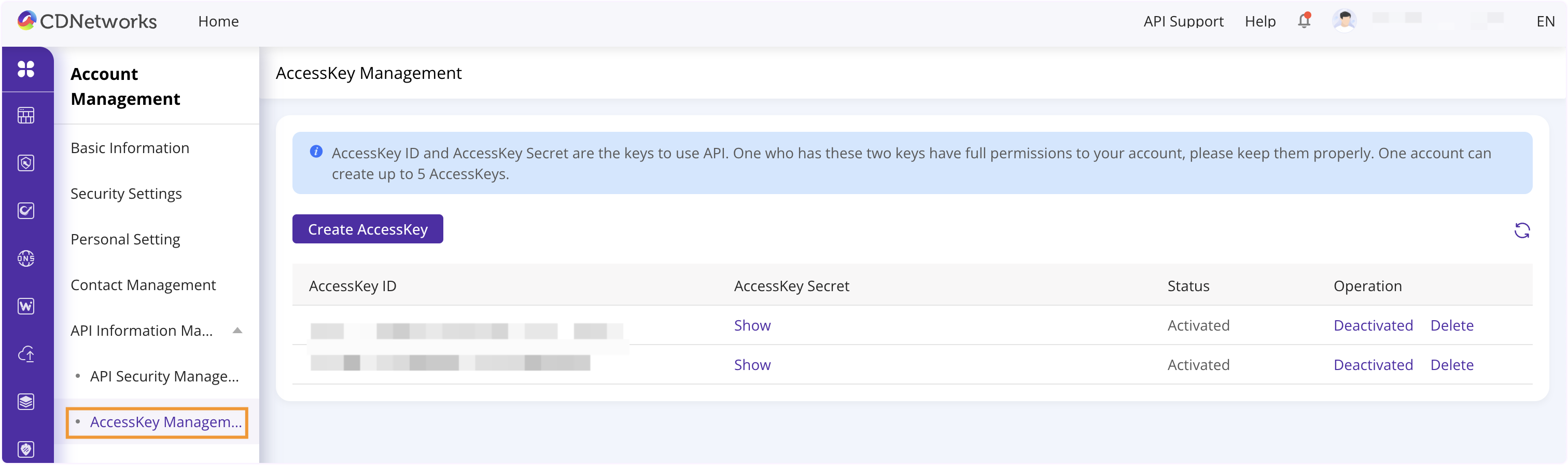
You can get your AccessKey and AccessKey Secret by navigating to Basic Information > Account Management > API Information Management > AccessKey Management.
For implementation details and examples of the HMAC-SHA1 algorithm, you can refer to:
Base64 Encode the Signature
Finally, apply URL-safe Base64 encoding to the computed Signature to obtain the EncodeSign:
EncodeSign = Urlsafe_base64_encode(Signature)
Step 2: Create the Token
After generating the EncodeSign and obtaining your AccessKey, combine them in the specified format to create your authentication token:
Token = [AccessKey]:[encodeSign]
This token must be included in the Authorization header of your transcoding requests.
Examples
For practical demonstrations of token generation, including executable code examples, please refer to:
Authentication Token Generation Examples
These examples can help you understand the implementation details and quickly integrate token generation into your applications.