
SAML Configuration for IDP
Last update:2026-03-25 15:22:11
Save the joint metadata of CDNetworks to map the identity provider attributes within your enterprise organization to those of CDNetworks, thereby establishing a trusted relationship between your enterprise identity provider and CDNetworks. This article primarily explains how enterprises can configure CDNetworks as a trusted SAML service provider within their identity provider during SSO integration.
SAML Configuration Steps for Enterprise IdP
- Obtain the Service Provider Metadata
Select the target service provider, click View, and locate the SP Metadata Document for download.
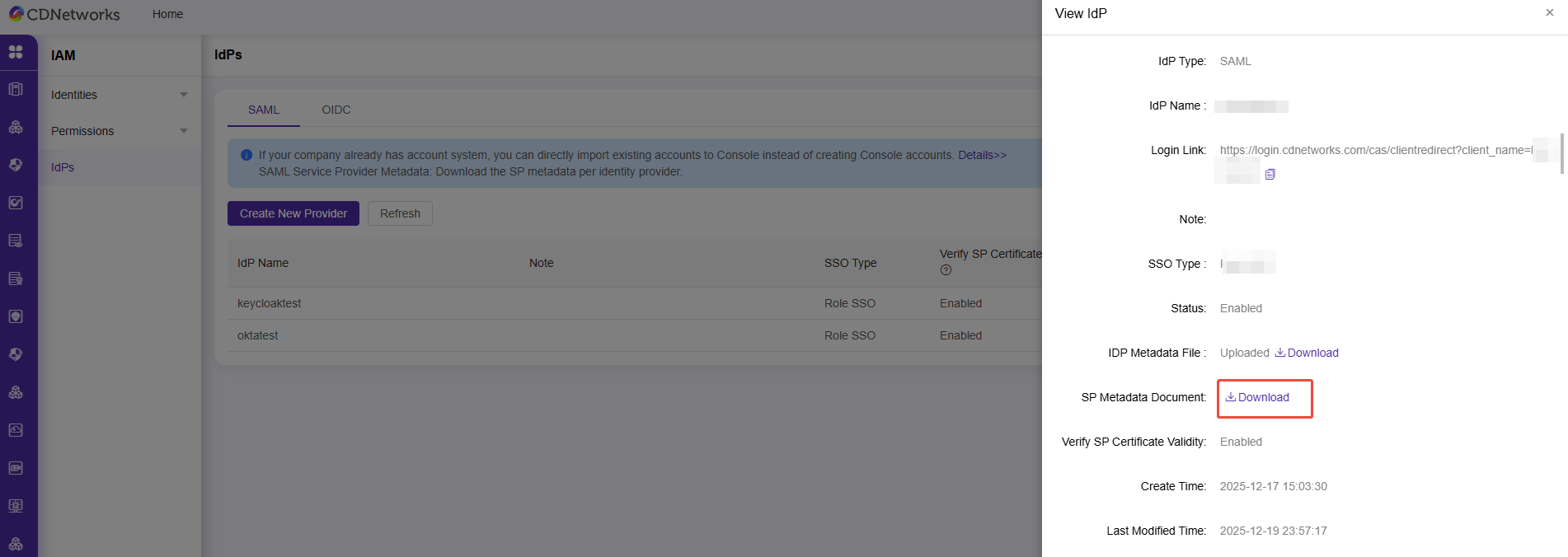
- The SAML SP configuration of the enterprise IdP requires the SAML service provider metadata from CDNetworks.
Please note that the following attribute values in the metadata will vary depending on the IdP’s service provider:
Location="https://login.cdnetworks.com/cas/login?client_name=${provider}"
In this attribute, ${provider}: Replace it with the name of the SAML Identity Provider you created in the CDNetworks console.
Is the content of this document helpful to you?
Yes
I have suggestion