
OIDC Configuration for SP
Last update:2026-03-25 15:16:51
This article describes how to configure OIDC to establish trust between CDNetworks and your enterprise Identity Provider, allowing your enterprise IdP to log in to CDNetworks via SSO.
Operation Steps
1. Create Service Provider
You can create an OIDC Identity Provider in the Access Control (IAM) section of the CDNetworks console, and upload the metadata document provided by your enterprise IdP.
Step 1: Log in to IAM Access and go to the Service Provider page.
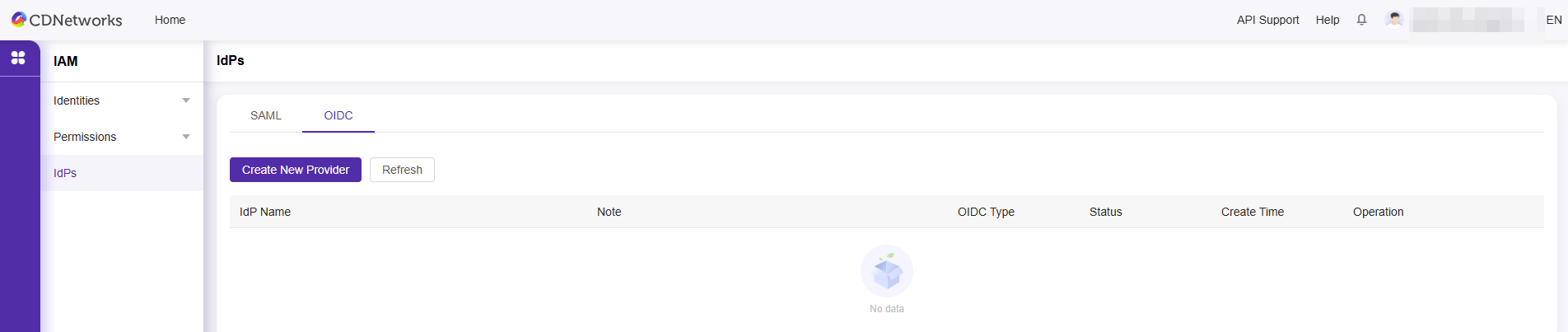
Step 2: Add a Service Provider
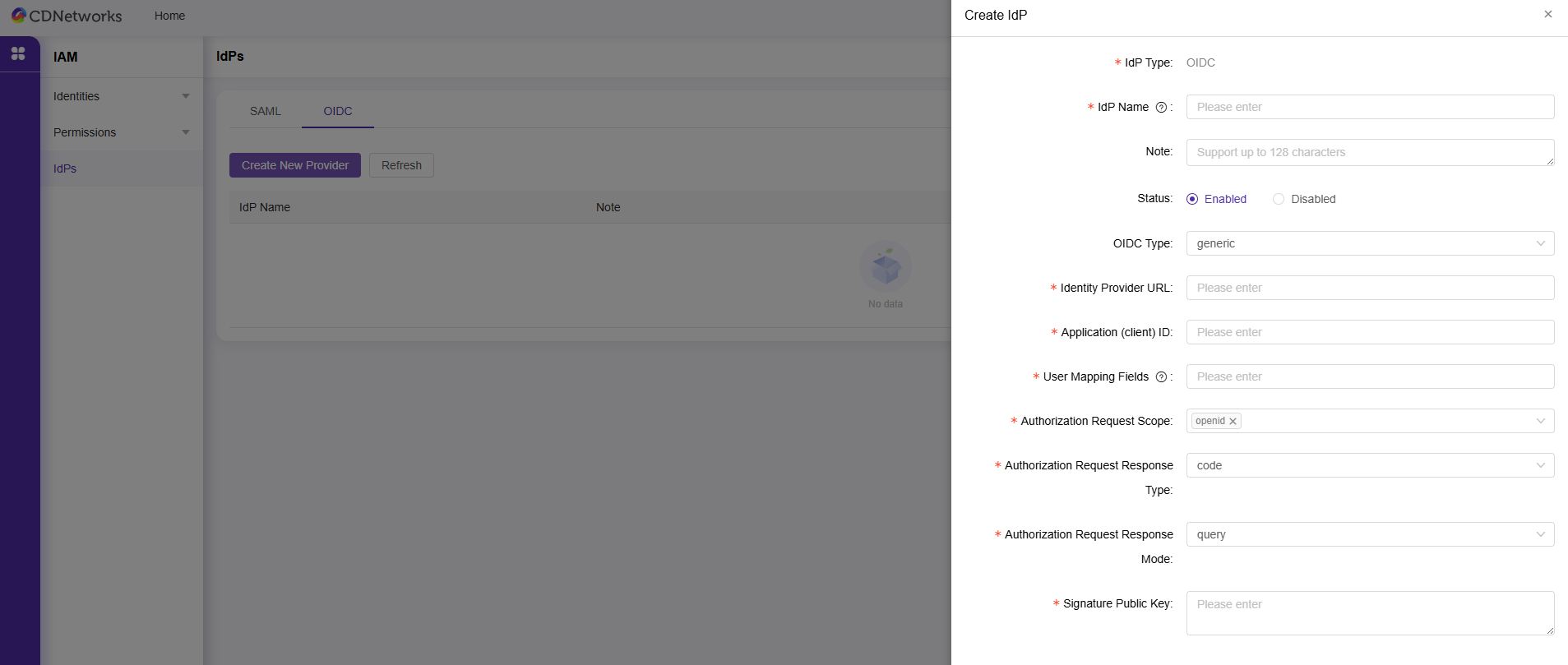
- OIDC Type: Supports generic, apple, azure, google, keycloak
- Identity Provider URL: The identifier of the OIDC Identity Provider, used to obtain the OIDC metadata. This URL generally ends with /.well-known/openid-configuration.
- Application (Client) ID: The client ID generated when your application is registered with an external IdP.
- User Mapping Field: The field in the OpenID Connect Identity Provider that maps to the CDNetworks Console username.
- Authorization Request Scope: The information scope of the authorization request from the OpenID Connect Identity Provider. By default, ‘openid’ is required.
- Authorization Request Response Type: The type of parameter returned by the authorization request from the OpenID Connect Identity Provider. Options include id_token, token, and code.
- Signature Public Key: The public key used to verify the signature of the ID Token issued by the OpenID Connect Identity Provider.
- Apple Team Identifier: Required when the OIDC type is set to Apple.
- Apple Private Key ID: Required when the OIDC type is set to Apple.
- Apple Private Key: Required when the OIDC type is set to Apple.
- Directory (Tenant) ID: Required when the OIDC type is set to Azure.
- Keycloak Realm: Required when OIDC type is Keycloak.
- Keycloak Base URL: Required when OIDC type is Keycloak.
Step 3: Click to view the service provider to check the login URL of the enterprise IdP.
Is the content of this document helpful to you?
Yes
I have suggestion