
Service Report
Last update:2023-10-27 17:38:41
Entrance
- [Product] → [Application Services] → [Service Report]
Introduction
[Service Report] provides the service report that you customized - a monthly/weekly/daily report of your subscribed products.
There are two functions for
-
Service Report: you can customize the Service Report UI, download the service report with the Microsoft Doc/XLS format, and view the service report - Bandwidth Trend, Bandwidth Traffic Distribution Map in Mainland China, Bandwidth Peak Top10.
-
Subscribed Task: you can customize the email report setting to send a scheduled email report to recipients that you selected after you created tasks with report types of products.
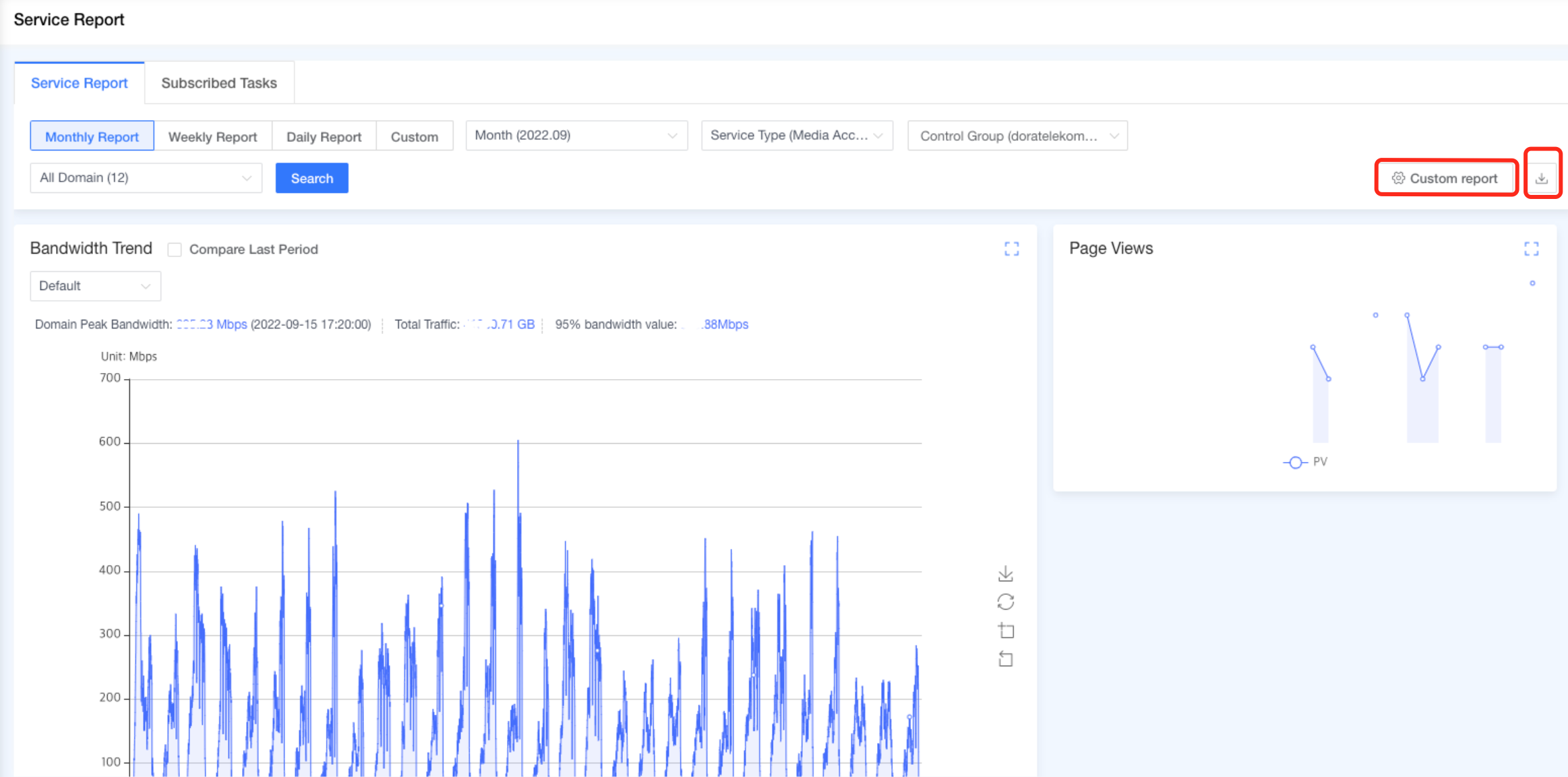
Service Report (UI)
- This page supports the following query methods

Set Query Conditions
-
Select Date Range
- You can select an optional choice of the time period - Monthly, Weekly, and Daily.
- You can select the custom time period you need, query time span up to one month.
-
Select Service type and Control-Group
- You can select domain lists by selecting the service type as product and control-group.
- Each account can configure each service report. but if a subaccount has no permission to read the bandwidth trend chart. the subaccount can not select the chart and cannot read the bandwidth trend chart.
-
Select Domains
- You can select specific domain lists by clicking the drop-down domain box.
Export Service Report
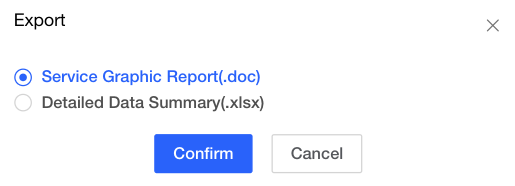
- By clicking the export icon, you can download the XLS/DOC format file of the service report that you choose the corresponding checkboxes.
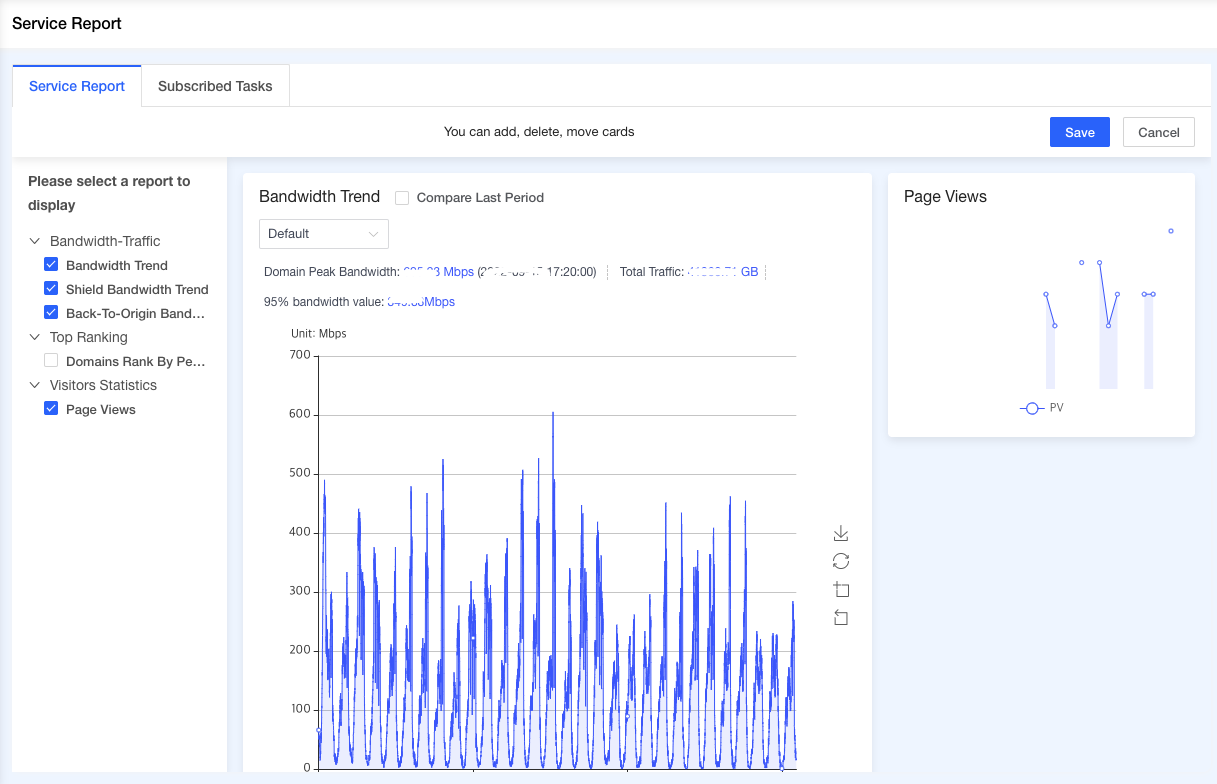
Customized Custom Report
- By clicking the button of “Custom Report”, you can choose report on the Service Report menu on Console UI.
- The content of the service report supports customization, and you can select up to 6 charts: Bandwidth Trend, Bandwidth Traffic Distribution Map in Mainland China, Bandwidth Peak Top10
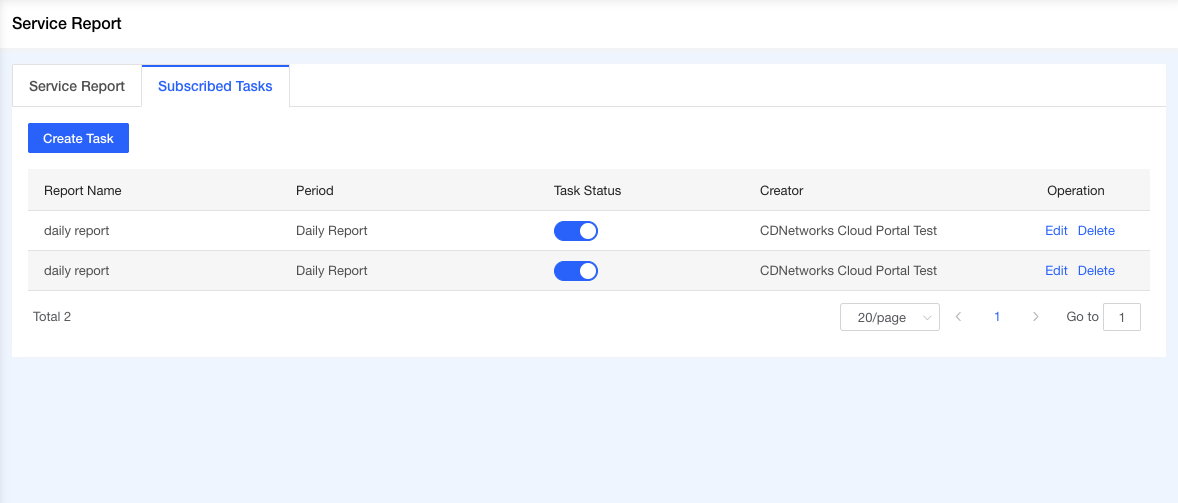
Subscribed Tasks
you can manage the status of the task on the [Service Report] -[SubScribted Tasks] page and can get the scheduled jobs, indicating that service report email tasks are prepared to execute.
Create Task
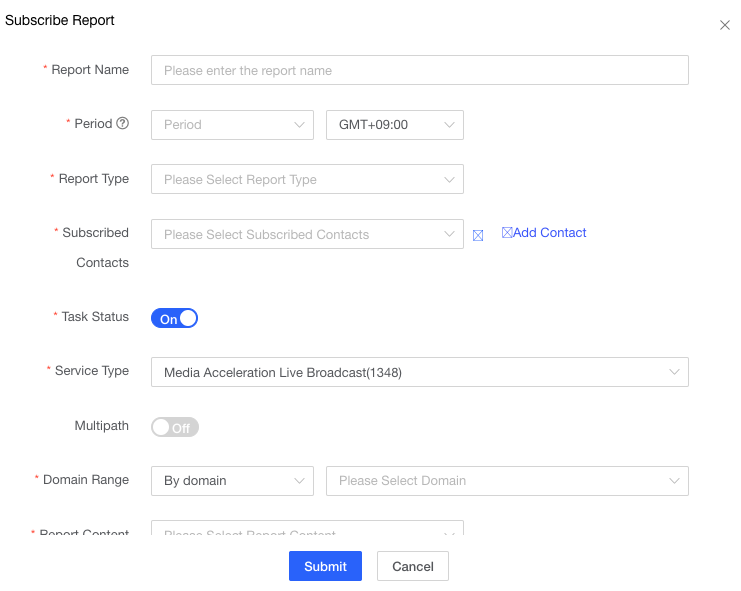
Each account is limited by default up to 5 tasks, and you can configure the option of email report.
-
Report Name : you can define the attachment filename prefix that is sent to the Subscribed Contact’s email.
-
Period: you can select daily, weekly, and monthly types and timezone.
-
Report Type: support .doc or .xlsx format
-
Subscribed Contacts: you can select contacts in Contact Management. if you want to configure contact details, please click the menu - User Center Contact Management
-
Task status: when Task Status is On, to send an email report. otherwise to pause to send an email report.
-
Service Type: you can select the product for sending email report.
-
Multipath: this option is available after the multipath configuration is set.
-
Domain Range :
- by control-group: this option support only a single control-group selection.
- by domain: this option support multiple specific domain name selection.
-
Report content: you can select mulitple statistical report of the selected product.