Create/Delete Bucket
Last update:2025-08-11 11:32:02
A bucket is a cloud storage resource in CDNetworks Object Storage. A bucket is analogous to a folder and is used to store objects, which contain data and metadata. Each bucket can hold an unlimited number of files. You can also bind your own custom domain to a bucket, allowing subsequent access to resources within the bucket directly using your custom domain name.
Prerequisites
Before creating a bucket, please ensure the following two points:
- Your account and contract have enabled the relevant CDNetworks services (Object Storage). If the service is not yet enabled, please contact CDNetworks technical support to activate it.
- Create an Access Key. For details, please refer to AccessKey Management.
Creating a Bucket
- Log in to the CDNetworks Console and select Object Storage Service.
- Click Create Bucket.
- Enter the required details for the new bucket in the corresponding window.
- Click OK to to complete create.
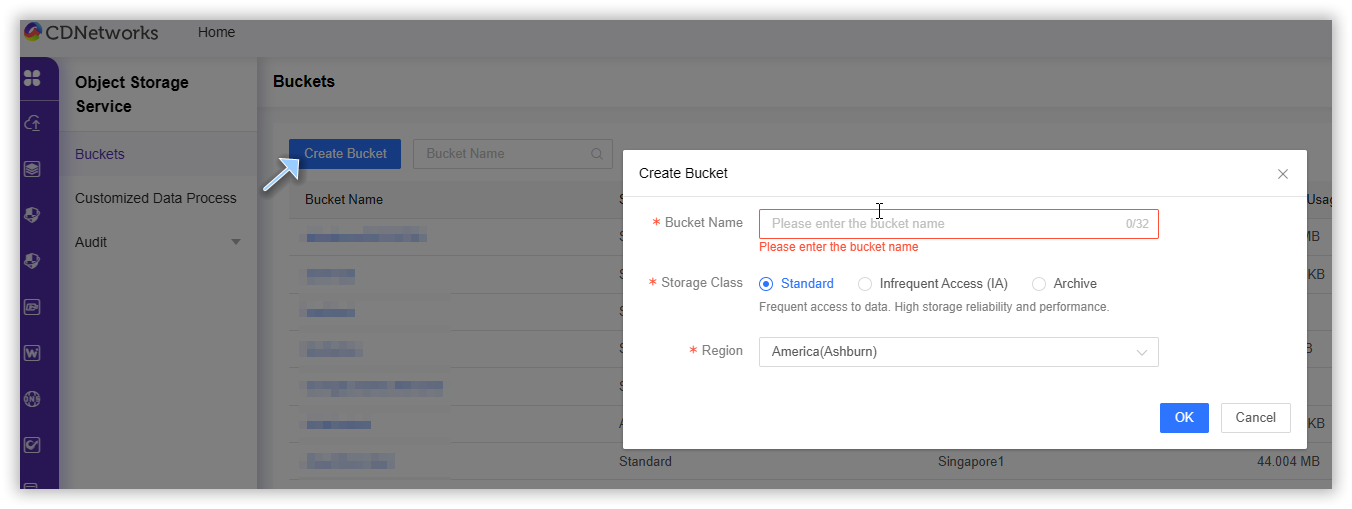
Bucket Name
The bucket name must follow these rules:
- Use lowercase letters, numbers, or the - (minus sign).
- Do not start or end with a number or the - (minus sign).
- The name must be between 4 and 32 characters.
Storage Type
| Storage Type | Description |
|---|---|
| Standard Storage | Designed for frequently accessed data, delivering maximum availability and minimal access latency. |
| Infrequent Access Storage | Ideal for less frequently accessed data requiring fast retrieval, with moderate cost efficiency. |
| Archive Storage | Suitable for storing archived data with extremely low access frequency, which needs to be restored before access. offering the lowest storage costs. |
Region
Bucket region. Select the region closest to your business.For example, choose America(Ashburn) if your operations are based in the United States.
Deleting a Bucket
You can delete a bucket if you no longer need it. Deleting a bucket will remove all objects inside it, and deleted objects cannot be recovered.
- Log in to the CDNetworks Console and select Object Storage Service.
- Click the Name of the bucket you want to delete, or or click Manage on the far right of the corresponding bucket.
- On the details page, click Basic Settings in the upper section.
- Scroll to the bottom, click Delete Bucket, then enter the exact bucket name to confirm. Click Confirm to complete the operation.

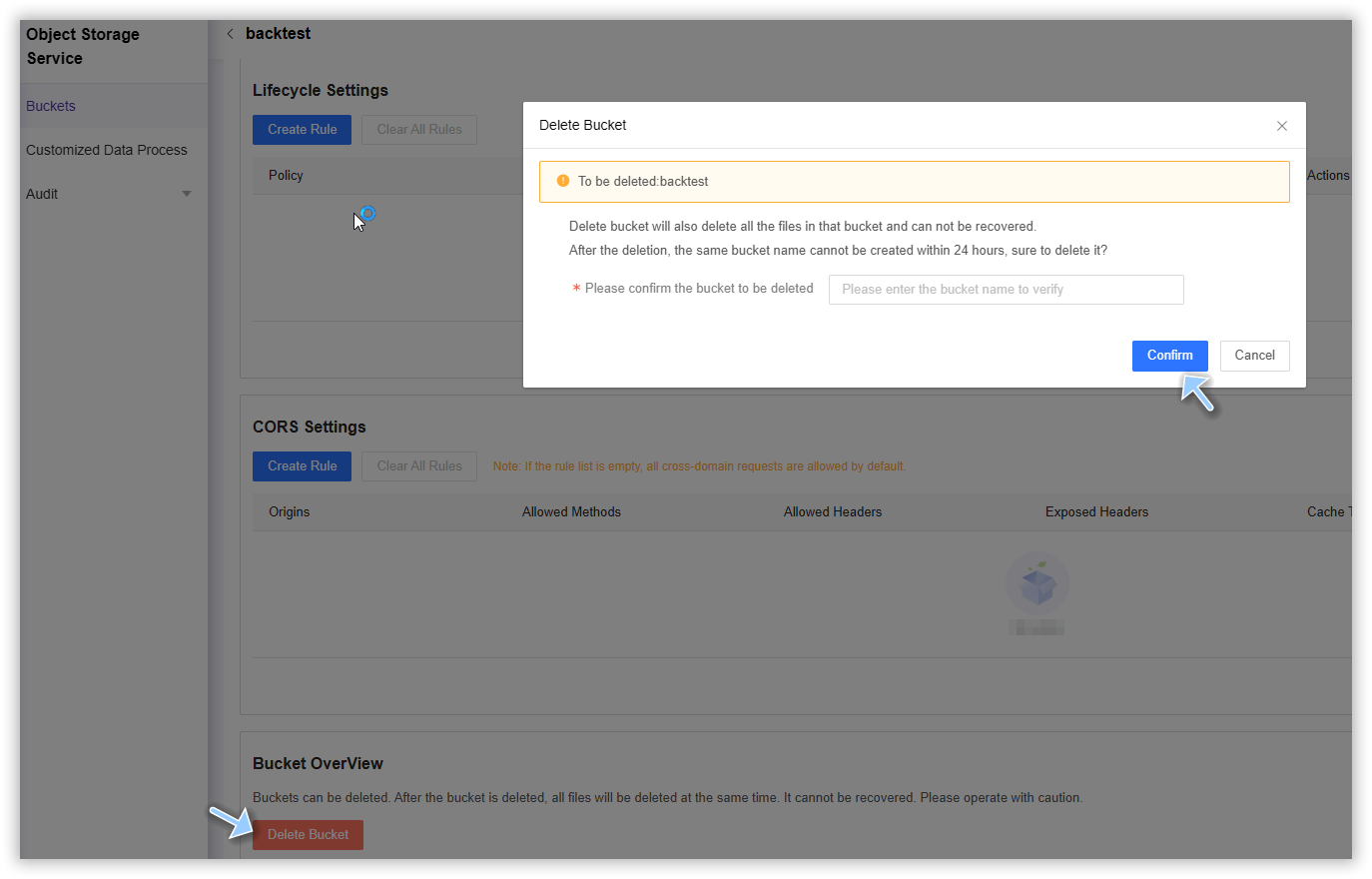
Note: After deletion, you cannot create a new bucket with the same name within 24 hours. Please confirm before deleting.
Viewing the Deleted Buckets
If you need to view deleted buckets, You can follow these steps:
- Log in to the CDNetworks Console and select Object Storage Service.
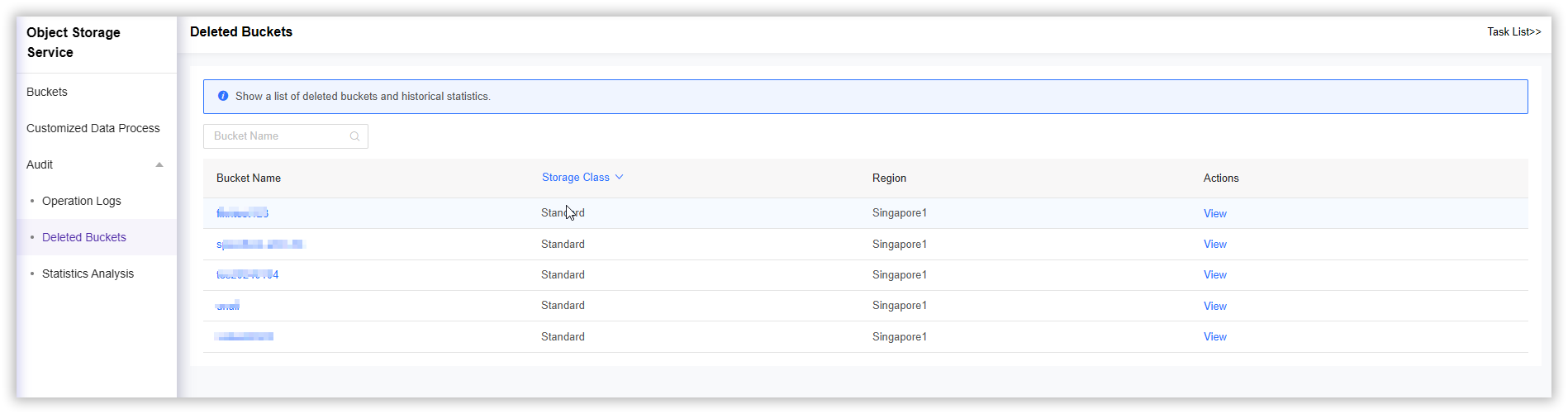
- On the Object Storage Service page, locate Audit > Deleted Buckets,This page will show a list of deleted buckets and historical statistics.
- Choose the deleted bucket you want to view, then click its name or View button.