
Certificate Mgmt Introduction
Last update:2022-07-20 13:25:07
Entrance
- [Product] → [Application Services] → [Certificate MGMT]: use the navigation bar on CDNetworks Console, go to the entrance.
Introduction
[Certificate MGMT] provides the lifecycle management of TLS certificates, including uploading, replacing, viewing and deleting TLS certificates. and provide deployment status and exporting the certificate list.
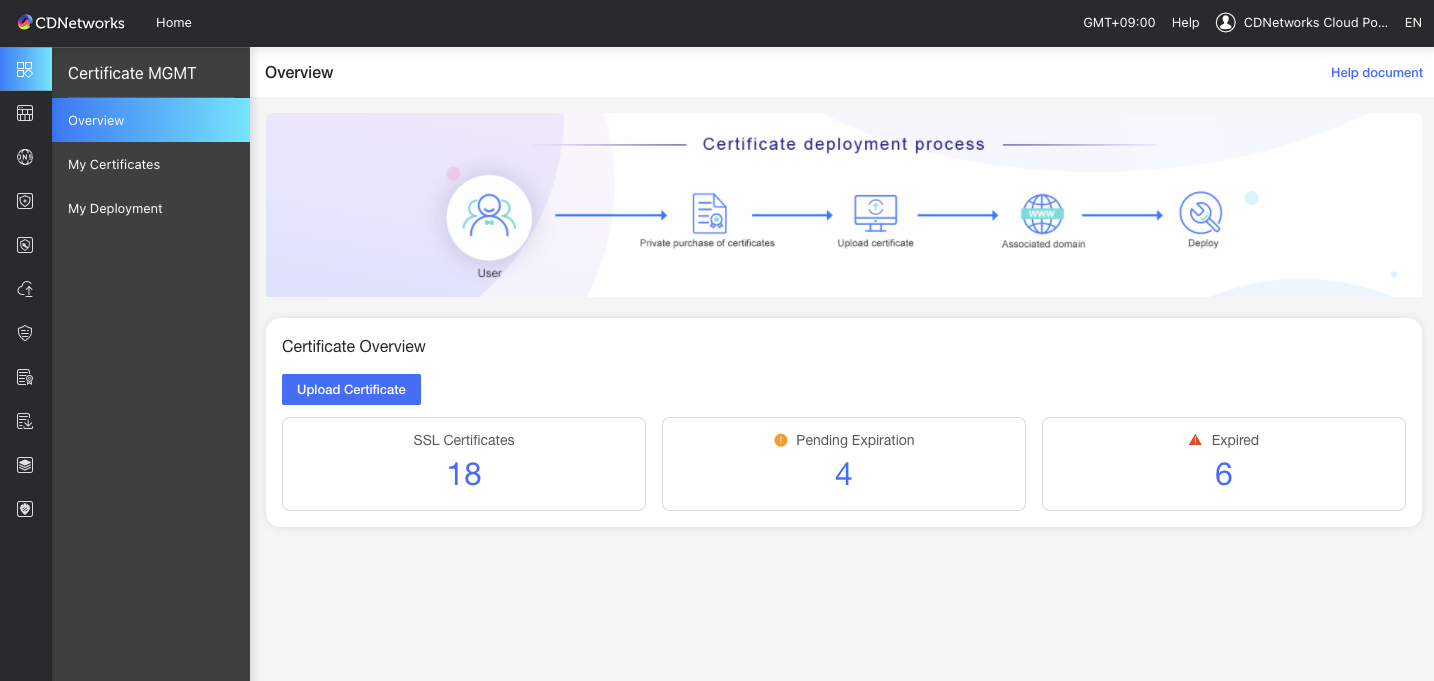
There are three functions for TLS Certificate Management.
- Overview : you can see overall status - total, pending expiration, and expired counts of your private TLS certificates.
- My Certificate: you can manage your own private TLS certificates, including uploading, replacing, viewing and deleting TLS certificates. and exporting the certificate list.
- My Deployment : you can manage deployed domains that are associated with your own private TLS certificates , and you can disassociate certificate when you need to change.
‘My Certificate’ has main functions to manage TLS certificates , so following articles have arranged as ‘Overview’ & ‘My Deployment’ and ‘My Certificate’ as below
Is the content of this document helpful to you?
Yes
I have suggestion