
Top Ranking
Last update:2026-05-09 18:16:41
CDNetworks provides various dimensions of Top Rankings to offer you multi-angle insights. The dimensions include: Domain, Visitor, URL, Directory, and Referer.
How to Access Top Rankings
- Log in to the CDNetworks Console, and select the corresponding product.
- Click Analytics > Top Rankings. You will see five tabs: Domain, Visitor, URL, Directory, and Referer. Select the tab you want to view and click on it. Filter the query time range and domain, then click Query to see the corresponding Top Rankings list.
- The ranking table displays the Top 10 by default. Click the button in the upper right corner
 to see more rankings in the console. Click
  to export detailed data to your local folder.
Each tab displays Top Rankings from different dimensions. Refer to the detailed introduction below.
Domain
CDNetworks console displays the following tabs for the Top Rankings, indicating the Top Domains filtered by these dimensions.
Peak Bandwidth
Top Domains filtered by Peak Bandwidth.
- You can view the peak bandwidth, peak time, traffic, and requests for the top domains.
- Click Top URLs to view the top URLs for that domain.
- Click Top Visitors to view the top users’ IP that visited that domain.
Peak Origin Offload
Top domains filtered by the peak origin offload.
- What is Origin Offload? Without CDN, each end-user request would be sent to the origin server, generating bandwidth on the origin. With CDN, the CDN can directly respond to cached files without going back to the origin, saving bandwidth on the customer’s origin server.
Origin Offload = (Total Traffic - Origin Traffic) / Total Traffic, whereTotal Traffic = Edge Traffic. - You can view the peak origin offload and average for the top domains.
Peak Cache Hits
Top domains filtered by the peak cache hits.
- What is Peak Cache Hits? Without CDN, each end-user request would be sent to the origin server. With CDN, the CDN can directly respond to cached files without going back to the origin. This process is called a “hit”.
Cache Hits = Requests hit by CDN / Total Edge Requests. - You can view the peak cache hits and average for the top domains.
Visitors
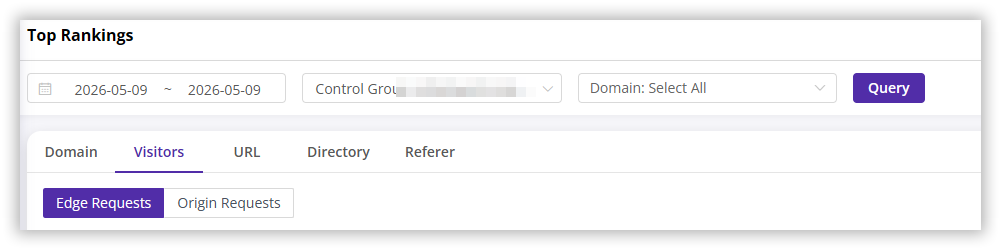
CDNetworks console displays the following tabs for the Top Rankings, indicating the Top Visitors filtered by Edge Requests and Origin Requests.
URL
CDNetworks console displays the following tabs for the top URLs, indicating the top URLs filtered by these dimensions.
Total Traffic
Top URLs filtered by total traffic.
- You can view the traffic and requests for the top URLs.
- Supports filtering top URLs by specifying URL types.
Successful Requests
Top URLs filtered by the number of successful requests.
- Successful Requests: Requests with status codes in the [100,399] range are counted as a successful request.
- You can view the successful requests and the corresponding traffic for the top URLs.
Failed Requests
Top URLs filtered by the failed requests.
- Failed Requests: Requests with status codes outside the [100,399] range are counted as a failed request.
- You can view the failed requests, successful requests, and the traffic corresponding to the successful requests for the Top URLs.
Origin Traffic
Top Origin URLs filtered by Origin traffic. You can view the Origin traffic for the top origin URLs.
Origin Requests
Top origin URLs filtered by origin requests. You can view the origin requests for the top origin URLs.
Directory
CDNetworks console displays the following tabs for the top directories, indicating the top directories filtered by these dimensions.
Total Traffic
Top directories filtered by total traffic. You can view the traffic and requests for the top directories.
Successful Requests
Top directories filtered by the successful requests.
- Successful Requests: Requests with status codes in the [100,399] range are counted as a successful request.
- You can view the successful requests and the corresponding traffic for the Top Directories.
Failed Requests
Top directories filtered by the failed requests.
- Failed Requests: Requests with status codes outside the [100,399] range are counted as a failed request.
- You can view the number of failed requests, successful requests, and the traffic corresponding to the successful requests for the Top Directories.
Referer
Top referer websites filtered by requests.
- You can view the requests and traffic corresponding to the top referer websites.
- Click on the target URL to view the Top 200 URL list for that referer website, sorted by requests.