Create Alert Contact Group
최신 업데이트:2026-03-18 16:39:12
Create an Alert Contact
-
Log in to
https://cloudmonitor.cdnetworks.com/v2/alarm-history/list. -
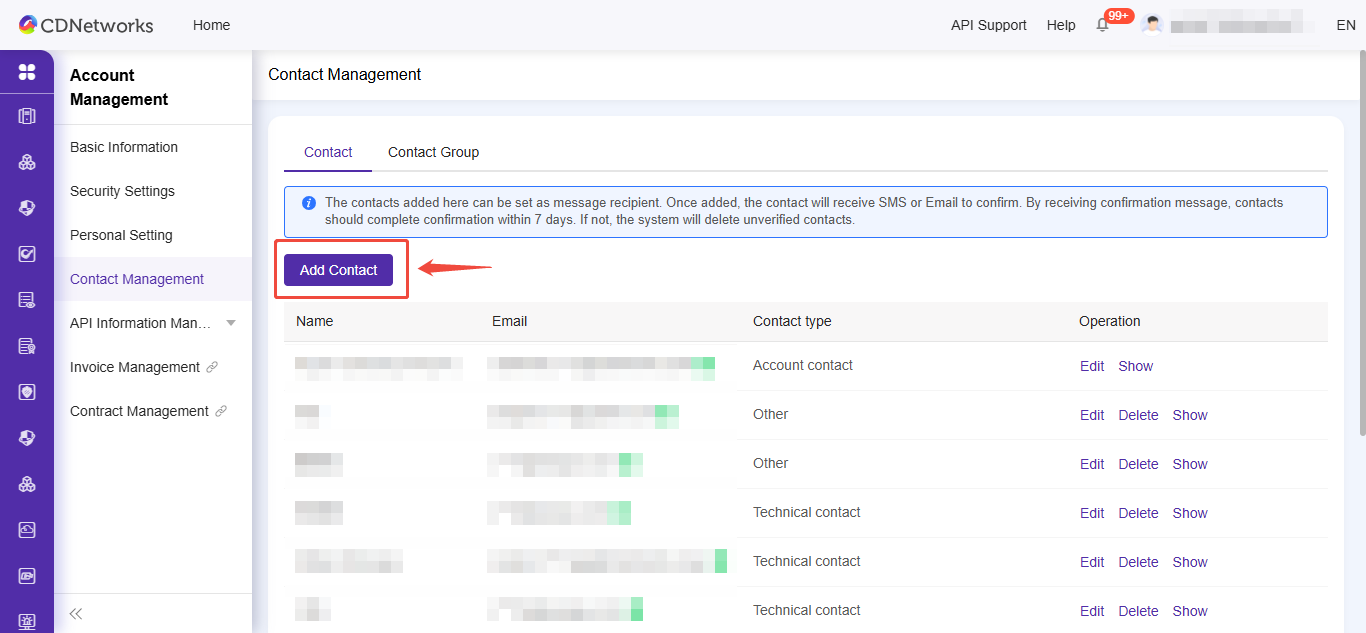
In the left navigation bar, select Alert Service > Alert Contacts.
-
On the Contacts tab, click Add Contact.
-
On the Set Alert Contacts page, enter the contact’s name, mobile phone number, email address, and remarks.
-
After confirming that the information is correct, click OK.
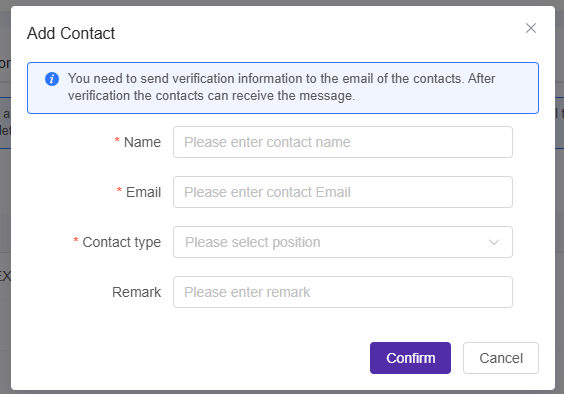
If both email and mobile number are set for the alert contact, the system will set their status to pending activation by default. The alert contact must click the activation link in the received email or SMS and complete the activation within 24 hours. Otherwise, they will not receive any alert notifications. Once activated, you can view their mobile number and email address in the alert contact list.
Create Alert Contact Group
-
Log in to
https://cloudmonitor.cdnetworks.com/v2/alarm-history/list. -
In the left navigation pane, select Alert Service > Alert Contacts.
-
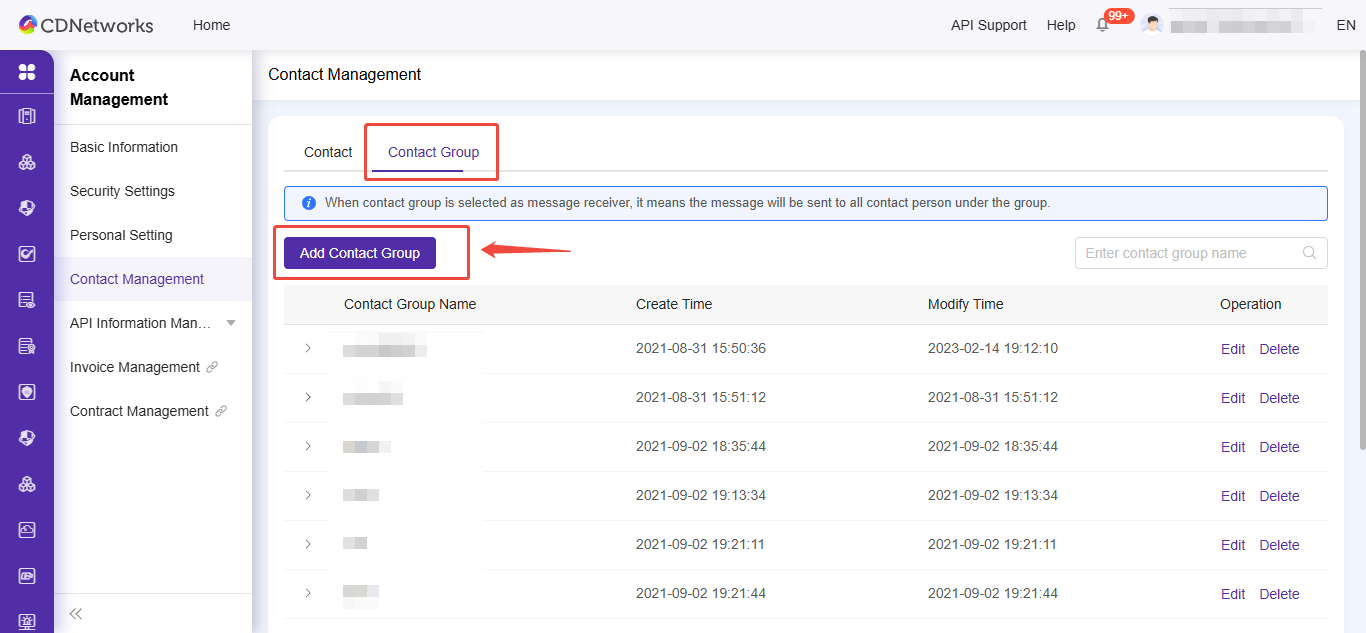
Click the Contact Group tab.
-
On the Alert Contact Group tab, click Add Contact Group.
-
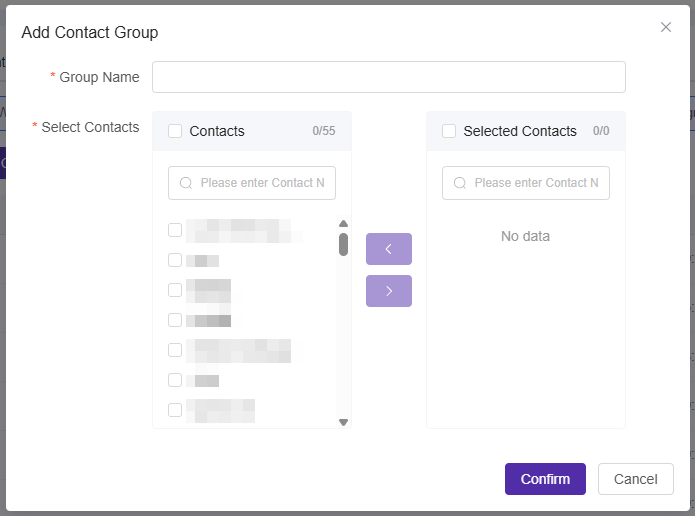
On the Add Contact Group page, enter a name for the alert contact group and select the alert contacts you want to add.
-
Click Confirm.