ホームページ
言語
English
中文
日本語
한국어
APIセンター
APIドキュメント
API デバッグ
CDNetworks ドキュメントに戻る
Object Storage
Media Delivery
Cloud VoD
Cloud Live
Media Acceleration VoD
Media Acceleration Live Broadcast
Low Latency Streaming
Aqua N Player Support Guide (KR only)
Cloud Security
Cloud Security 2.0
Flood Shield 2.0
Flood Shield
Application Shield
API Shield
Web Performance
Content Acceleration
Dynamic Web Acceleration
Network Acceleration
Enterprise Secure Access
Infrastructure
Object Storage
Cloud DNS+
Edge Computing
Edge Application
Edge Cloud Hosting
Console Guide
Console Guide
Developer Services
API Docs
OpenAPI Explorer
Terraform
Management and Services
Console Introduction
Account Management
IAM
Content Management
Certificate Management
Cloud Monitor
Message Center
Action Trail
Log Downloads
CDNetworks ドキュメントセンター
Object Storage
Console Guide
Delete/Rename File
Delete/Rename File
最終更新日:2025-08-06 16:55:34
CDNetworksコンソールはファイル削除・名称変更機能を提供し、コンソールを通じたファイル操作でストレージスペースを管理可能です。
ファイル削除方法
CDNetworks Console
にログインし、
Object Storage Service
を選択
対象バケットの
Name
をクリック、または該当バケット右端の
Manage
をクリック
詳細ページ上部の
File Management
をクリック
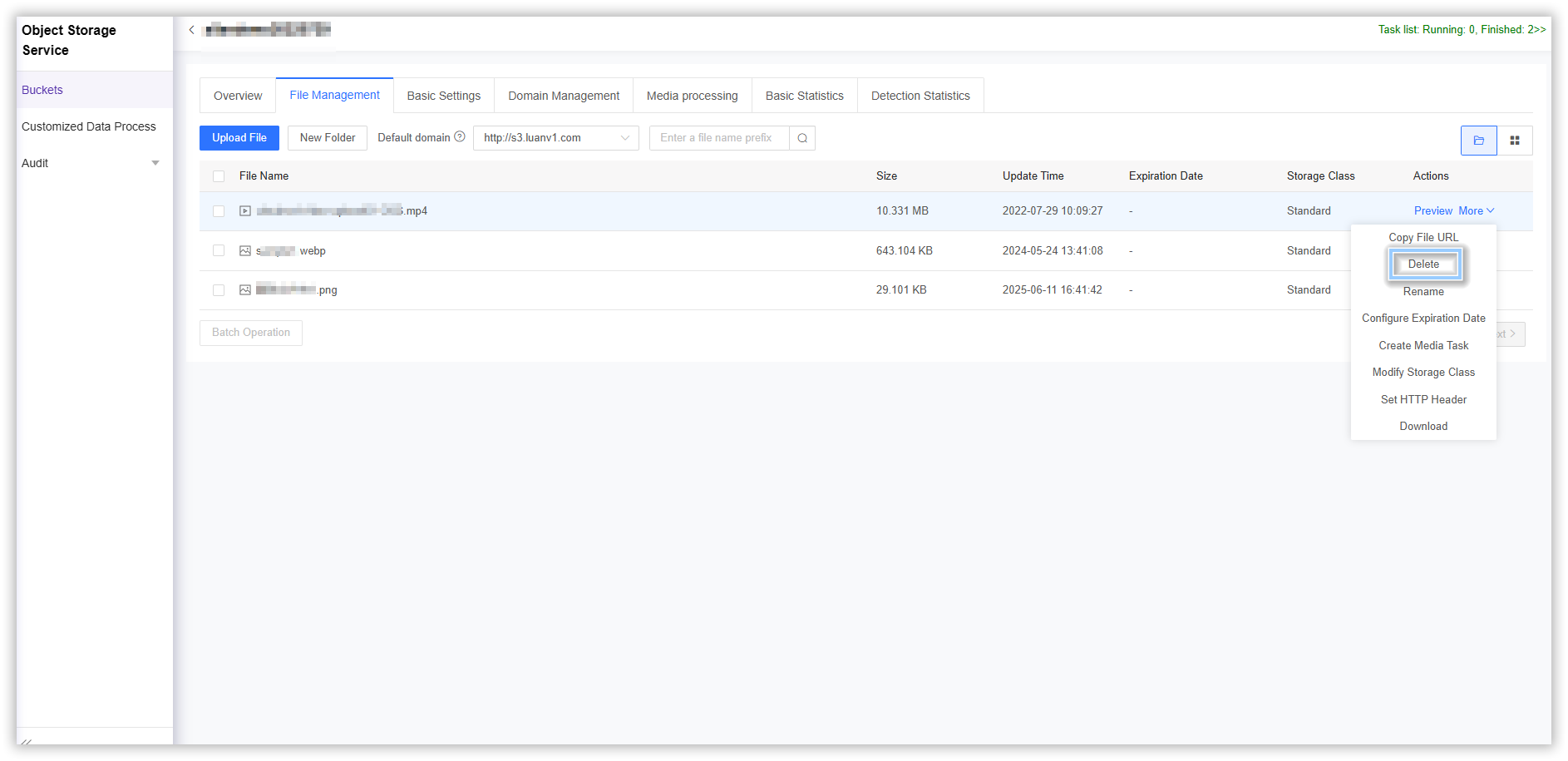
削除対象ファイルを選択後、右端の
More > Delete > OK
をクリック
ファイル名称変更方法
CDNetworks Console
にログインし、
Object Storage Service
を選択
対象バケットの
Name
をクリック、または該当バケット右端の
Manage
をクリック
詳細ページ上部の
File Management
をクリック
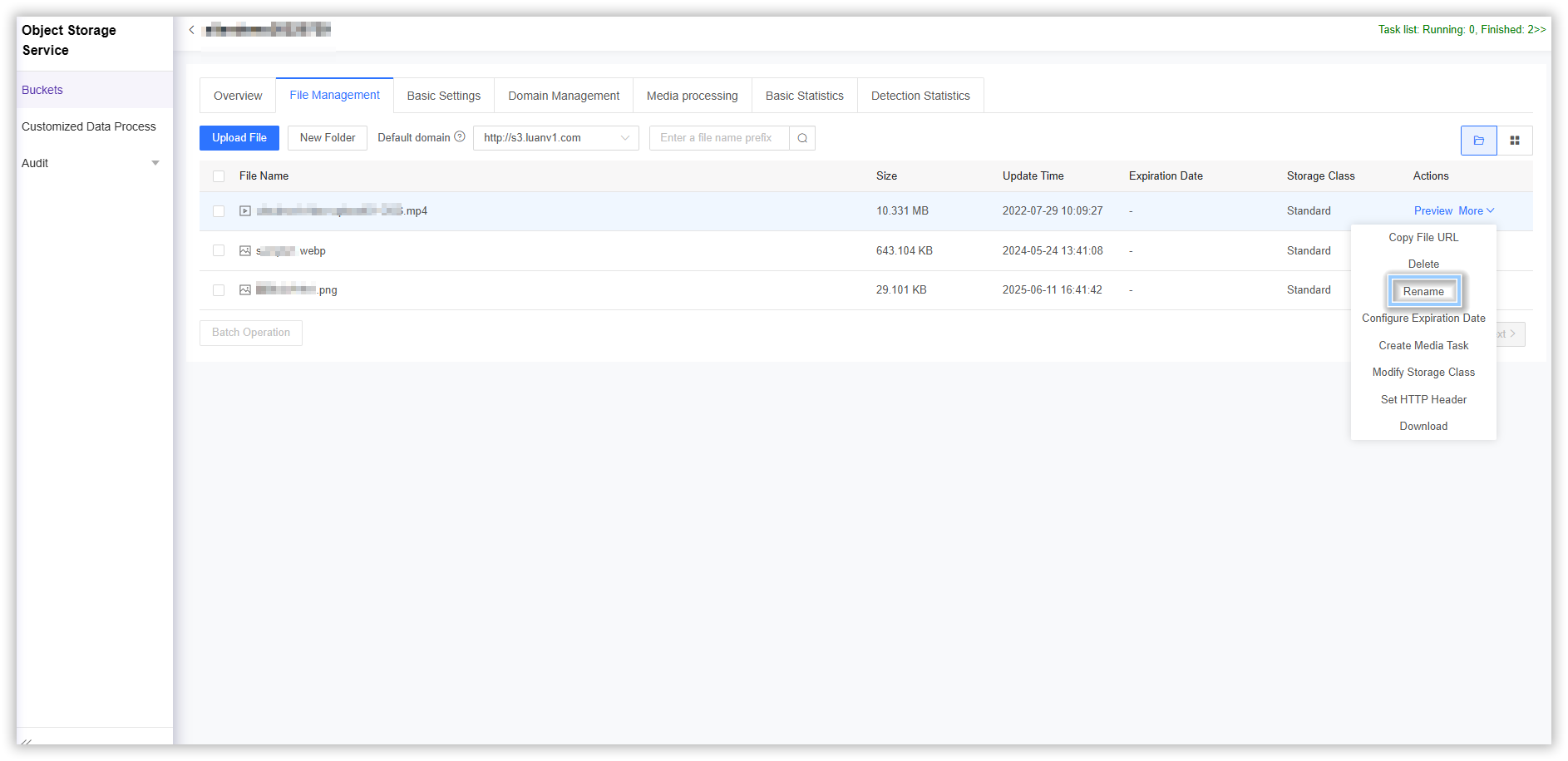
名称変更対象ファイルを選択後、右端の
More > Rename
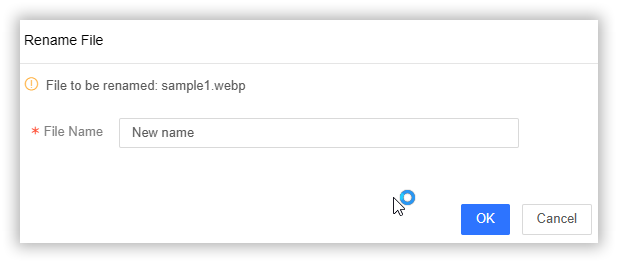
をクリック。入力欄に新ファイル名を入力し
OK
で操作完了
目次
前へ:Download File
次へ:Set User Metadata
このドキュメントの内容は役に立ちましたか?
はい
いいえ
正常に提出されました。フィードバックをお寄せいただきありがとうございます。今後も改善に努めてまいります。
ご提案
ドキュメントの読み取り中に次の問題が発生しましたか
コンテンツエラー
最新バージョンではありません
リンクエラー
不足コードや画像サンプル
シンプルすぎて改善が必要
その他
少なくとも 1 つのタイプを選択してください
フィードバック
貴重なご意見を残してください。