文档中心 访问控制 用户指南 使用Azure进行OIDC SSO的示例

使用Azure进行OIDC SSO的示例

更新时间:2026-03-25 15:16:56

操作步骤

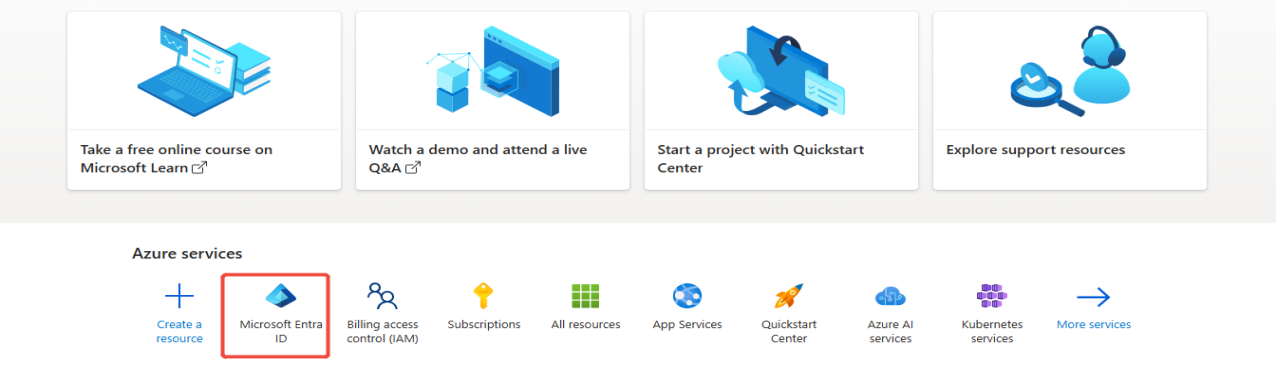
1 登录Azure平台,找到Microsoft Entra ID
Upcoming Updates to Product Navigation and Document Center

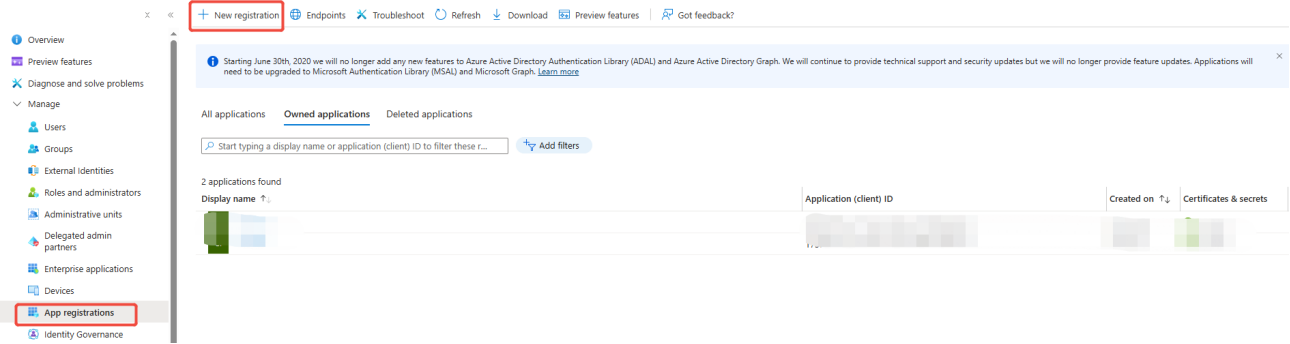
2 在App registrations 中新注册一个应用,点击New registration 注册
Upcoming Updates to Product Navigation and Document Center

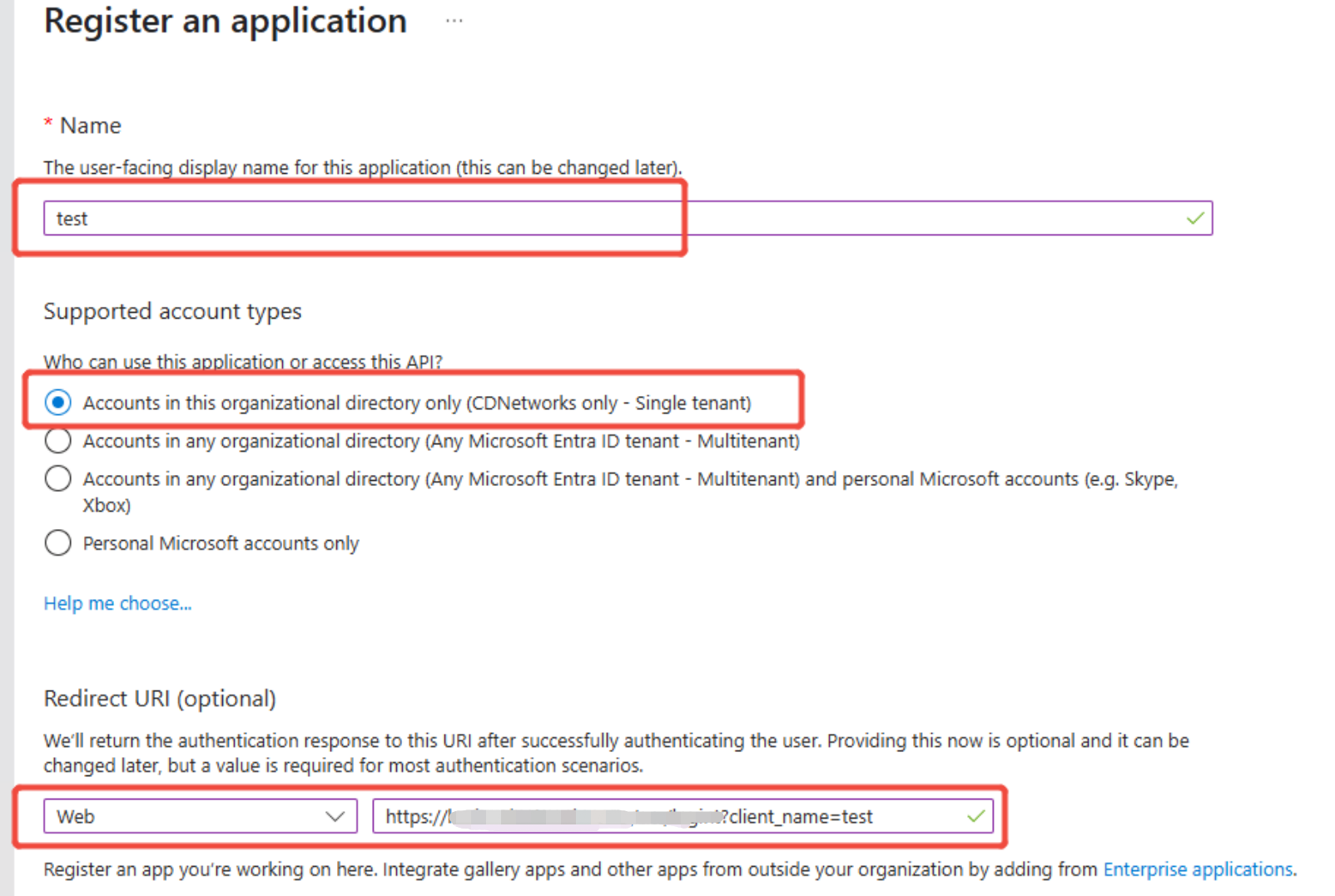
3 填写应用信息,其中重定向地址选择web,并填写跳转地址

Upcoming Updates to Product Navigation and Document Center

跳转地址:https://login.cdnetworks.com/cas/login?client_name=
根据步骤 中控制台上配置的内容进行修改
例如IdP Name设置名称为 test,则此处填写内容为: https://login.cdnetworks.com/cas/login?client_name=test

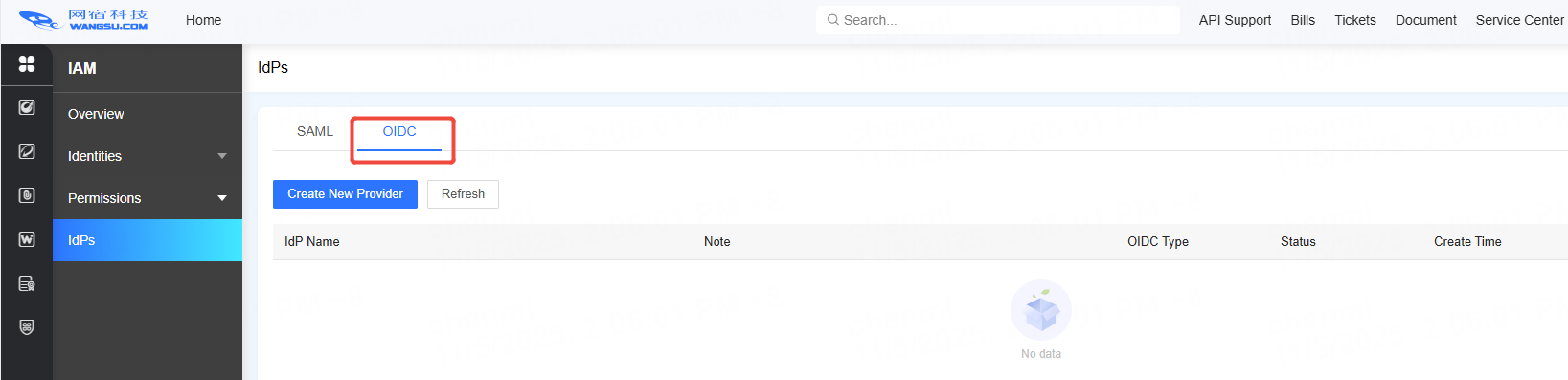
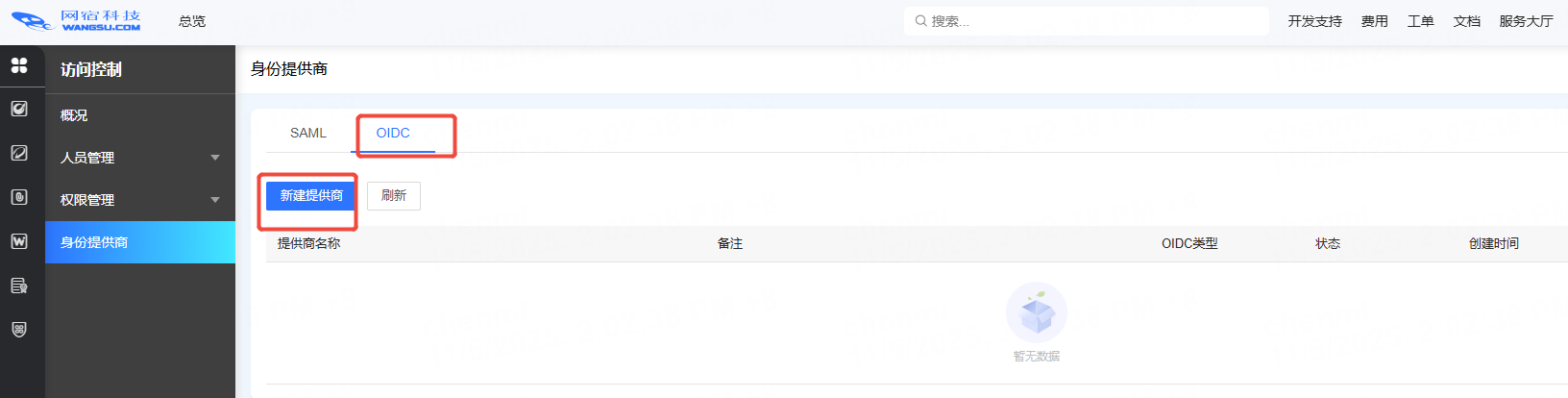
4 打开控制台,进入【访问控制】->【身份提供商】功能,新增身份提供商配置
Upcoming Updates to Product Navigation and Document Center
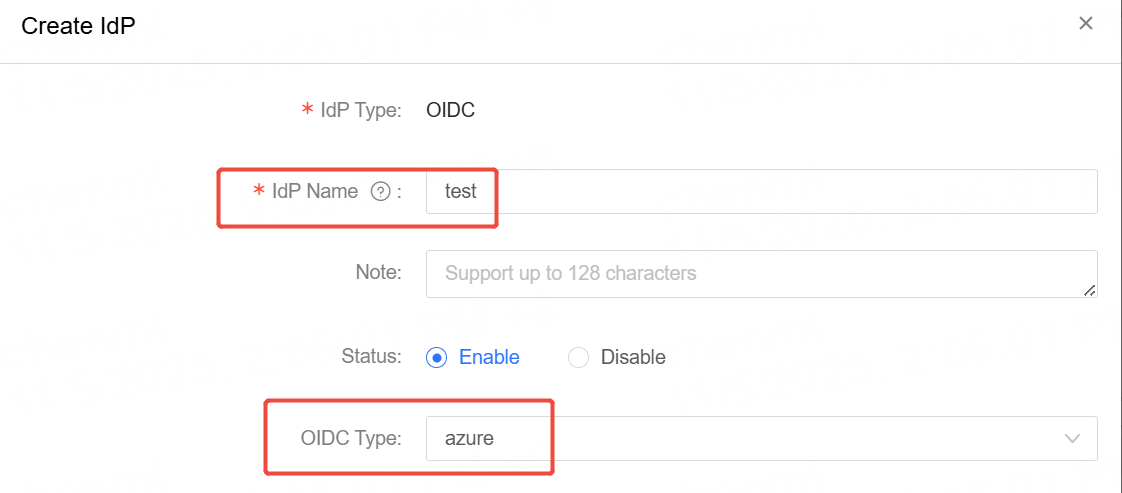
根据步骤3中所填写的Idp Name,在控制台上填写相同的【提供商名称】,【OIDC类型】选择 Azure
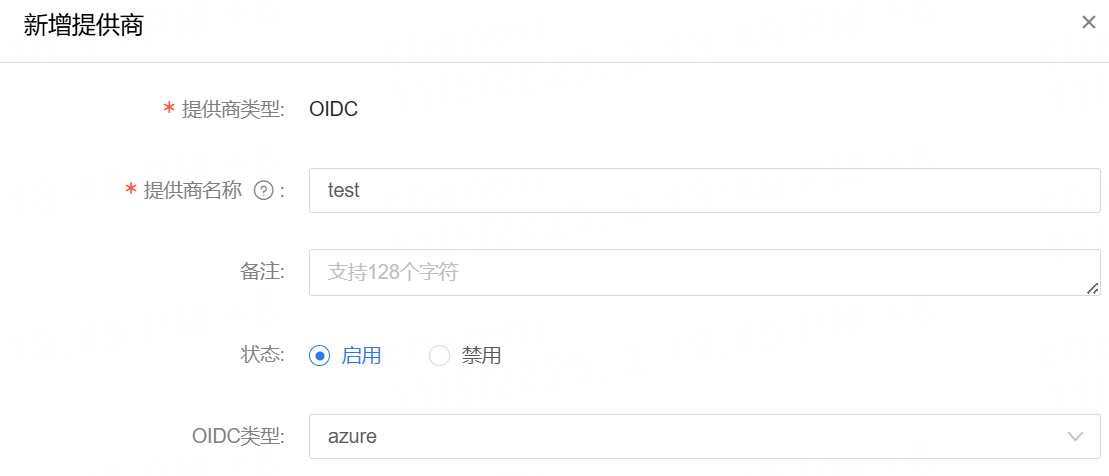
Upcoming Updates to Product Navigation and Document Center

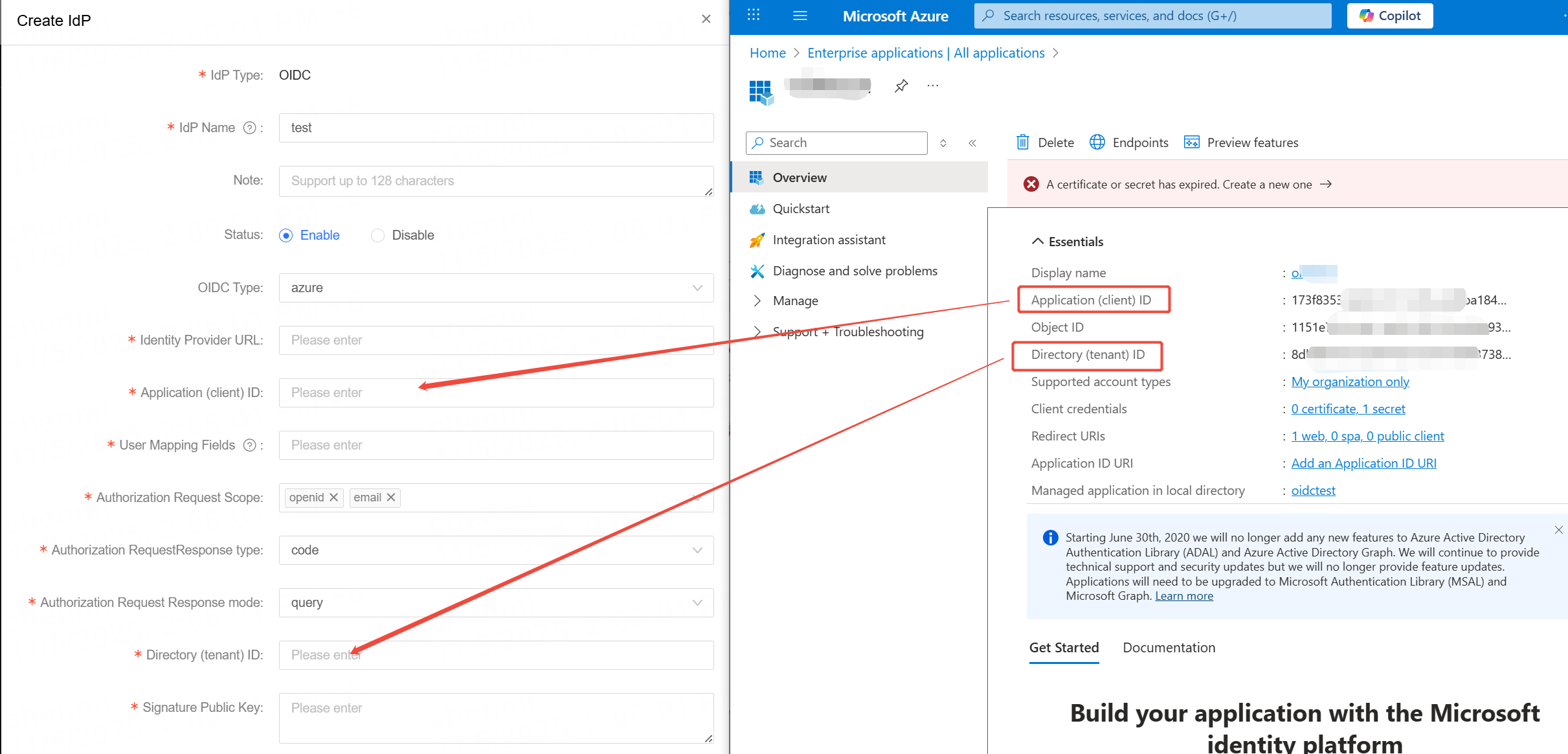
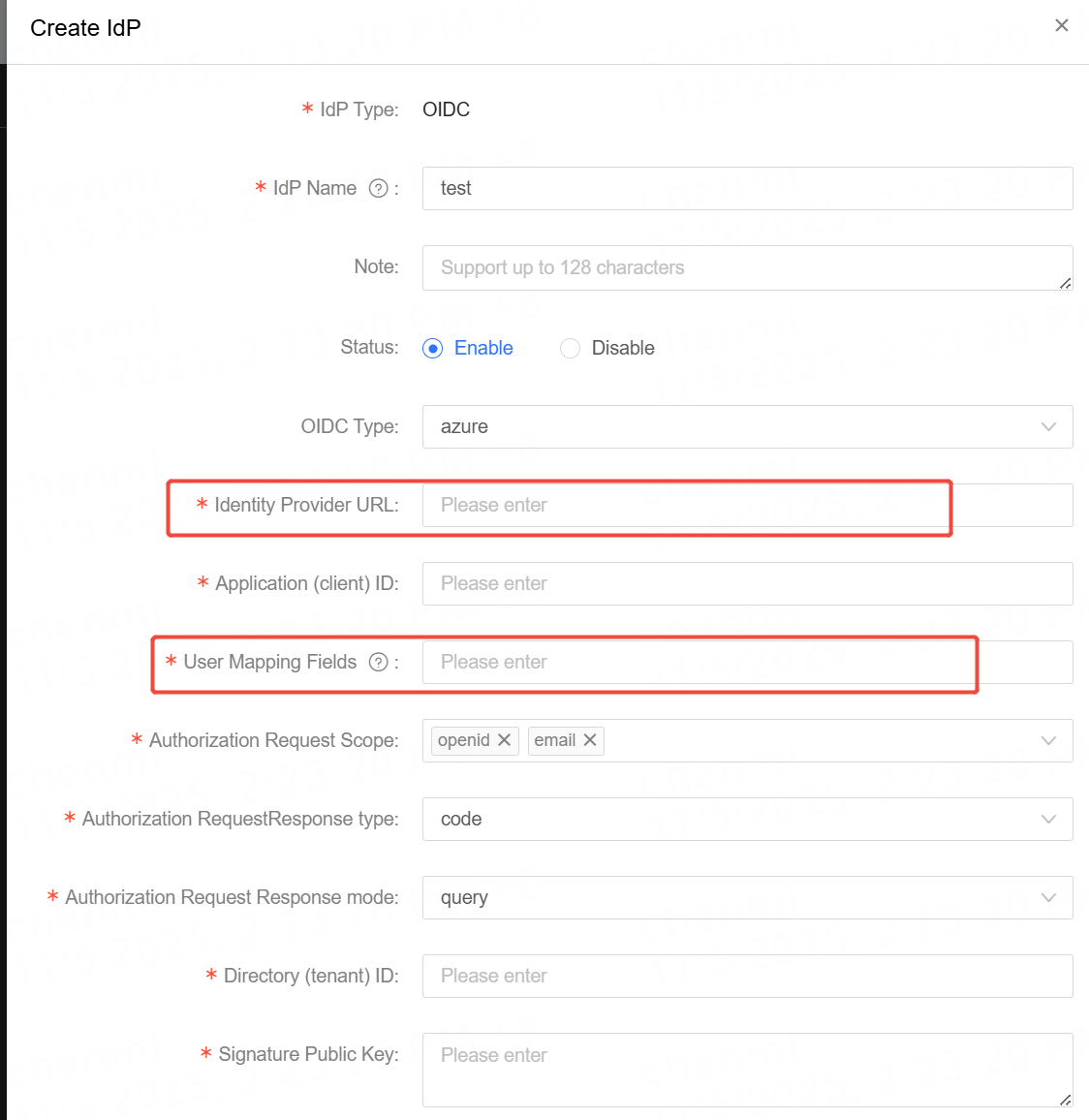
5.将Client ID和 Tenant ID 分别填入控制台上的配置中,对应关系如图所示
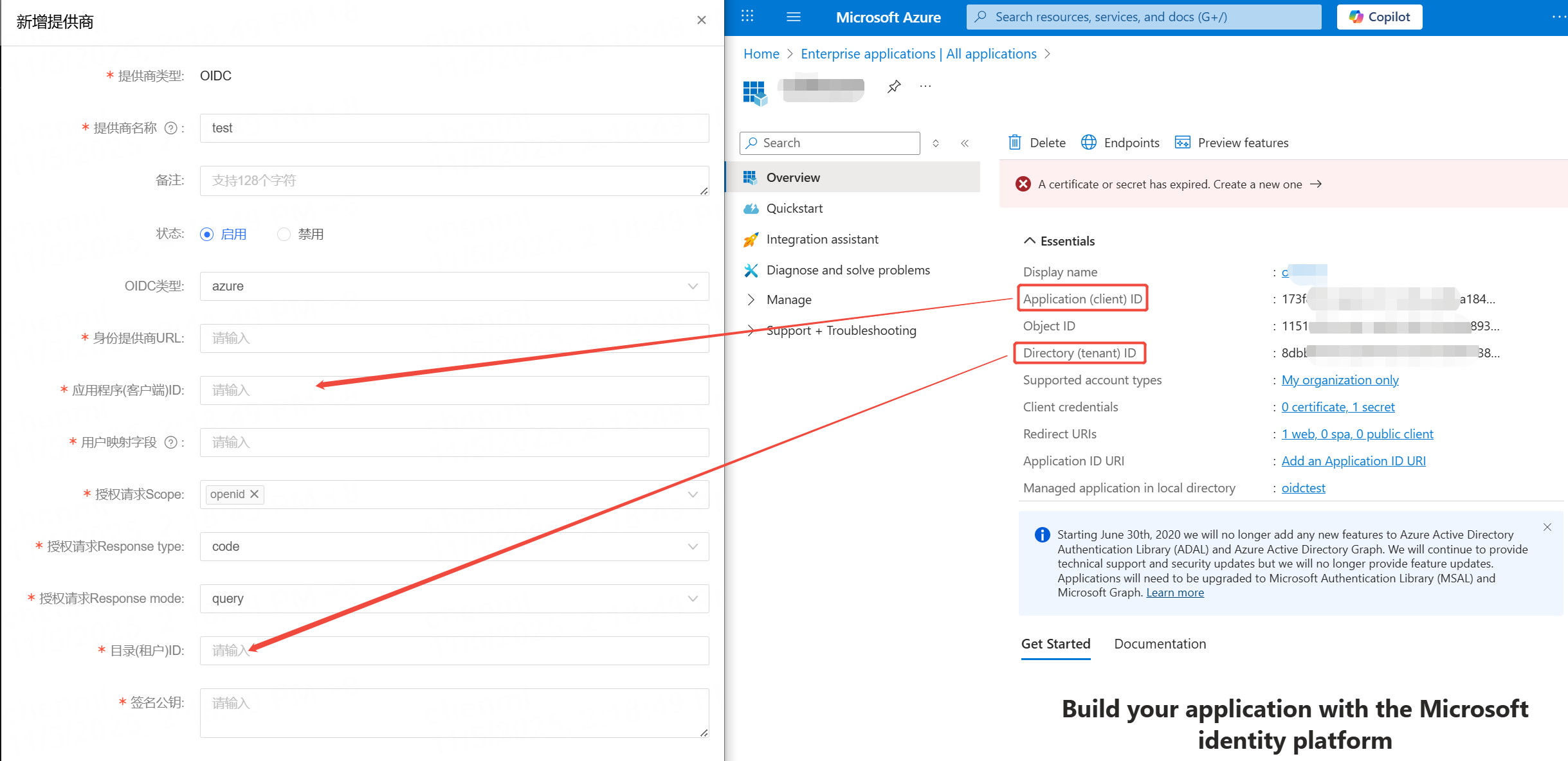
Upcoming Updates to Product Navigation and Document Center

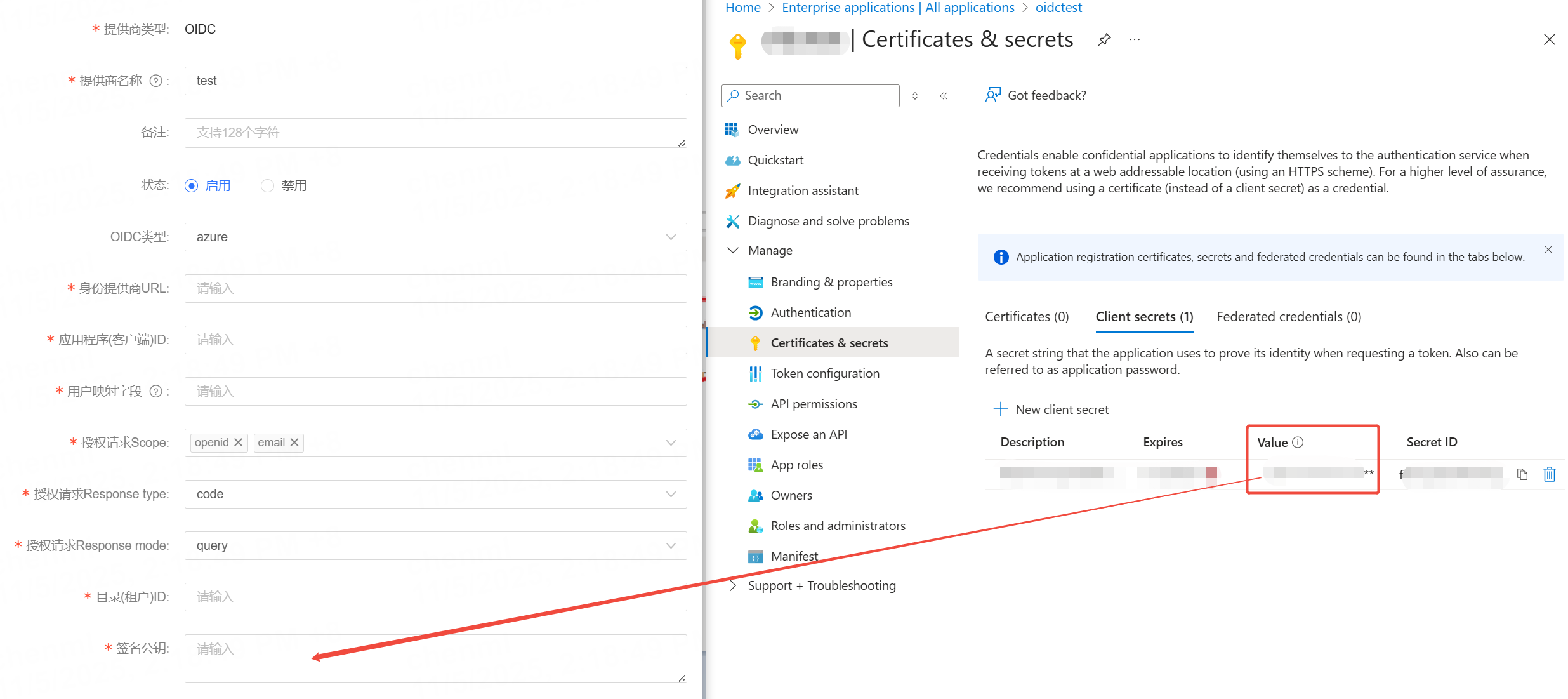
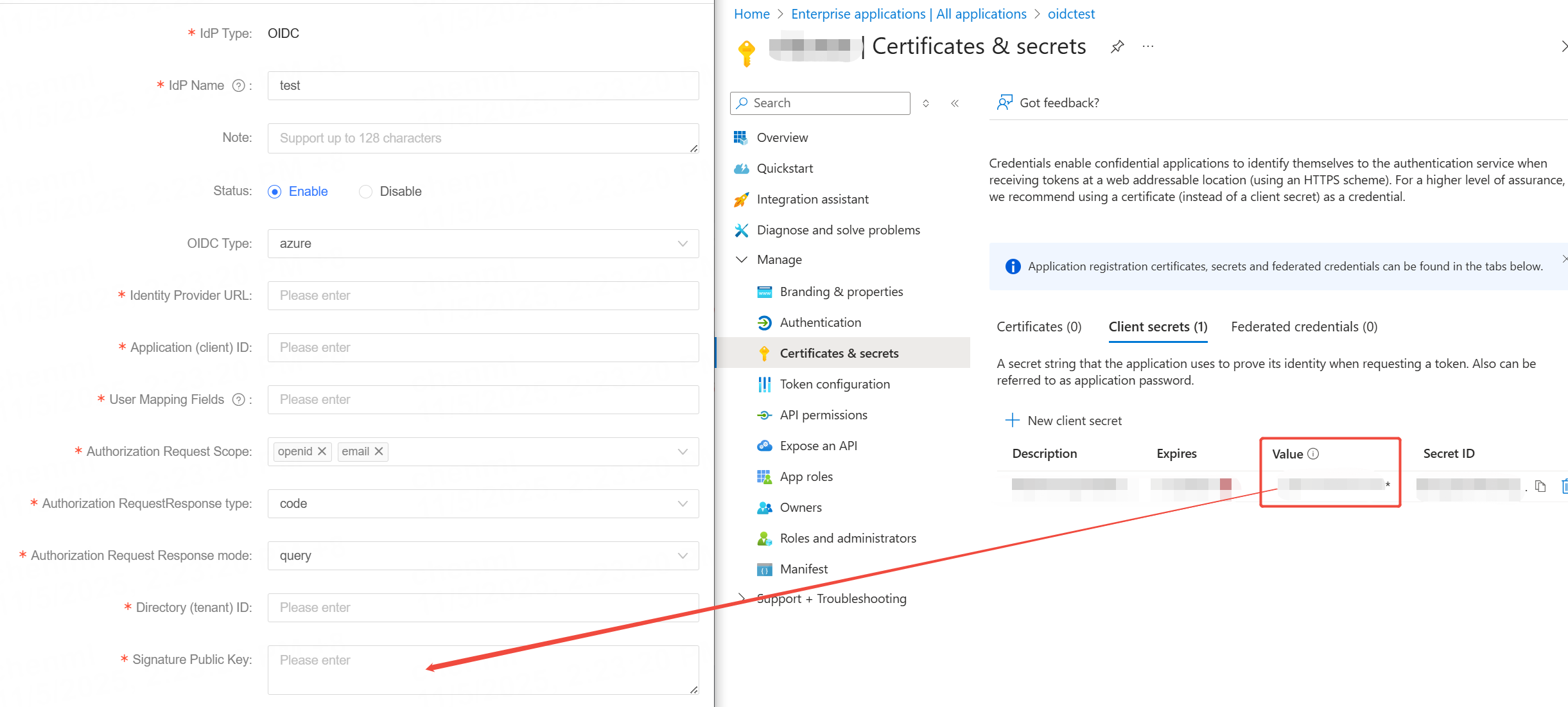
6.为应用设置密码,找到Certificatis & secrets 功能,点击 New client secret 添加一个密码
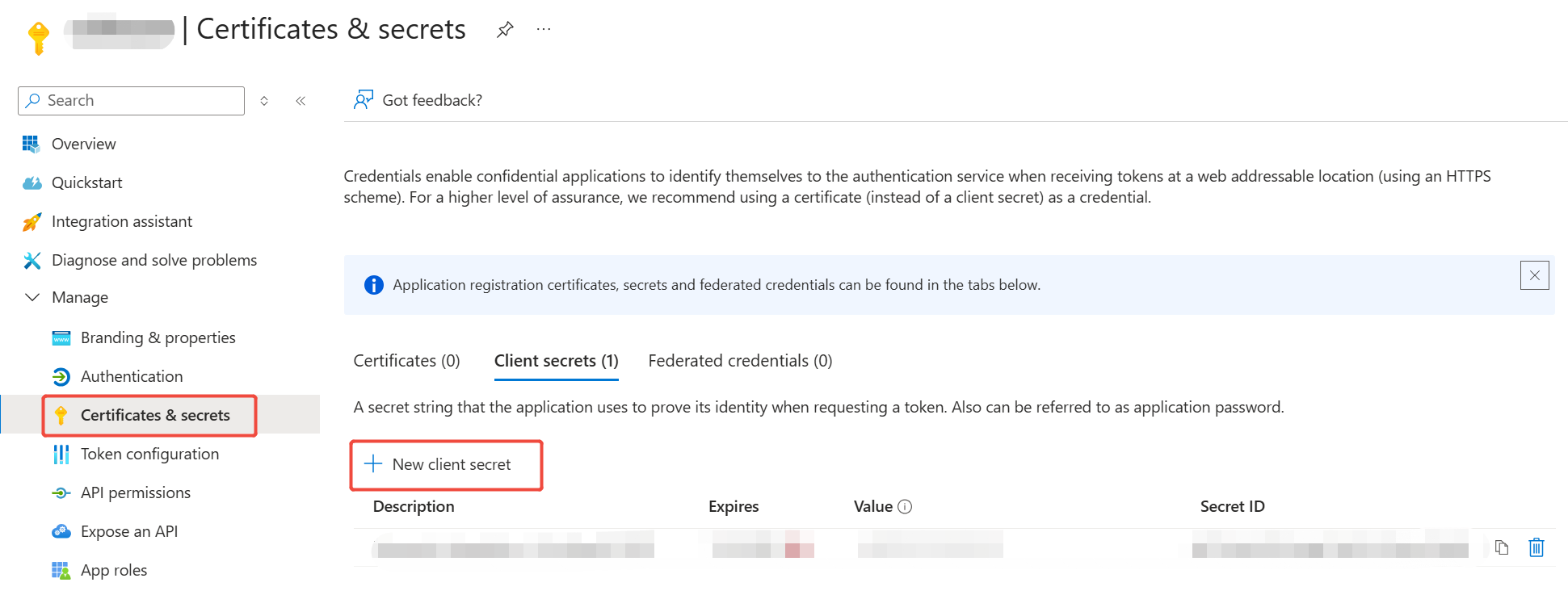
Upcoming Updates to Product Navigation and Document Center

并将密码的Value值填写到控制台上的配置中,对应关系如图所示
Upcoming Updates to Product Navigation and Document Center

7.为应用授权可使用的用户,回到Overview页面,点击Go to Enterprise applications
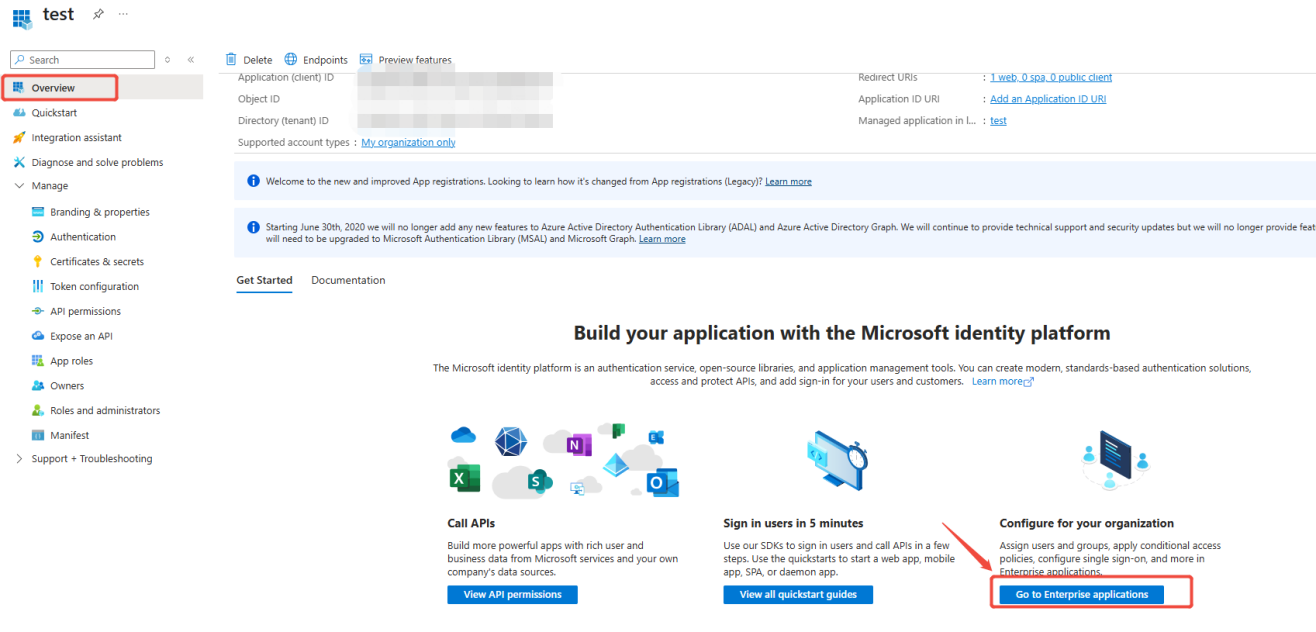
Upcoming Updates to Product Navigation and Document Center
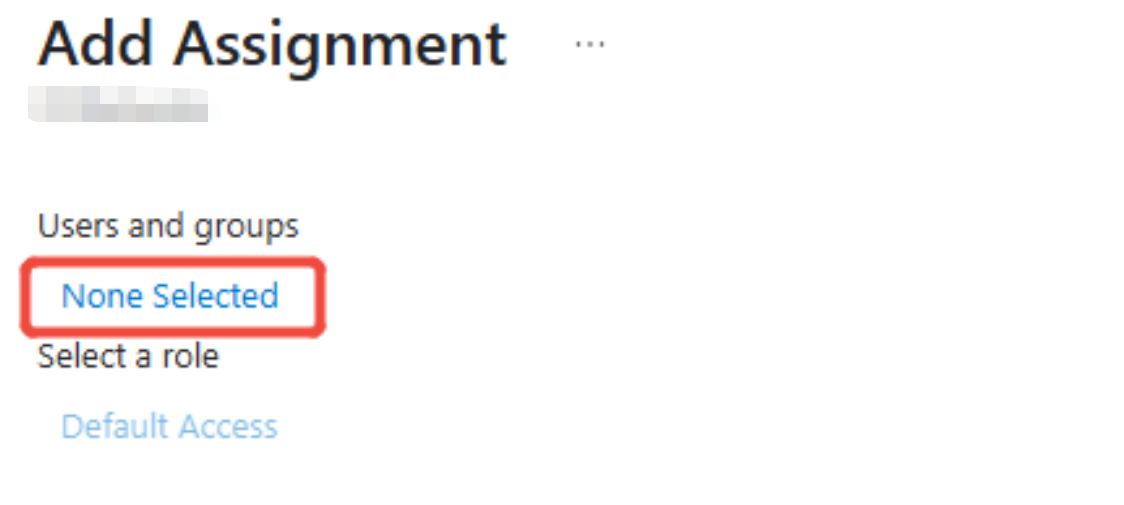
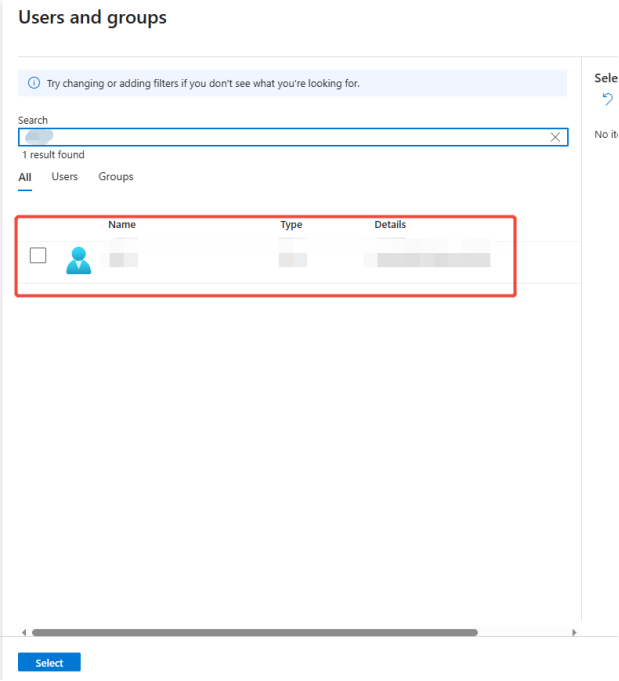
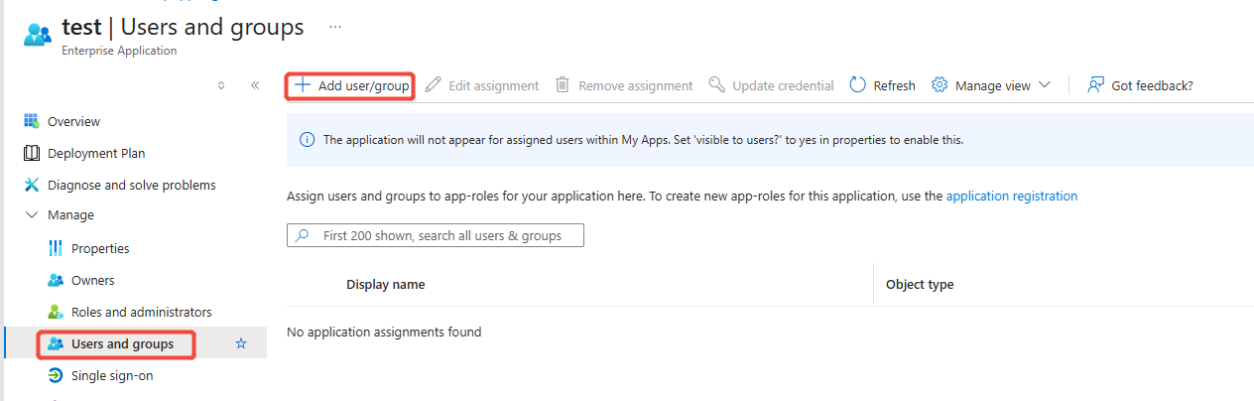
找到Users and groups 添加用户,从已有的用户/用户组中选择需要授权的用户/用户组
Upcoming Updates to Product Navigation and Document Center
选择用户
Upcoming Updates to Product Navigation and Document Center

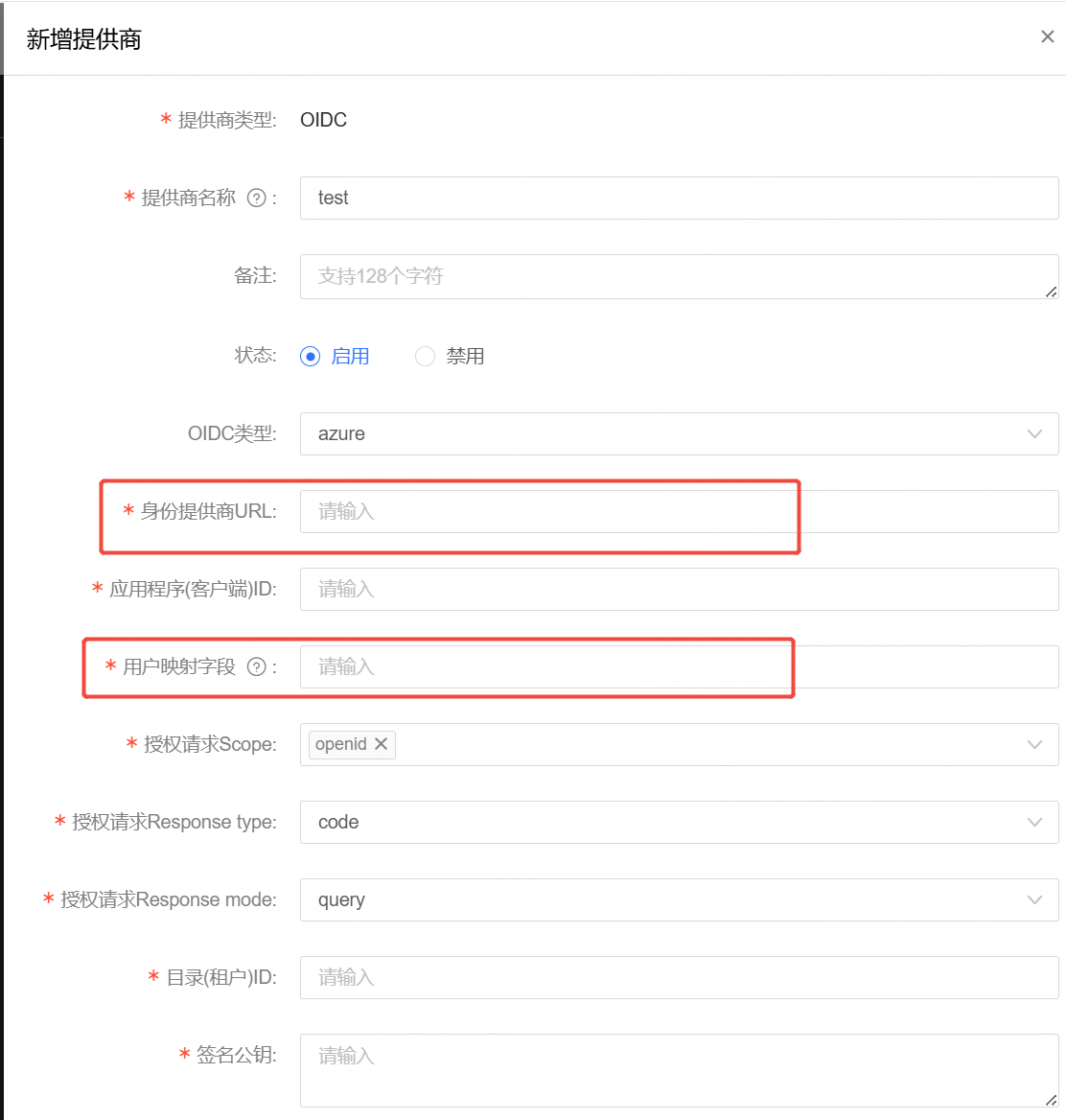
8.最后回到控制台,填写 【身份提供商URL】 和 【用户映射字段】 两个信息
Upcoming Updates to Product Navigation and Document Center

(身份提供商URL) 固定格式为:
https://login.microsoftonline.com/{Tenant ID}/v2.0/.well-known/openid-configuration
其中需要替换为 步骤5 中的Tenant ID值

(用户映射字段) 填写内容可选:name,email
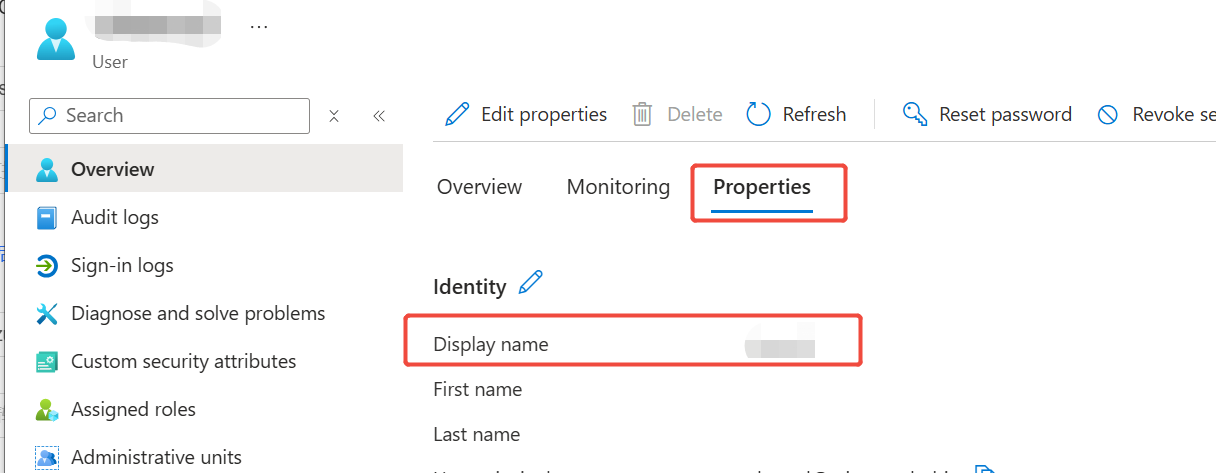
若填写内容为name, 则检查azure平台上的用户信息,确保Display name的值与控制台上的登录账号一致
若填写内容为email,则检查azure平台上的用户信息,确保Email的值与控制台上的登录账号一致
Upcoming Updates to Product Navigation and Document Center

本篇文档内容对您是否有帮助?
有帮助
我要反馈
提交成功!非常感谢您的反馈,我们会继续努力做到更好!