
Granting Permissions to Users
최신 업데이트:2026-03-25 15:11:06
Concept of IAM Authorization
IAM authorization refers to the process of attaching one or more authorization policies to an IAM principal (user, user group, or IAM role).
- Grant Permissions to Users: Mainly for authorizing IAM users under the current cloud account, allowing them to access corresponding resources.
Prerequisites for Authorization
Log in to the IAM Console using the primary user (or an IAM user with IAM operation permissions).
Granting Permissions to IAM Users
The steps to directly grant permissions to IAM users are as follows:
- Log in to IAM Access Control.
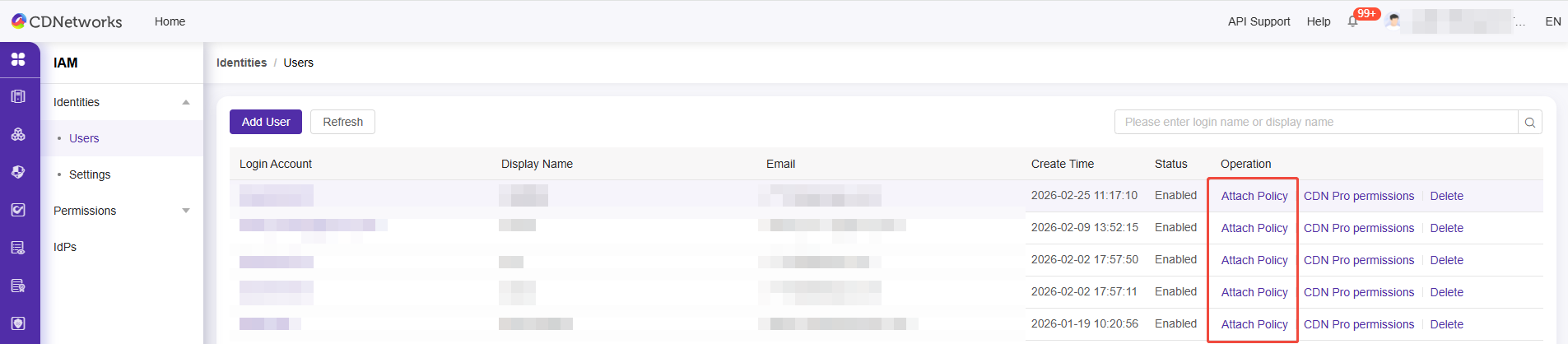
- Click on Identities > Users.
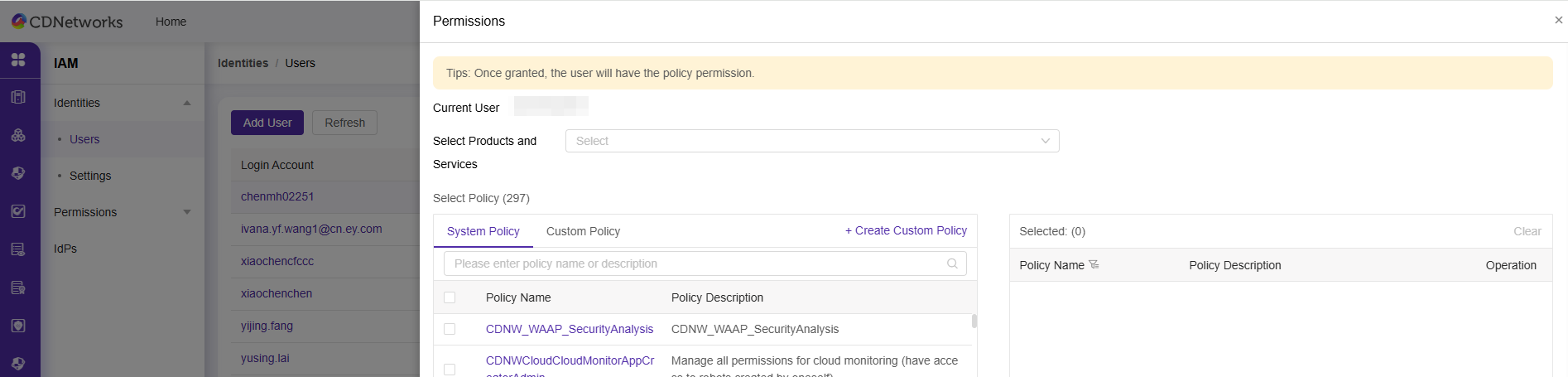
- Locate the user who requires permissions by username/display name, and click Attach Policy.
- Click Confirm to Complete User Authorization.
이 문서의 내용이 도움이 되었습니까?
예
아니오