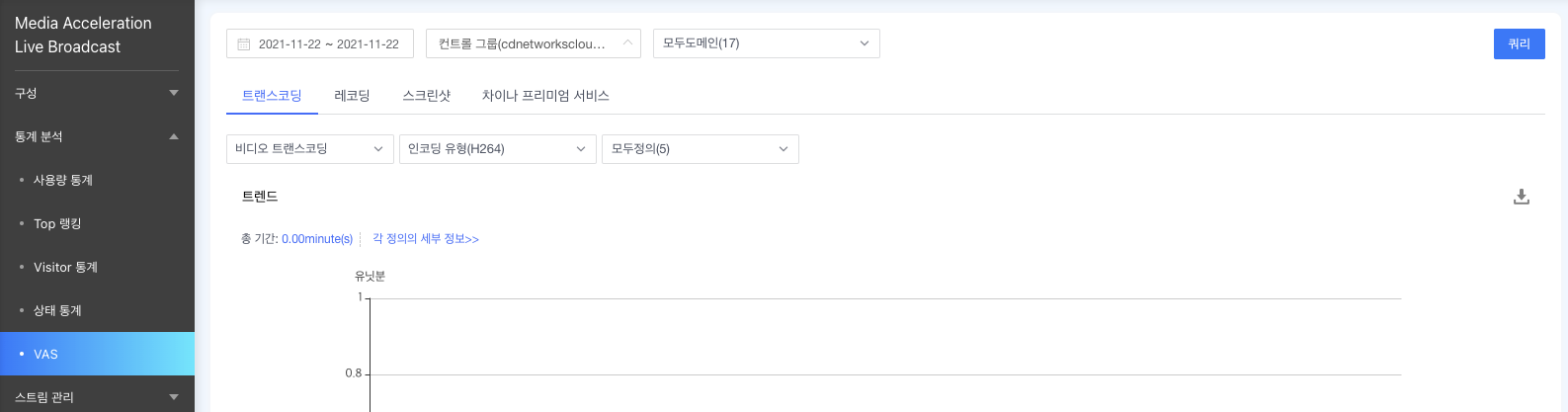
트랜스코딩

최신 업데이트:2022-06-24 12:11:18

• 메뉴 경로

[제품 및 서비스] → [Media Acceleration Live Broadcast] → [통계 분석] → [VAS] → [트랜스코딩]

• 트랜스코딩 소개

총 트랜스코딩 기간은 트랜스코딩된 각 스트림의 누적 트랜스코딩 기간이다. 트랜스 코딩 기간은 분 단위로 구분된다. 쿼리 기간 동안 트랜스코딩 관련 데이터를 확인할 수 있다. 기간 설정은 날짜 범위(1~ 31일)로만 쿼리가 가능하며 최근 2년간의 데이터를 확인할 수 있다. 통계는 트랜드, 일일 데이터 및 TOP 10 도메인 항목으로 확인할 수 있으며 각 항목의 오른쪽 상단에 있는 내보내기 아이콘을 통해 각 데이터를 엑셀 파일로 다운로드할 수 있다
【Feature Launch】Release Announcement for “Reminders for Domains without Access Control” and ”Bandwidth Anomaly Alerts” for Live Streaming Products

• 트렌드

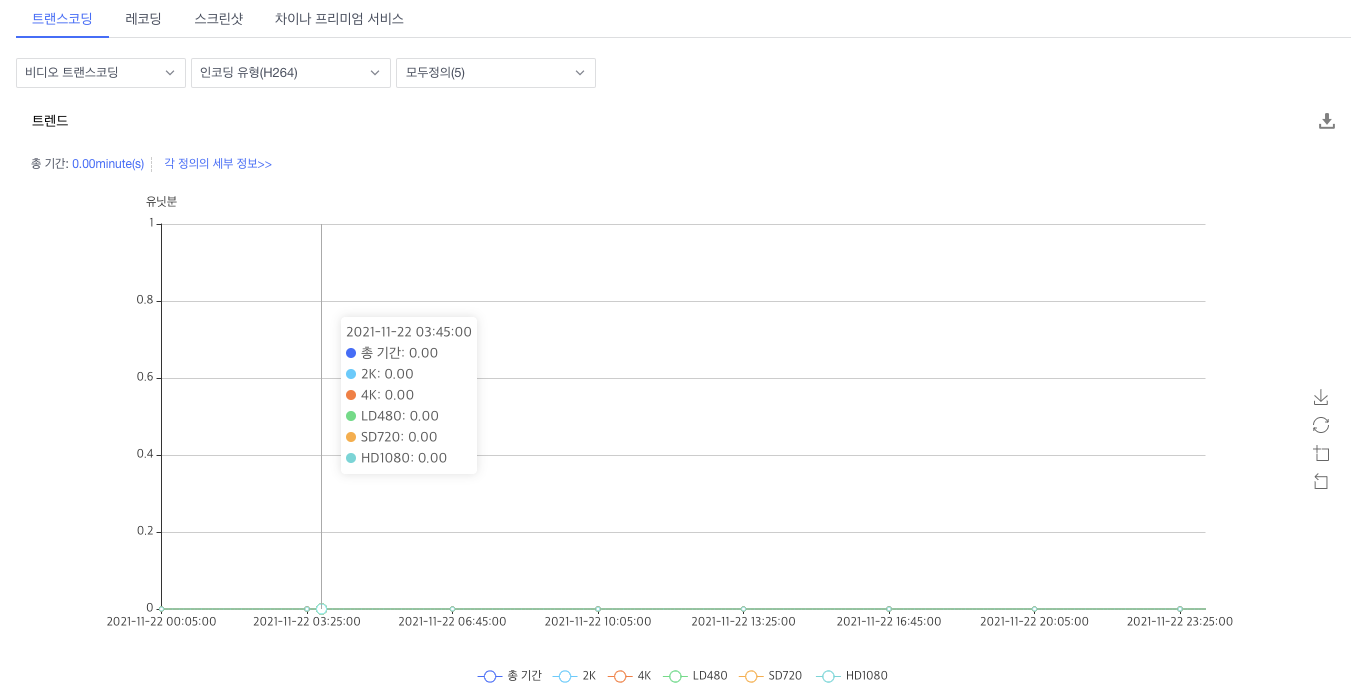
트랜스코딩 기간의 트렌드를 나타내며 차트에는 H.264, H.265 (HEVC) 등 다양한 인코딩 방식이 포함되어 있다.
【Feature Launch】Release Announcement for “Reminders for Domains without Access Control” and ”Bandwidth Anomaly Alerts” for Live Streaming Products

• 일일 데이터

일별 인코딩 방식별 트랜스코딩 기간을 확인할 수 있다.

【Feature Launch】Release Announcement for “Reminders for Domains without Access Control” and ”Bandwidth Anomaly Alerts” for Live Streaming Products

• 상위 10개 도메인

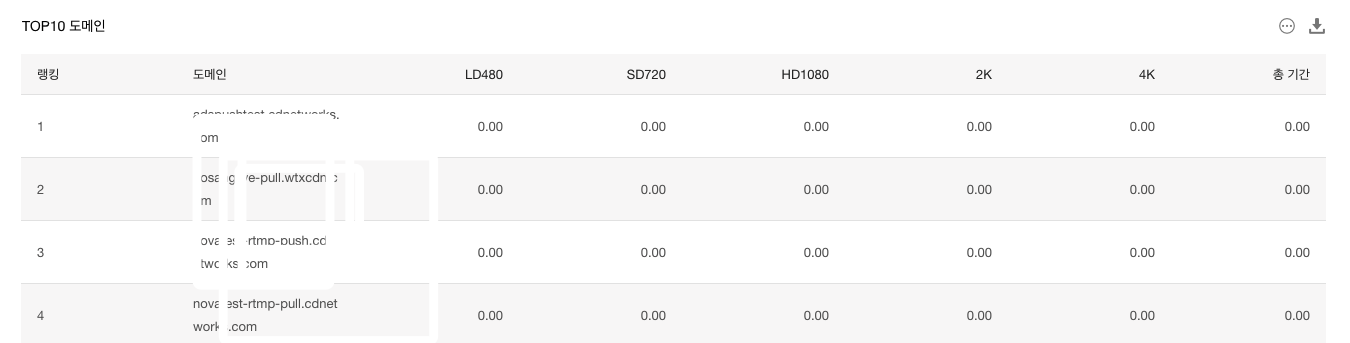
도메인별 인코딩 방식별 트랜스코딩 기간과 함께 총 트랜스코딩 기간의 상위 10개의 도메인을 확인할 수 있다.
【Feature Launch】Release Announcement for “Reminders for Domains without Access Control” and ”Bandwidth Anomaly Alerts” for Live Streaming Products

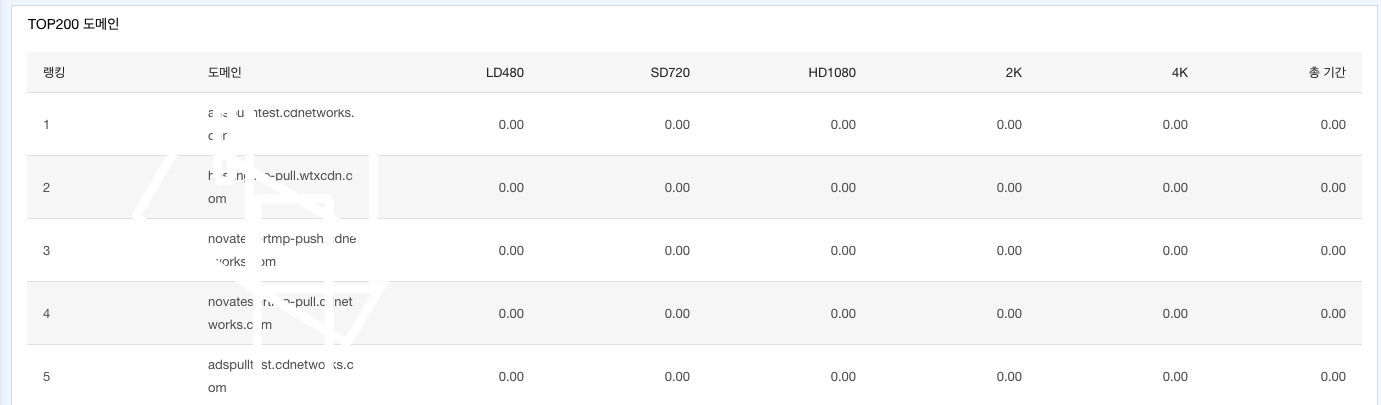
다운로드 버튼 옆에 있는 【Feature Launch】Release Announcement for “Reminders for Domains without Access Control” and ”Bandwidth Anomaly Alerts” for Live Streaming Products 버튼을 클릭하여 TOP 200 도메인을 확인할 수 있다.

【Feature Launch】Release Announcement for “Reminders for Domains without Access Control” and ”Bandwidth Anomaly Alerts” for Live Streaming Products

이 문서의 내용이 도움이 되었습니까?
아니오
정상적으로 제출되었습니다.피드백을 주셔서 감사합니다.앞으로도 개선을 위해 노력하겠습니다.