
Back-to-Origin 설정
최신 업데이트:2022-06-28 15:35:41
• 메뉴 경로
[제품 및 서비스] → [해당 제품명] → [구성] → [도메인 구성 편집] → [Back-to-Origin 설정]
• Back-to-Origin 소개
Back-to-Origin 설정에는 세 가지 기능이 있다.
-
대체 Back-to-Origin: Back-to-Origin 호스트 헤더의 오리진 및 호스트 헤더에 대한 도메인 또는 포트가 교체된다.
-
오리진 프로토콜 Rewrite: HTTP → HTTPS 또는 HTTPS → HTTP를 변경하기 위한 요청 HTTP(S) 프로토콜 및 Back-to-Origin HTTP(S) 프로토콜 재처리 규칙을 설정한다.
-
URL Rewrite 리스트: 기본 오리진 URL 경로는 오리진 서버의 루트 디렉터리이지만 이 기능은 URL 재처리 규칙을 사용하여 오리진 URL 경로를 변경한다.
대체 Back-to-Origin
• 메뉴 경로
[제품 및 서비스] → [해당 제품명] → [구성] → [도메인 구성 편집] → [Back-to-Origin 설정] → [대체 Back-to-Origin]
• 대체 Back-to-Origin 소개
Back-to-Origin 호스트 헤더의 오리진 및 호스트 헤더에 대한 변경 포트(Back-to-Origin 요청 포트)로 대체되는 대체 오리진이다.
• 대체 Back-to-Origin
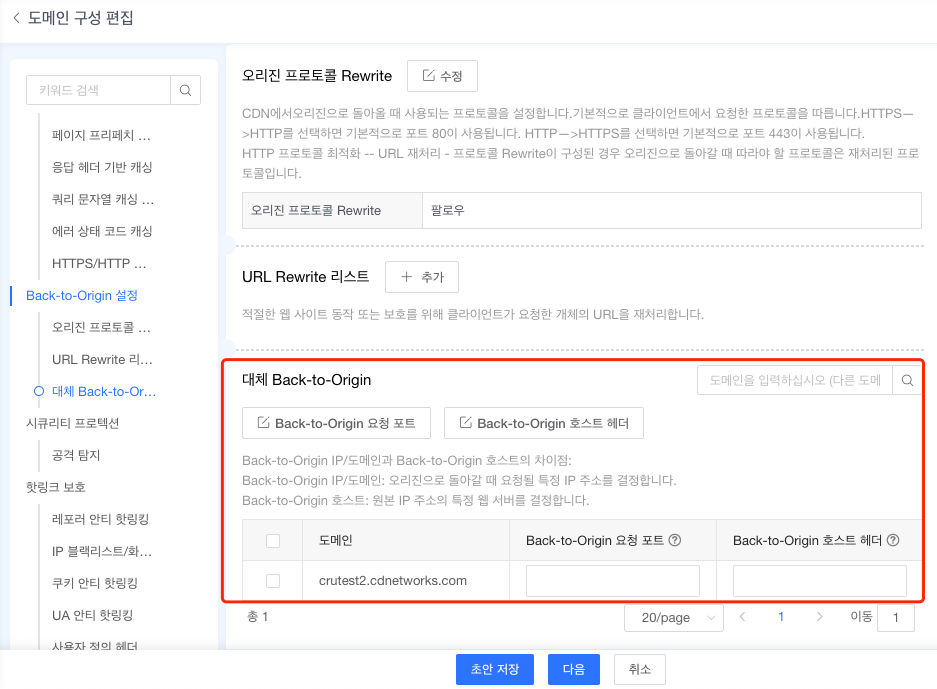
도메인 구성 편집 페이지의 좌측 메뉴 구성이다. 포트 및 호스트 헤더 작성 후 [다음]을 클릭한다.
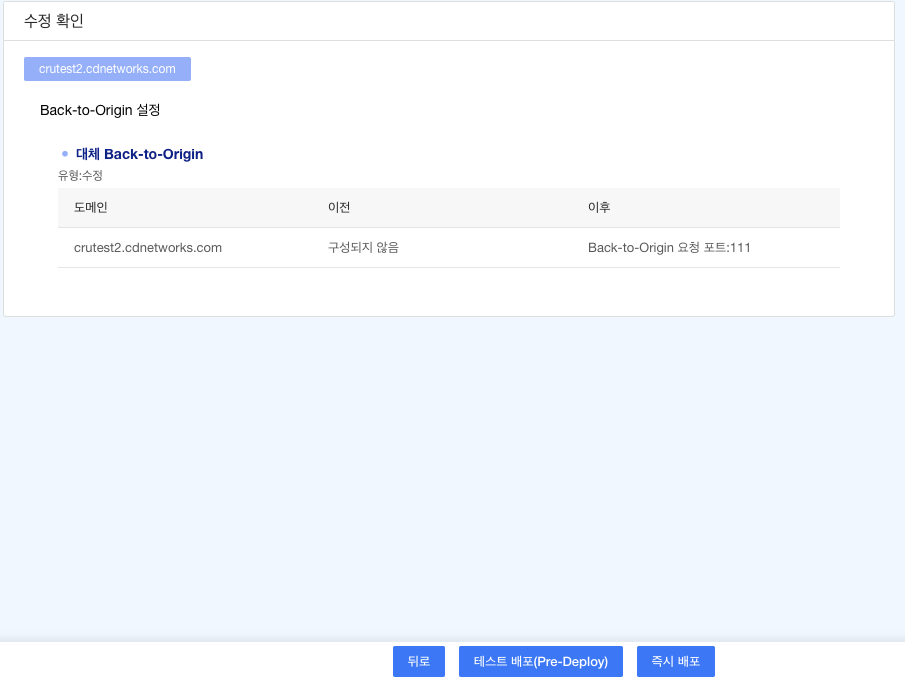
수정 확인 페이지에서 변경한 모든 정보를 확인한 후 [테스트 배포] 또는 [즉시 배포]를 선택한다. 3~5분 소요된다.
오리진 프로토콜 Rewrite
• 메뉴 경로
[제품 및 서비스] → [해당 제품명] → [구성] → [도메인 구성 편집] → [Back-to-Origin 설정] → [오리진 프로토콜 Rewrite]
• 오리진 프로토콜 Rewrite 소개
HTTP → HTTPS 또는 HTTPS → HTTP를 변경하기 위해 요청 HTTP(S) 프로토콜과 Back-to-Origin HTTP(S) 프로토콜 Rewrite 규칙을 설정한다.
• 오리진 프로토콜 Rewrite
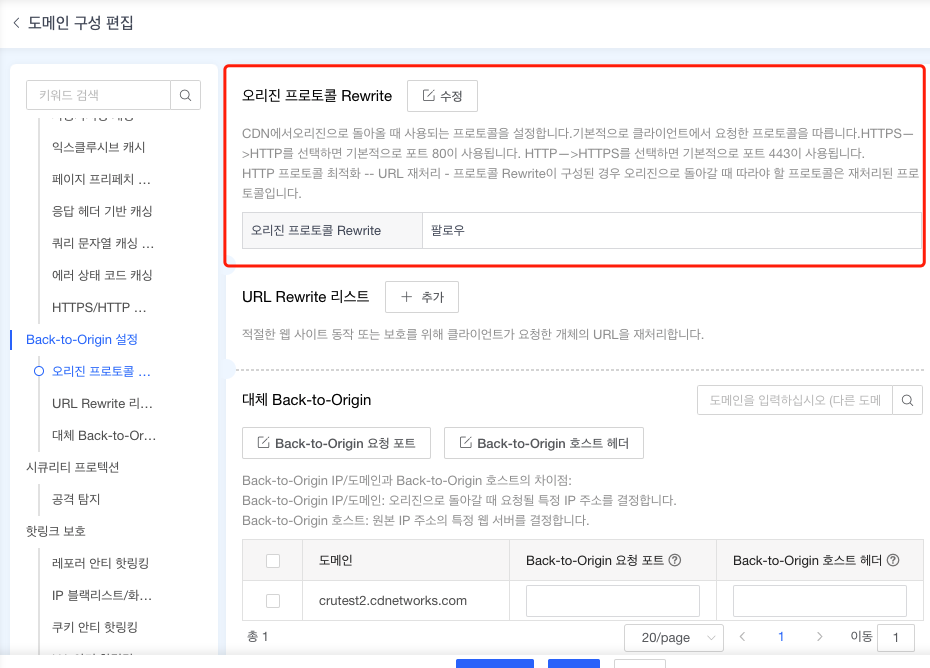
도메인 구성 편집 페이지의 좌측 메뉴 구성이다. [수정]을 클릭하여 세부 설정 후 [확인]을 클릭한다.

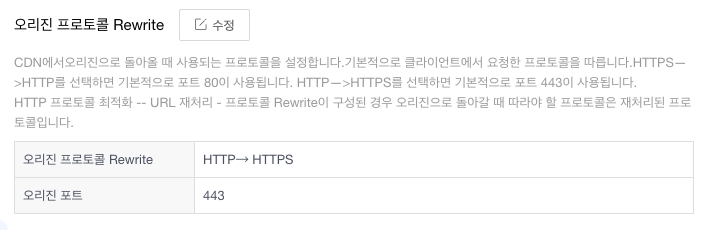
변경된 모든 정보 확인 후 다음 단계에서 [테스트 배포] 또는 [즉시 배포]를 선택한다. 배포 시간은 3~5분 소요된다.
URL Rewrite 리스트
• 메뉴 경로
[제품 및 서비스] → [해당 제품명] → [구성] → [도메인 구성 편집] → [Back-to-Origin 설정] → [URL Rewrite 리스트]
• 오리진 프로토콜 Rewrite 소개
URL Rewrite 패턴으로 오리진 서버의 URL 경로를 변경한다. 기본적으로 오리진 URL 경로는 오리진 서버의 루트 디렉토리이지만 이 기능은 URL Rewrite 규칙을 사용하여 오리진 경로 변경을 지원한다. 오리진 URL 경로 규칙으로 오리진 URL 경로를 변경하는 경우 URL Rewrite 패턴이 할당된 오리진 경로를 변경할 수 있다.
• URL Rewrite 리스트
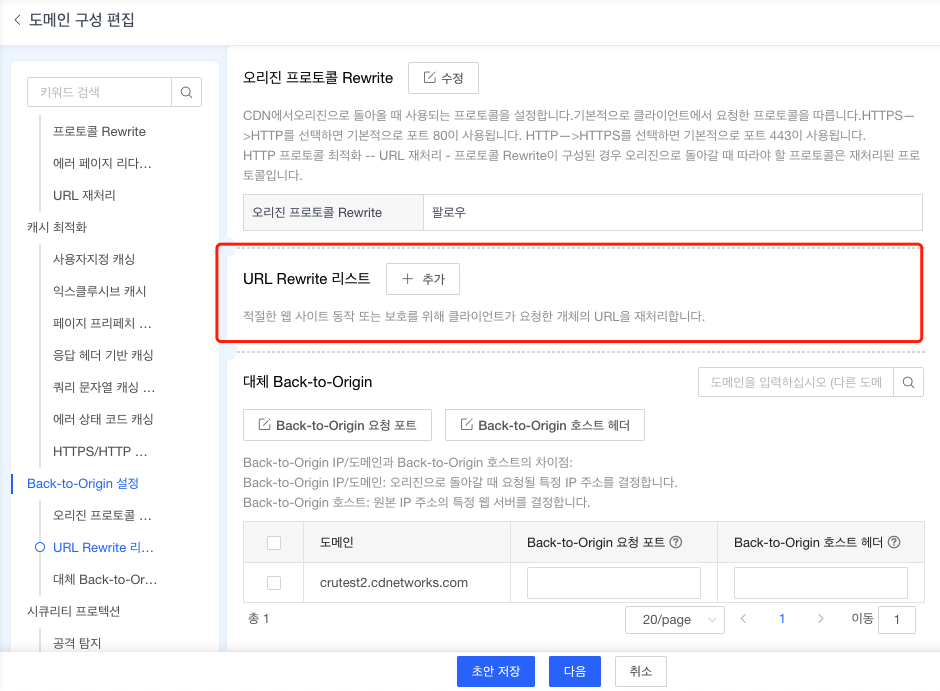
도메인 구성 편집 페이지의 좌측 메뉴 구성이다. [추가]을 클릭하여 세부 설정 후 [확인]을 클릭한다.
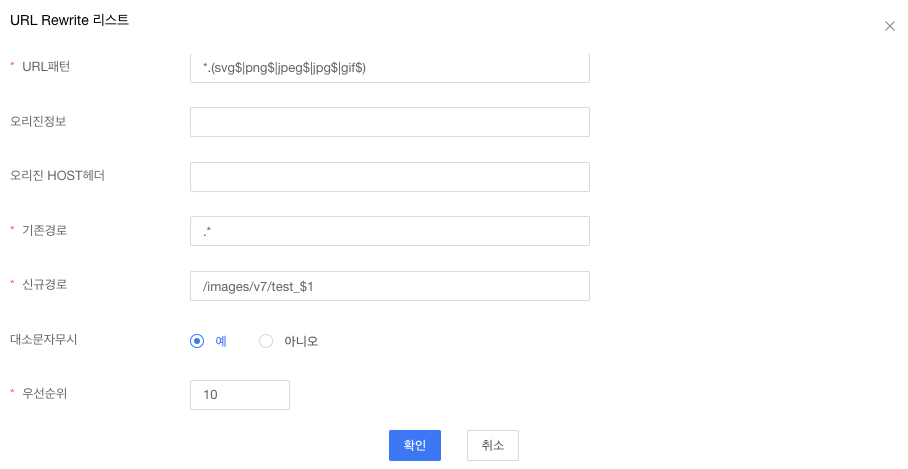
* 예시
다음과 같이 'Back-to-Origin 설정’의 'URL Rewrite’가 구성되어 있다.
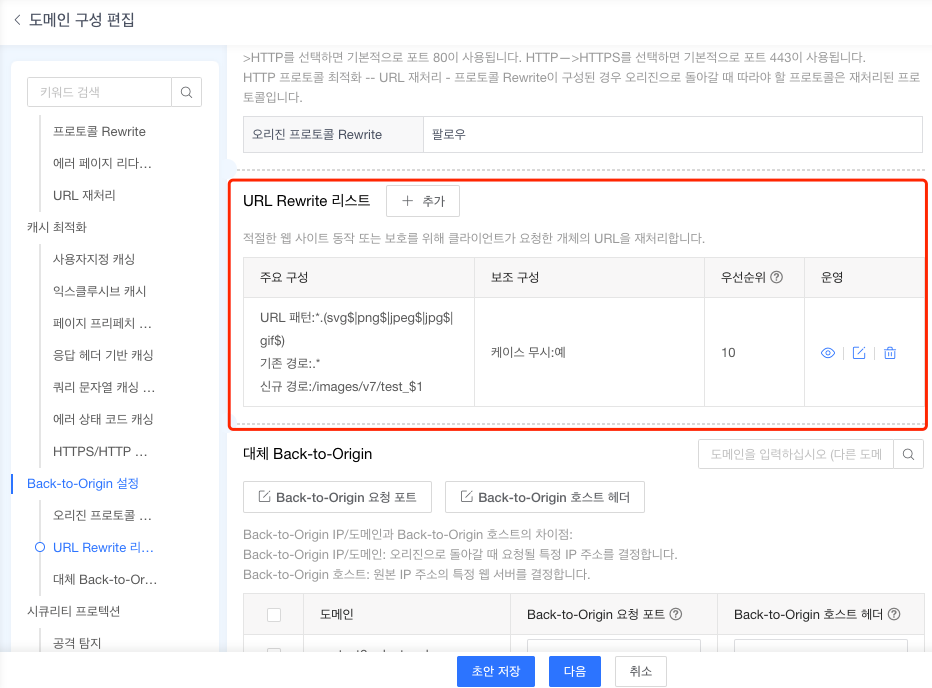
CDN 노드에 URL 패턴이 “.*.(svg$|png$|jpeg$|jpg$|gif$)” 인 요청에 대한 캐시가 없는 경우 URL 패턴 "/images/v7/test_$1"을 사용하여 오리진에서 객체를 가져온 후 CDN 노드에 캐시된다.