Manage Custom Bots
최신 업데이트:2026-08-21 17:47:21
If you need to manage specific automated programs separately on your website, you can use Custom Bots. This feature lets you identify bots based on characteristics such as User-Agent, request headers, IP address, and fingerprints, and then apply actions such as skip, deny, or log. This enables more granular traffic control for Bots.
Application Scenarios:
- Allow authorized business automation tools: For example, internally developed automated programs or maintenance, monitoring, and synchronization tools provided by third-party vendors.
- Finer control of preset bots: For example, the platform may have set a certain public Bot category to be logged by default, but you want to individually skip or deny a specific Bot from within that category.
- Identify and handle specific malicious bots: Target and deny malicious crawlers, spoofed Bots, or abnormal automated programs that exhibit consistent characteristics.
- Manage bots that are not yet covered by built-in detection: Independently manage new bot types or customized tools that are not yet included included in the platform’s preset classifications.
Note: Custom Bots are evaluated after IP/Region Blocking, Custom Rules, Whitelist, DDoS Protection, and Rate Limiting. You can think of this feature as access control or custom rule configuration within the Bot Management module.
In most cases, Custom Bots are used to prevent certain automation tools, such as a partner’s self-service ordering tool, from being identified as bots and blocked. However, if those tools are abused to launch attacks such as DDoS, the DDoS Protection policy will still detect and mitigate them.
Response Actions
You can log, deny, or skip Custom Bot traffic.
| Action | Description |
|---|---|
| Log | Only log this type of request and forward it as usual. |
| Deny | Deny the request and respond with 403. |
| Skip | Log the request and skip all subsequent Bot policy inspections, but other protections such as WAF and API Security will still be enforced. |
Steps
- Log in to the console and go to the subscribed security product page.
- Go to the Security Settings > Shared Configuration page.
- Select the Custom Bots tab and click Create.
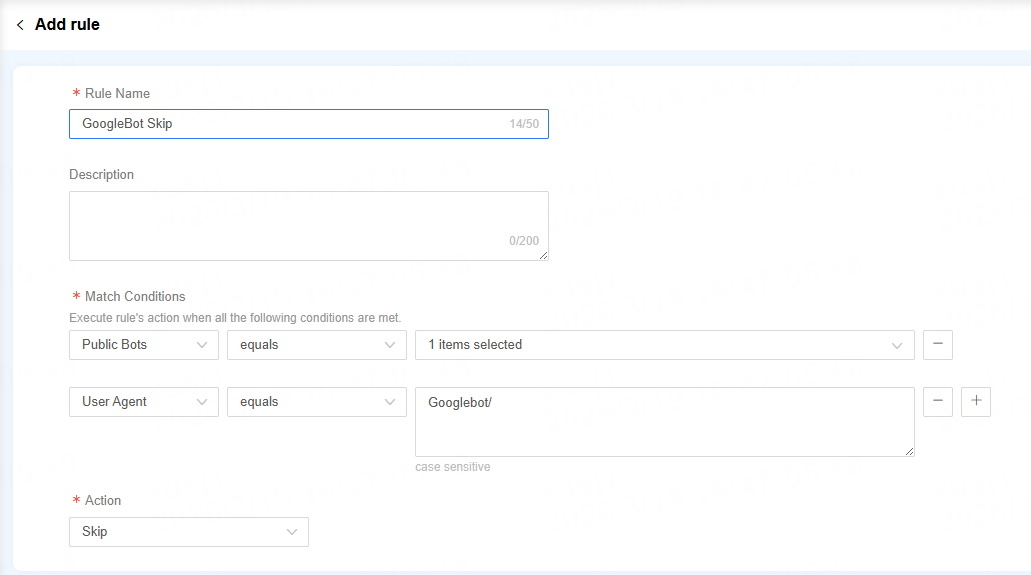
- Set the matching criteria based on characteristics such as IP/IP segment and User-Agent, and define the response action.
- Click the icon
 , and select the Domain where you want to apply this rule.
 - Click Confirm to submit the policy deployment task. Changes take effect within 1–3 minutes.
Configuration Example
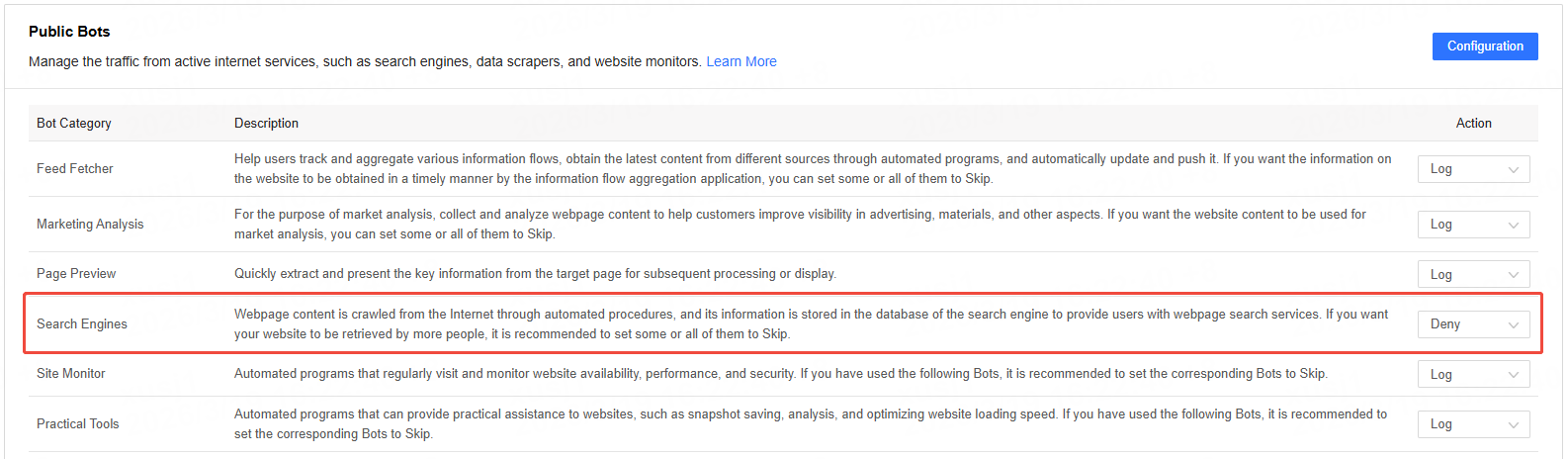
SEO Traffic Protection: Allows major search engines, such as Google, to access your site smoothly, while blocking other crawlers that consume bandwidth without providing business value. For example:
-
Set the Public Bots - Search Engine category to block
-
Add Google to the Custom Bots for skip