
Modify Login Password
최신 업데이트:2026-03-19 14:45:30
This article explains how to modify the login password and complete identity verification in the console.
Steps
- Log in to the Console.
- Hover your mouse over the account icon in the top right corner and select Security Settings from the dropdown menu.
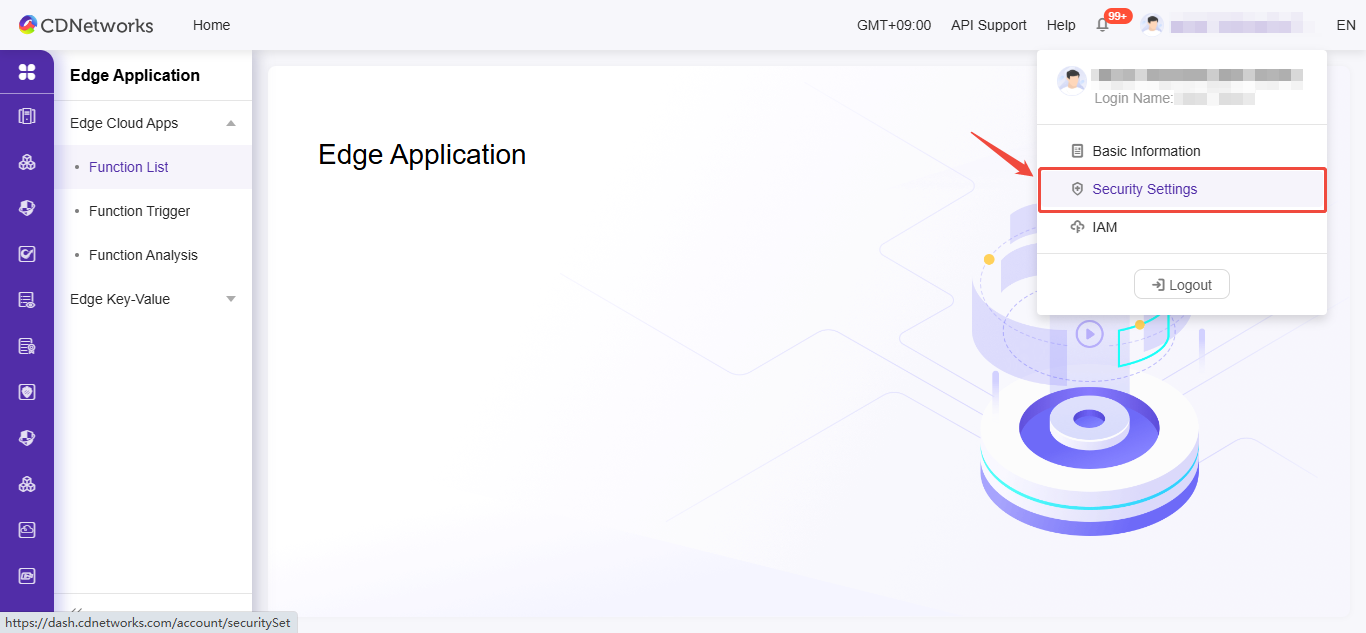
- Go to the Security Settings page.
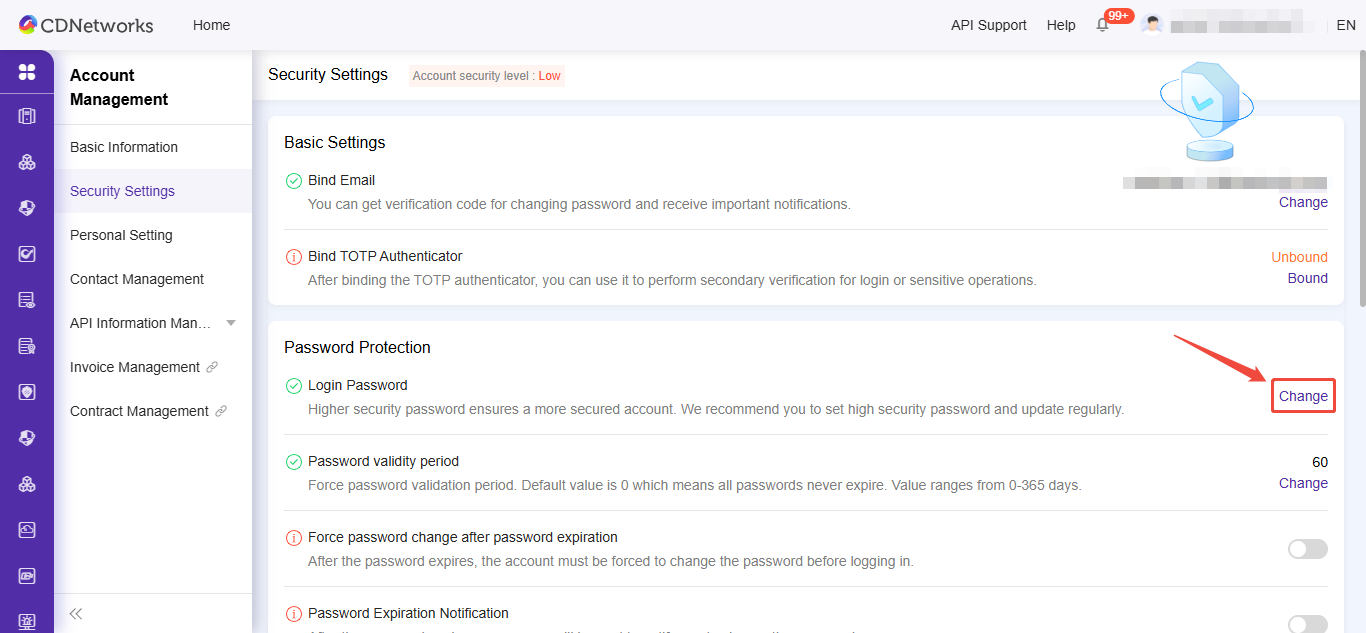
- Click Change Login Password to access the identity verification selection page.
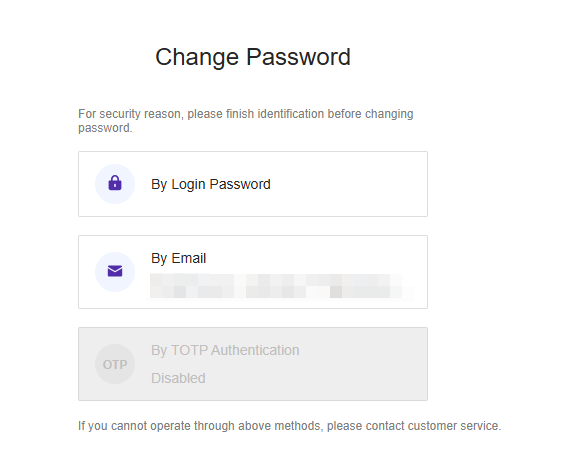
- Select the authentication method and enter the identity verification and password reset page.
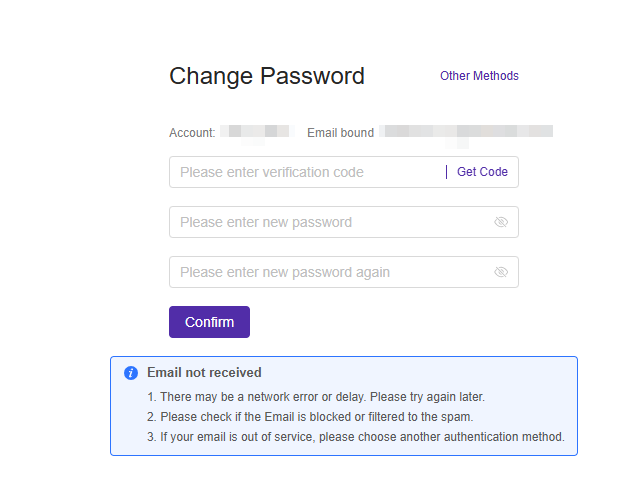
- Click Reset Password.
이 문서의 내용이 도움이 되었습니까?
예
아니오