
Push Live Streams
최신 업데이트:2022-01-07 14:53:23
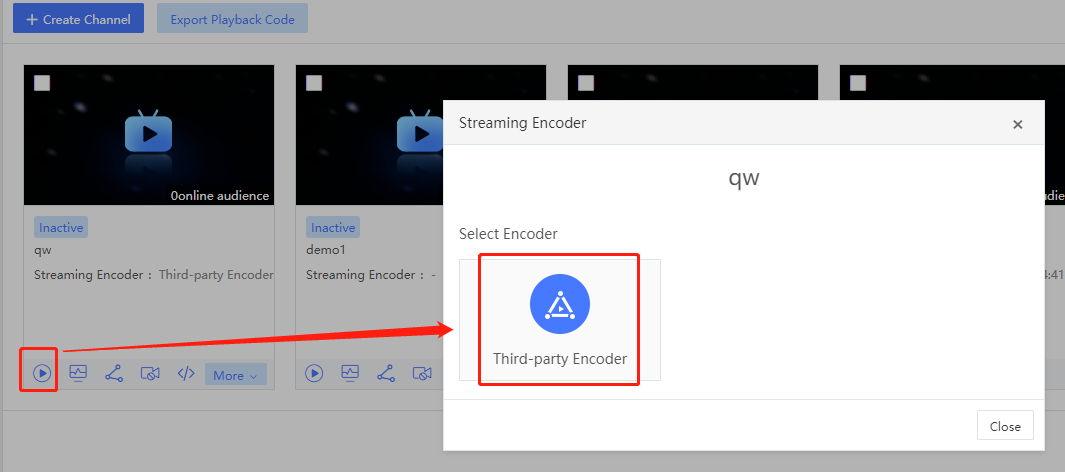
Cloud Live platform supports third-party encoders, such as OBS and software/hardware encoders. Select a channel in the list, click the Start icon, and click the third-party encoder in the pop-up window to obtain the RTMP push-stream URL (Server Address) of the channel.
Notes: If you have set Validity for Push-stream Anti-hotlinking in the link settings, the URL generated here will carry the timestamp anti-hotlinking parameters wsTime and wsSecret.
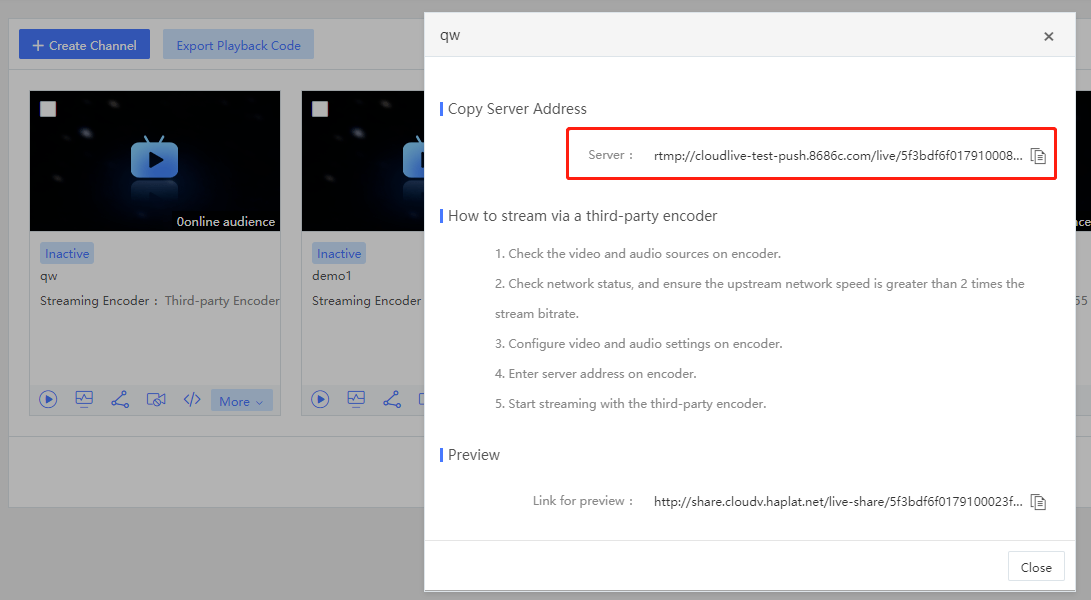
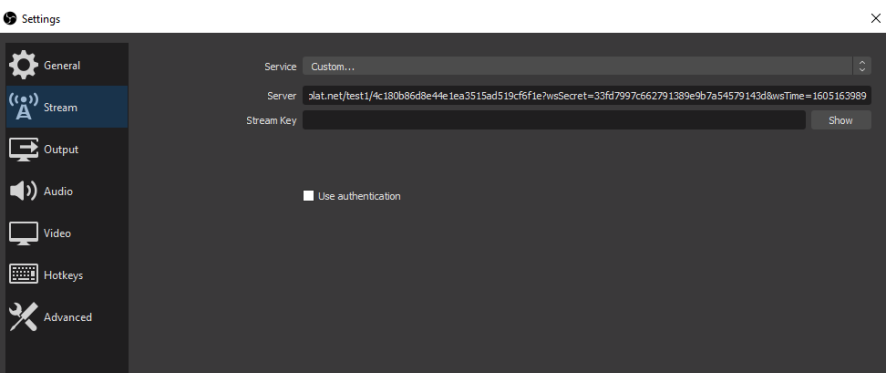
Copy the push-stream URL (Server Address) into the third-party encoder, such as OBS, and then you can start streaming.
Notes: In the Channels page, you can also switch to the list view. In the list mode, the push-stream URL (Server Address) of each channel will be displayed, and can be quickly copied.
