
View and Manage Scheduled Reports
最終更新日:2026-03-30 17:30:30
View and Manage Subscription Tasks
The subscription task page displays all report subscription tasks created under your current account. Here, you can view the task status, download report files, and perform operations such as editing, enabling/disabling, and deleting tasks.
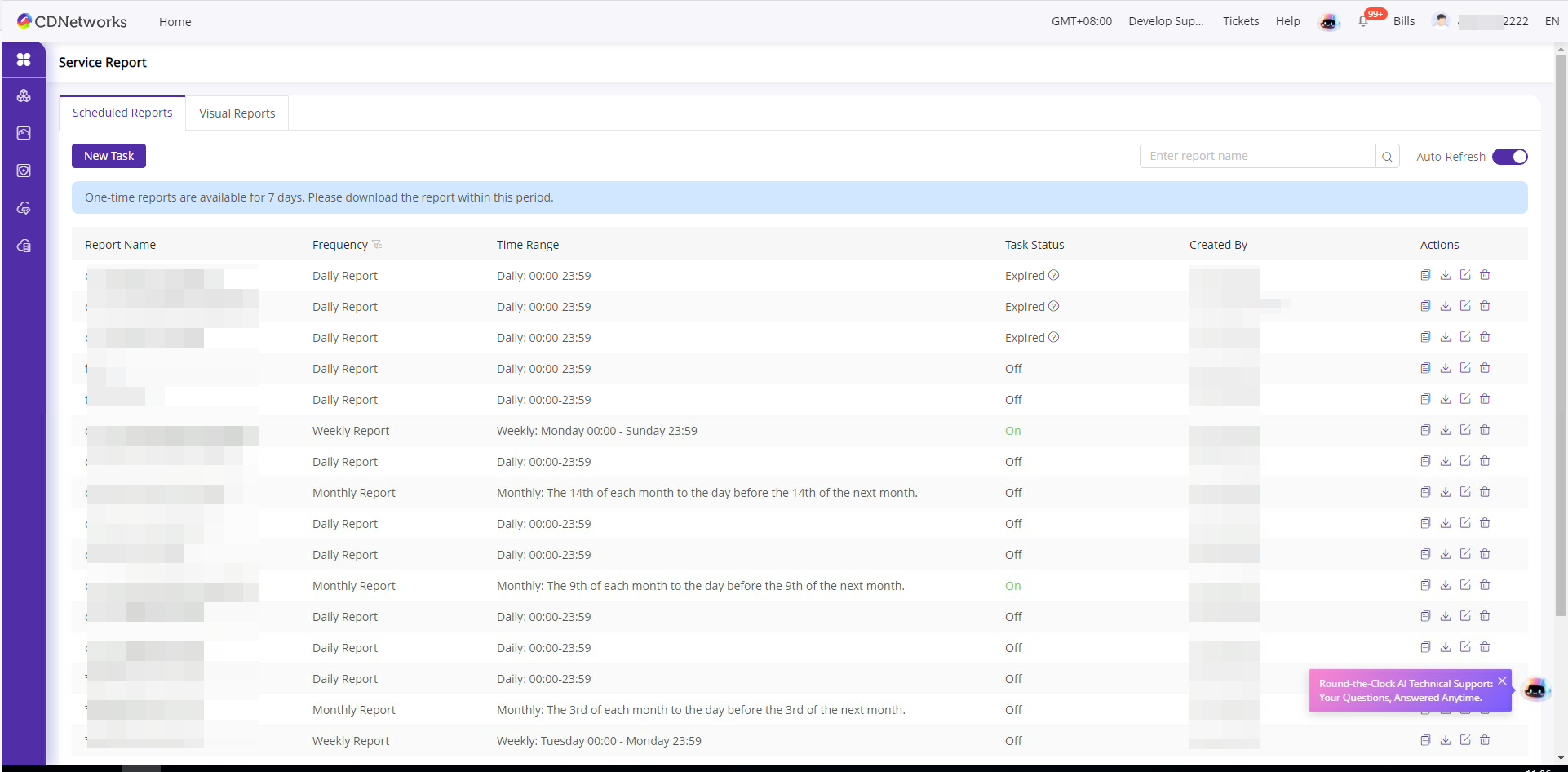
Page Description
| Field | Description |
|---|---|
| Report Name | The name of the subscribed task. |
| Cycle | Report generation frequency, including one-time, daily, weekly, monthly, quarterly, and yearly reports. |
| Time Range | The data time range covered by the report. |
| Task Status | Current execution status of the task. Success: The report has been generated and is available for download; Failure: The report generation failed; Closed: The task has been disabled. |
| Creator | Account name of the user who created this subscription task. |
Operating Instructions
| Operation | Description |
|---|---|
| Download | Download the generated one-time report file. For recurring reports, clicking download will automatically create a new one-time report task. Once generated, the one-time report is stored for 7 days. Please complete the download within 7 days. |
| Edit | Modify the configuration of the subscription task. |
| Copy | Create a new subscription task based on the current task’s configuration. |
| Delete | Delete the subscription task. |
Each individual report can only be stored for up to 7 days. Please ensure you download the report within 7 days after the task is successfully completed.
このドキュメントの内容は役に立ちましたか?
はい
いいえ