
Granting Permissions to Users
最終更新日:2026-03-25 15:11:06
Concept of IAM Authorization
IAM authorization refers to the process of attaching one or more authorization policies to an IAM principal (user, user group, or IAM role).
- Grant Permissions to Users: Mainly for authorizing IAM users under the current cloud account, allowing them to access corresponding resources.
Prerequisites for Authorization
Log in to the IAM Console using the primary user (or an IAM user with IAM operation permissions).
Granting Permissions to IAM Users
The steps to directly grant permissions to IAM users are as follows:
- Log in to IAM Access Control.
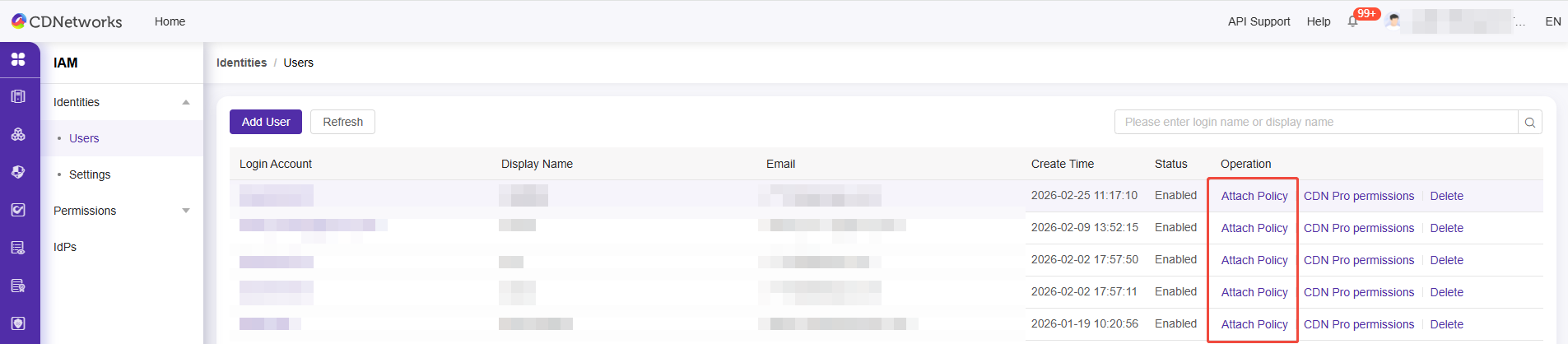
- Click on Identities > Users.
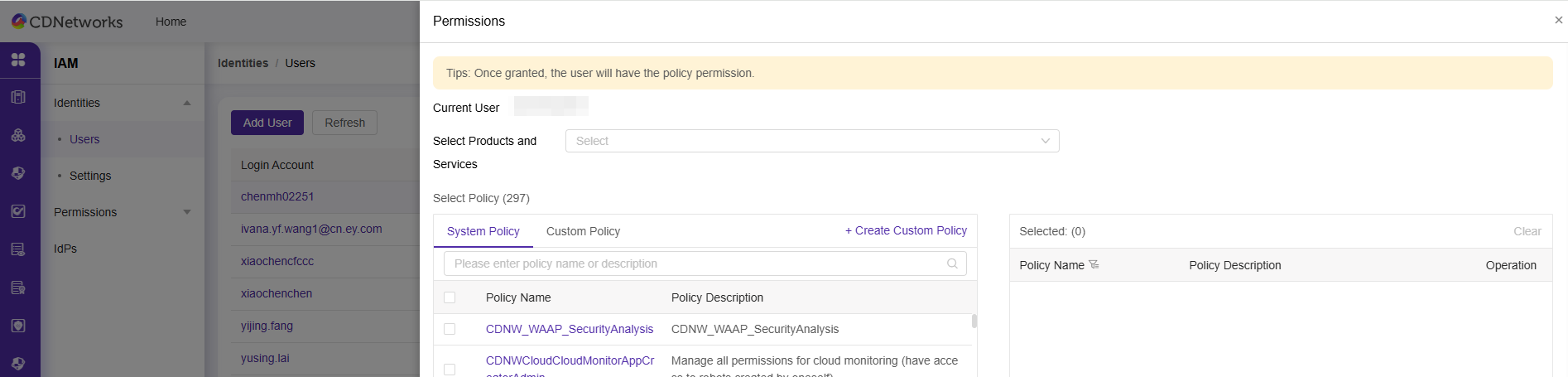
- Locate the user who requires permissions by username/display name, and click Attach Policy.
- Click Confirm to Complete User Authorization.
このドキュメントの内容は役に立ちましたか?
はい
いいえ