
Modify Mailbox
最終更新日:2026-03-19 14:46:30
This article describes how to modify the Email bound to the user account.
Operations Steps
1. Log in to console.
2. Move the mouse to the user account in the top right , and select the security settings in the drop-down.
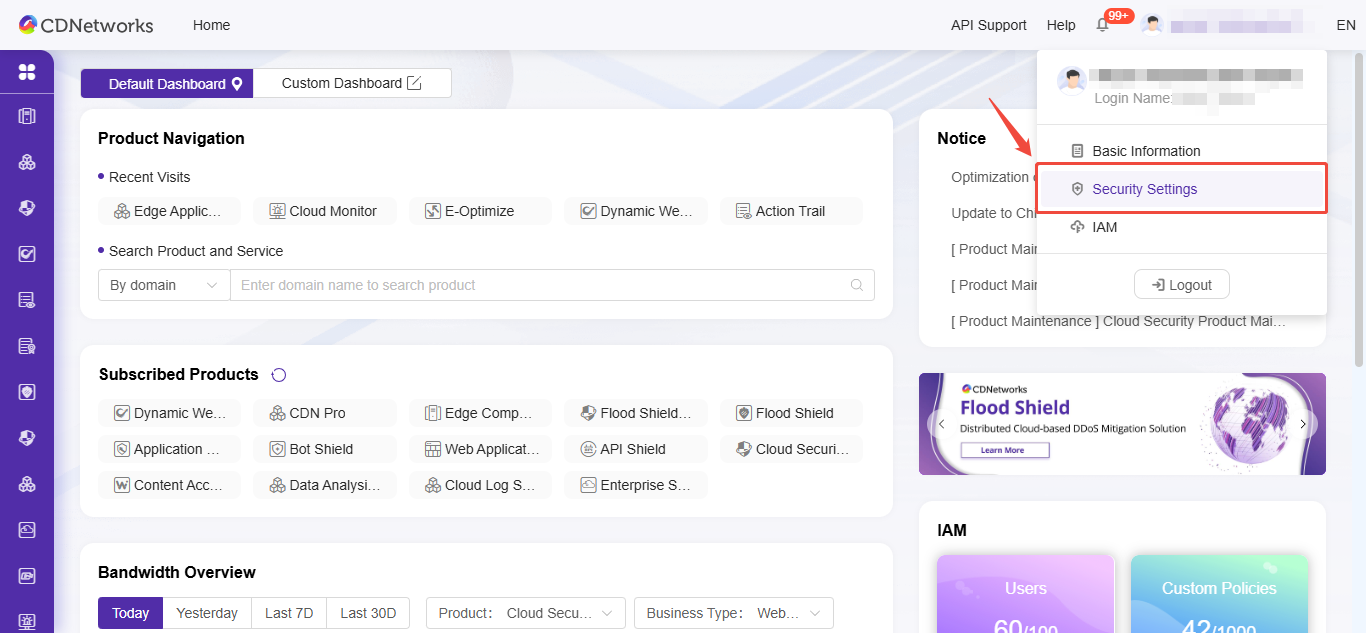
3. Enter the security settings page.
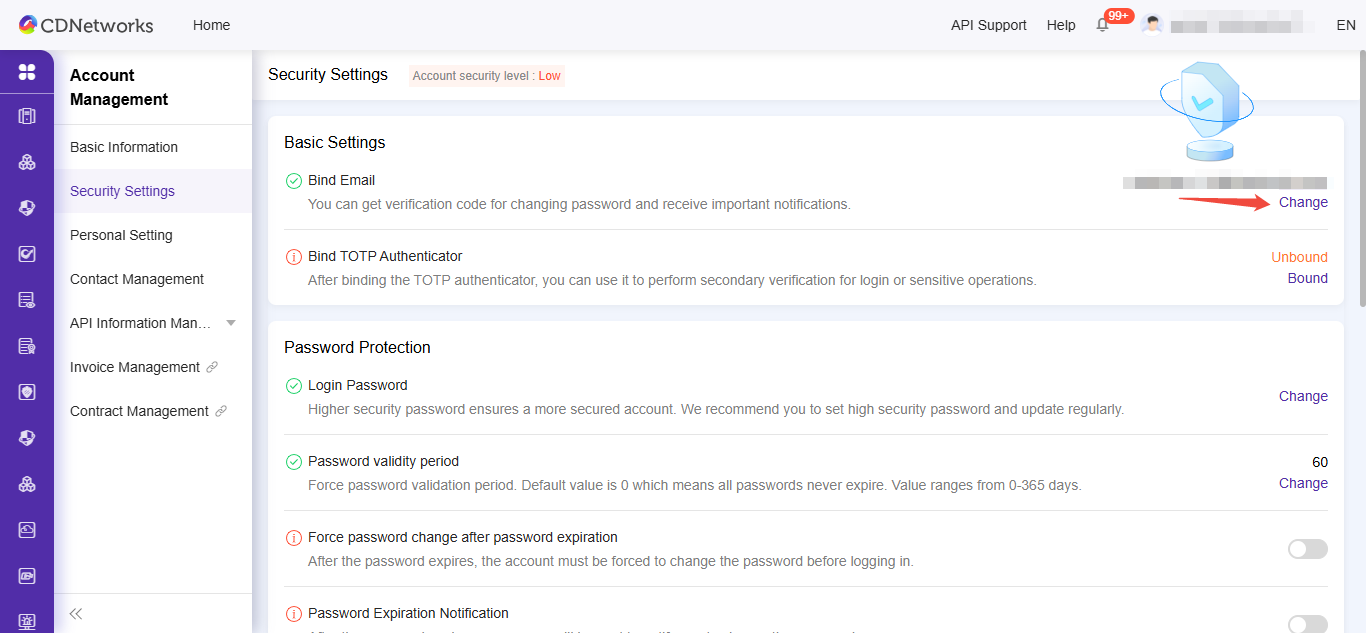
4. Click Change to enter the identity verification selection page.
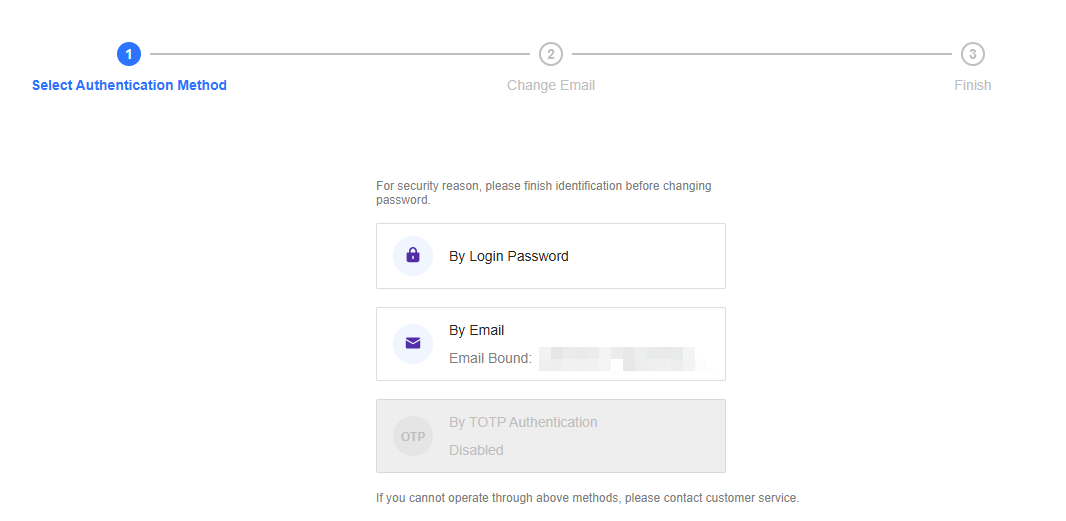
5. Select an identity verification type , such as binding an Email through a user account , and enter the identity verification page.
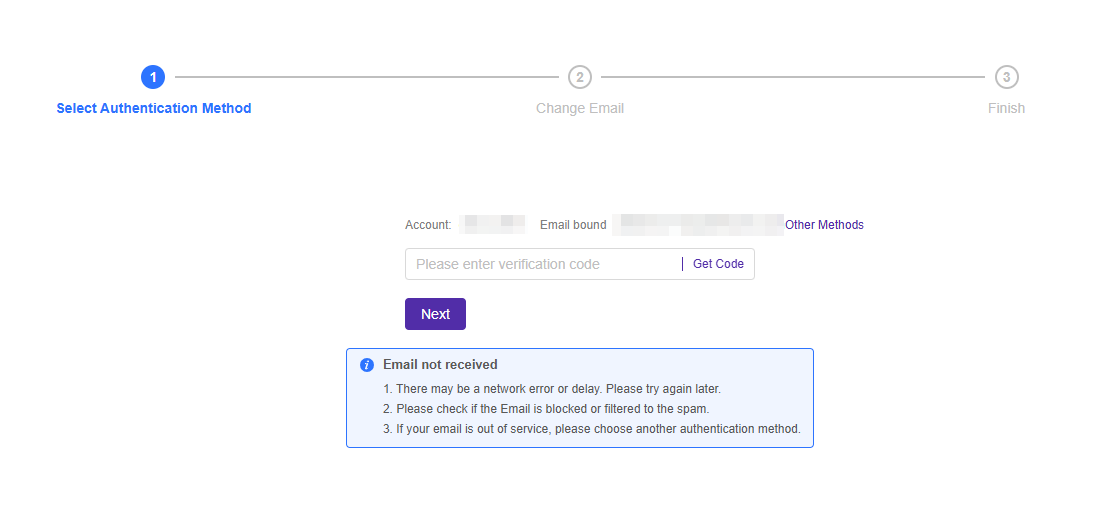
6. After the identity verification is completed, enter the page to bind a new Email.
7. Click confirm to submit.
このドキュメントの内容は役に立ちましたか?
はい
いいえ