
Forgot Password
最終更新日:2026-03-19 11:32:15
If you cannot Login in to your account , please check whether the user name and password you entered are correct. Whether the password is entered in the half-width state, whether the capitalization is correct, whether there are spaces left, etc.
If you forget your password due to reasons such as not Login in for a long time, you can retrieve it online by yourself.
Steps
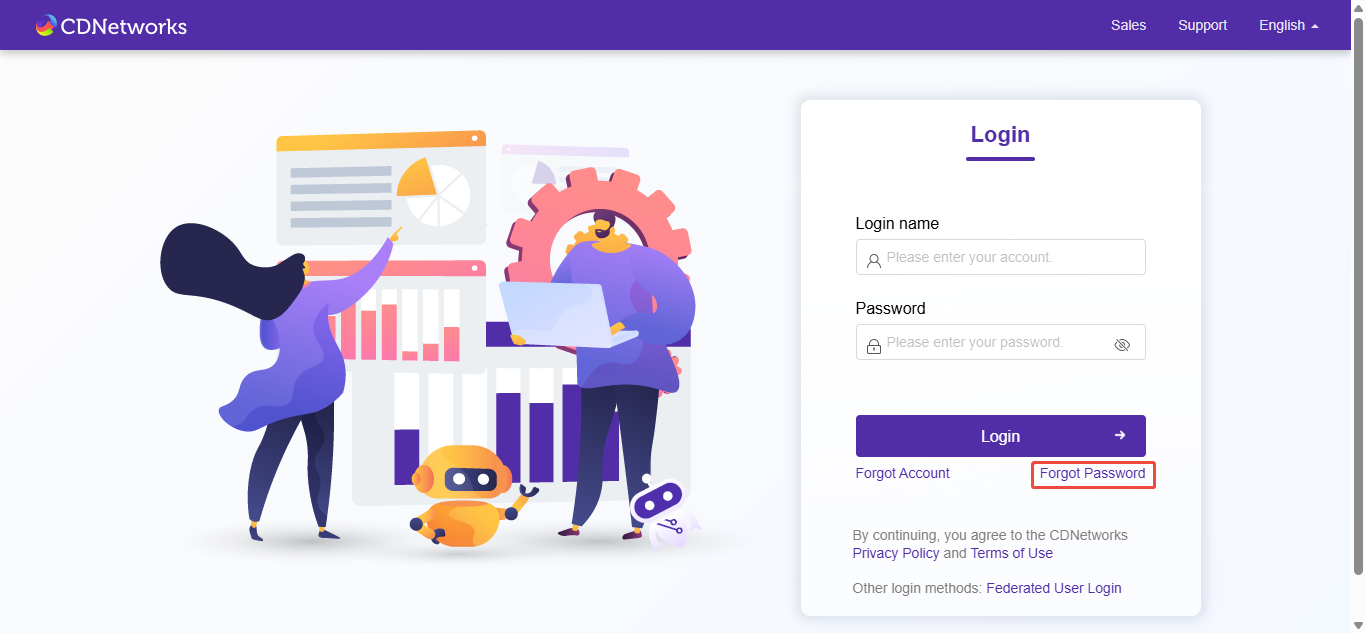
1. On the Login page, click Forgot Password to enter the user account input page;
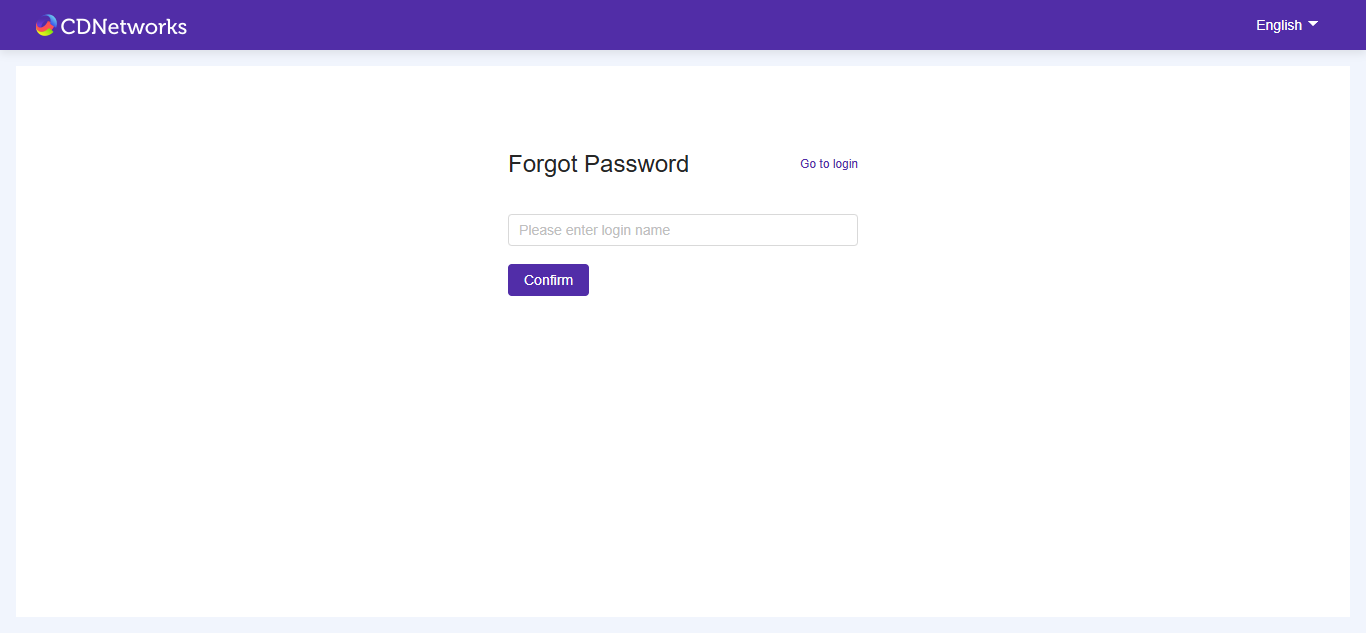
2. Enter your user account;
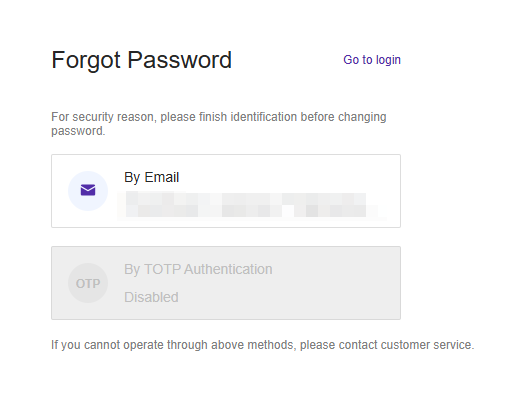
3. Select the identity verification Type;
4. Enter the Verification Code and New Password;
5. Click Reset Password.
このドキュメントの内容は役に立ちましたか?
はい
いいえ