文档中心 云监控 报警服务 报警联系组创建

报警联系组创建

更新时间:2026-03-18 16:39:12

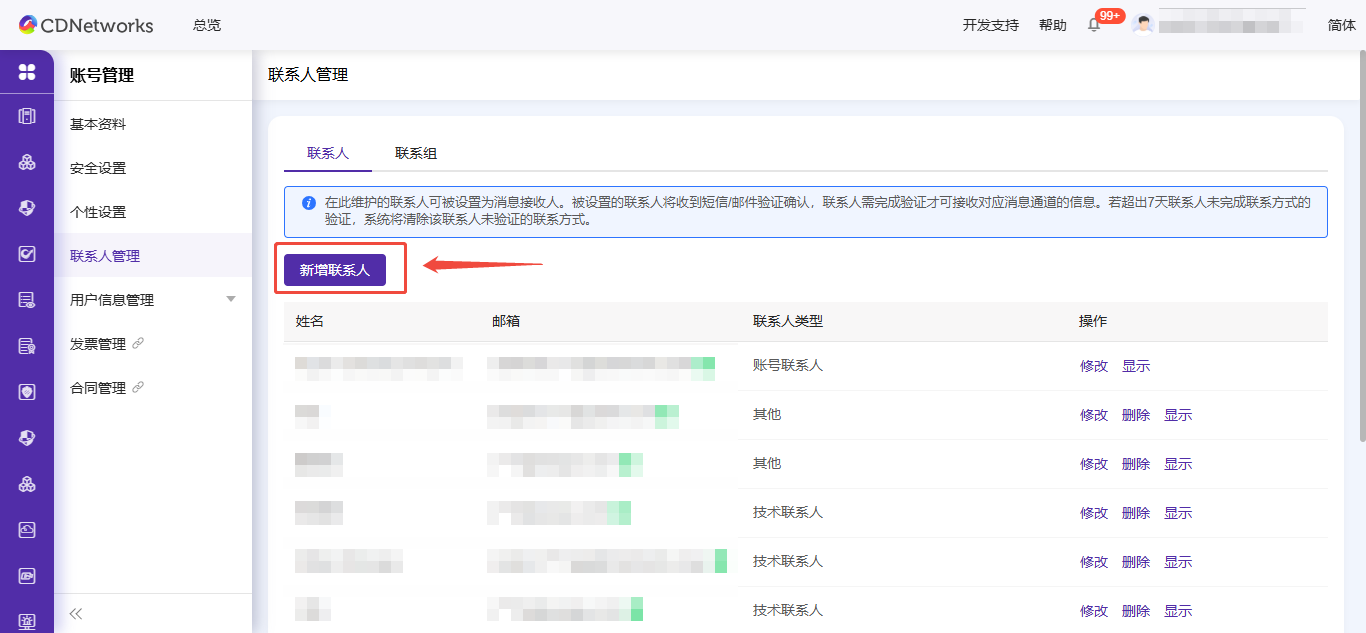
创建报警联系人

  1. 登录https://cloudmonitor.cdnetworks.com/v2/alarm-history/list。

  2. 在左侧导航栏,选择报警服务 > 报警联系人。

  3. 在联系人页签,单击新建联系人。

【Feature Launch】Release Announcement for “Reminders for Domains without Access Control” and ”Bandwidth Anomaly Alerts” for Live Streaming Products

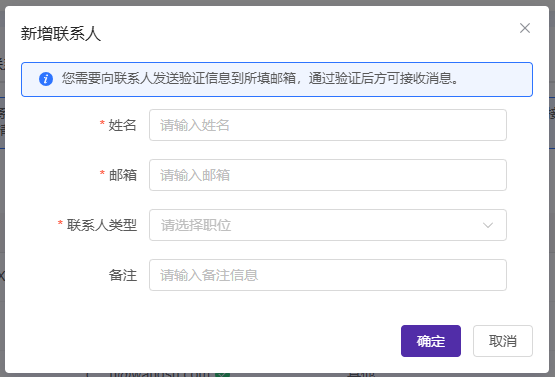
  1. 在设置报警联系人页面,填写报警联系人的姓名、手机号码、邮箱和备注信息。

  2. 信息确认无误后,单击确定。

【Feature Launch】Release Announcement for “Reminders for Domains without Access Control” and ”Bandwidth Anomaly Alerts” for Live Streaming Products

若报警联系人设置了邮箱和手机号码,系统会默认将其状态设为待激活。报警联系人需在收到的邮件或短信内点击激活链接,并于24小时内完成激活,否则无法收到报警通知。激活后,您可在报警联系人列表中查看其手机号码和邮箱。

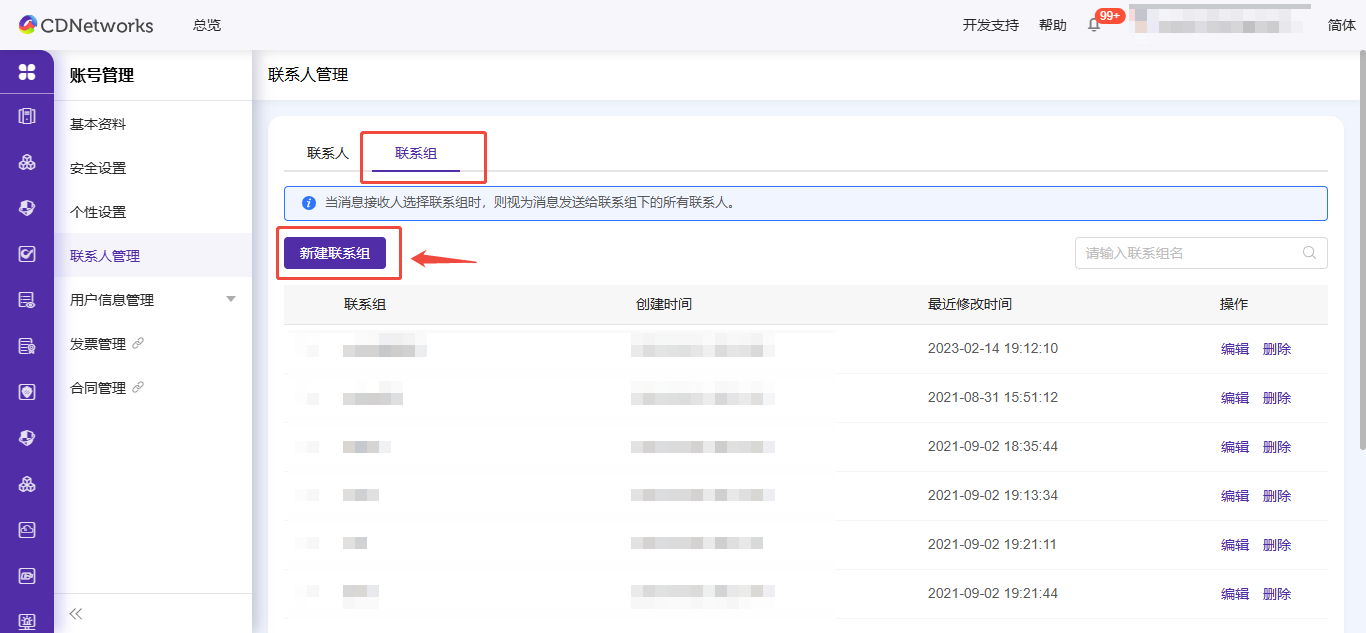
创建报警联系组

  1. 登录https://cloudmonitor.cdnetworks.com/v2/alarm-history/list。

  2. 在左侧导航栏,选择报警服务 > 报警联系人。

  3. 单击联系组页签。

  4. 在报警联系组页签,单击新建联系组。

【Feature Launch】Release Announcement for “Reminders for Domains without Access Control” and ”Bandwidth Anomaly Alerts” for Live Streaming Products

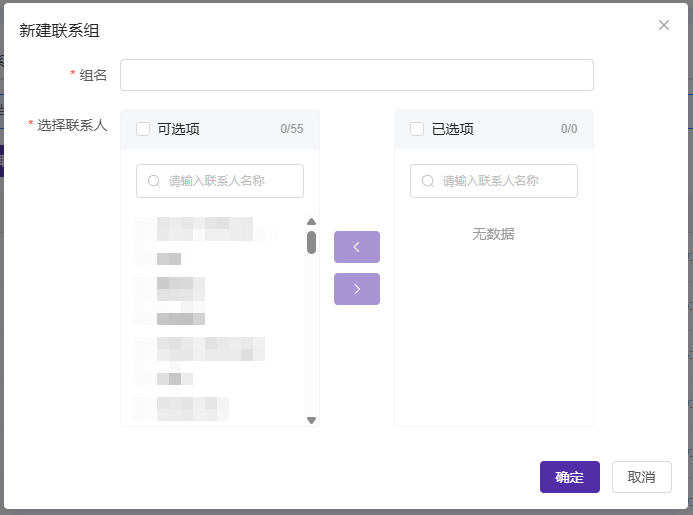
  1. 在新建联系组页面,填写报警联系组的组名,并选择需要添加的报警联系人。

  2. 单击确定。

【Feature Launch】Release Announcement for “Reminders for Domains without Access Control” and ”Bandwidth Anomaly Alerts” for Live Streaming Products

本篇文档内容对您是否有帮助?
有帮助
我要反馈
提交成功!非常感谢您的反馈,我们会继续努力做到更好!