修改邮箱

更新时间:2026-03-19 14:46:30

本文介绍如何修改账号绑定的邮箱。

操作步骤

1.登录控制台;
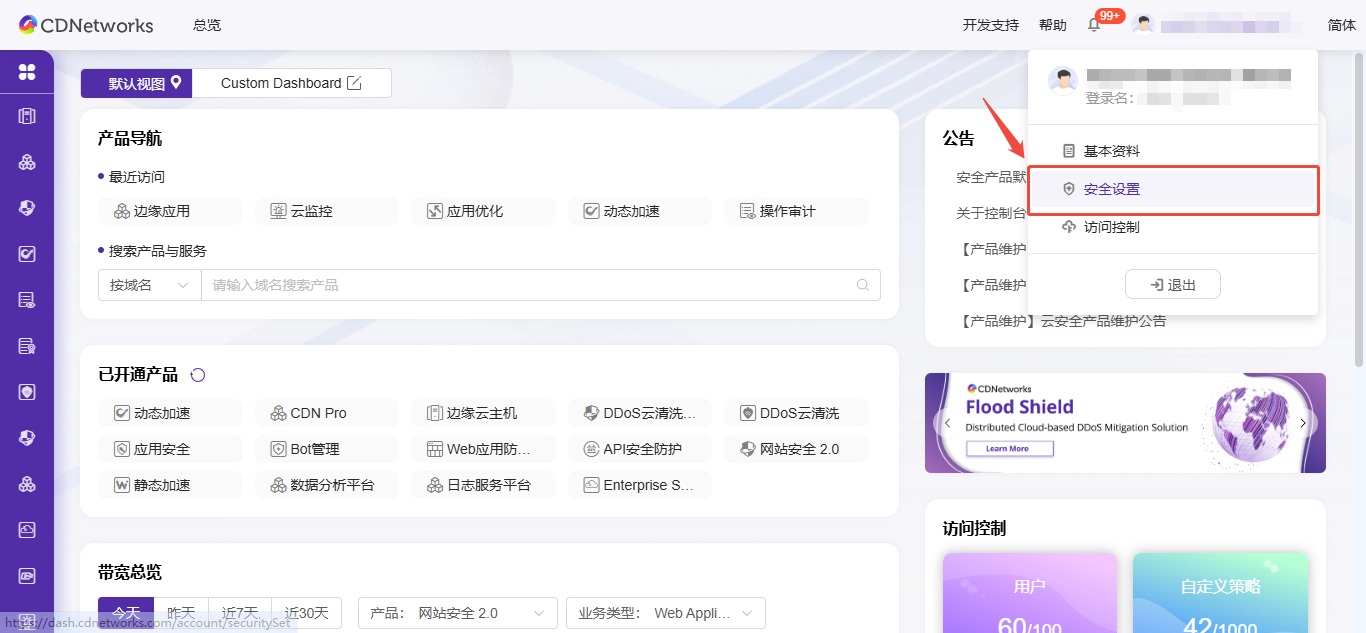
2.鼠标移动到右上角的账号,选择下拉中的 安全设置;
Upcoming Updates to Product Navigation and Document Center
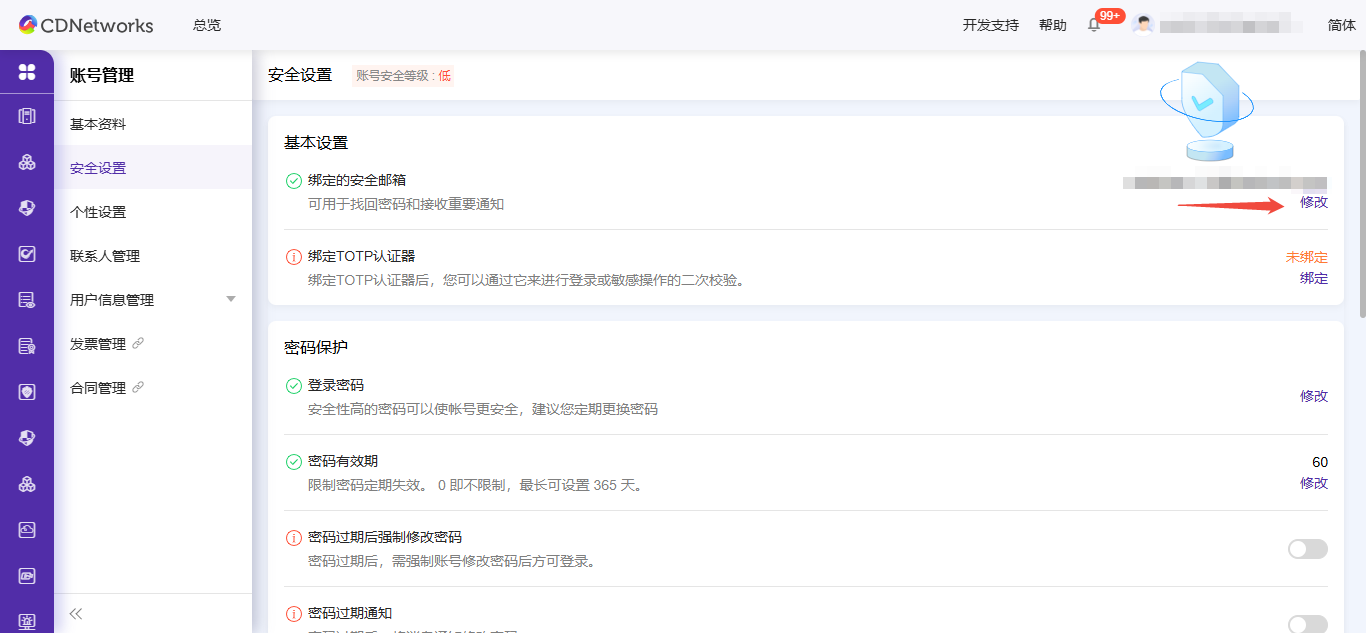
3.进入安全设置页面。
Upcoming Updates to Product Navigation and Document Center
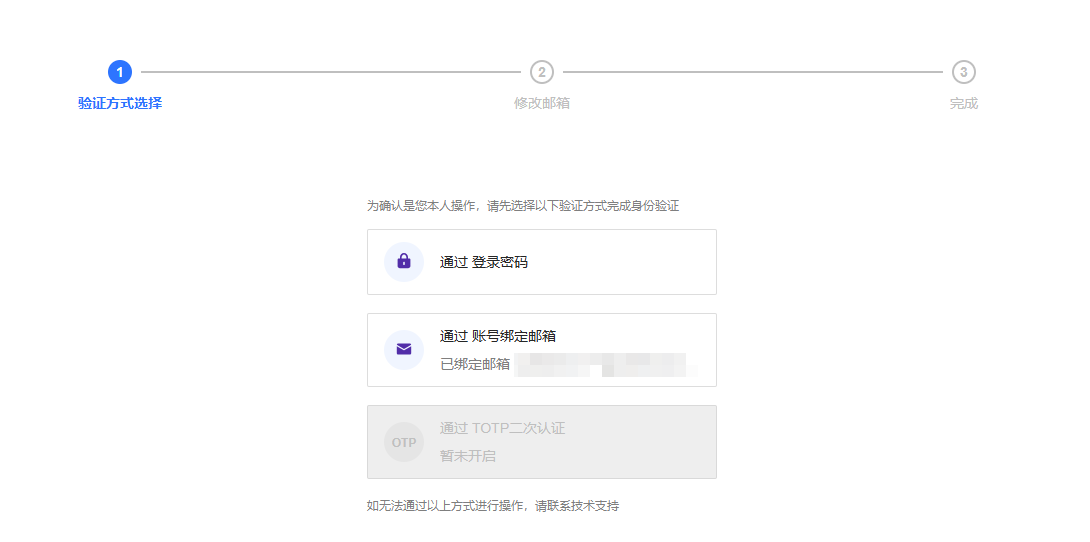
4.点击修改邮箱进入身份校验选择页面;
Upcoming Updates to Product Navigation and Document Center
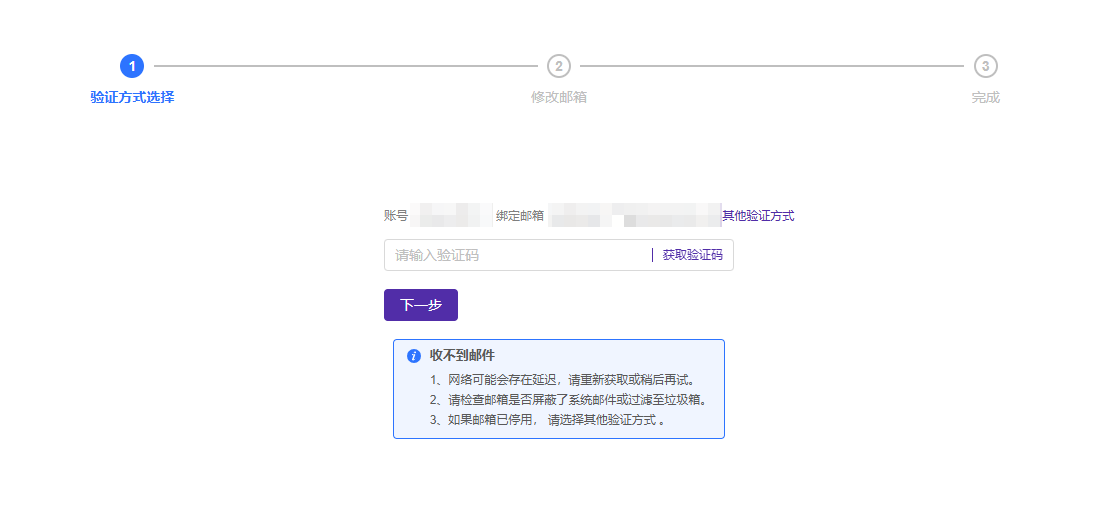
5.选择身份校验方式,比如通过账号密码验证,进入身份校验页面;
Upcoming Updates to Product Navigation and Document Center
6.身份校验完成之后进入绑定新邮箱页面;
7.点击 确定。

本篇文档内容对您是否有帮助?
有帮助
我要反馈
提交成功!非常感谢您的反馈,我们会继续努力做到更好!